
Chaltak - Minecraft Skins & Skin History
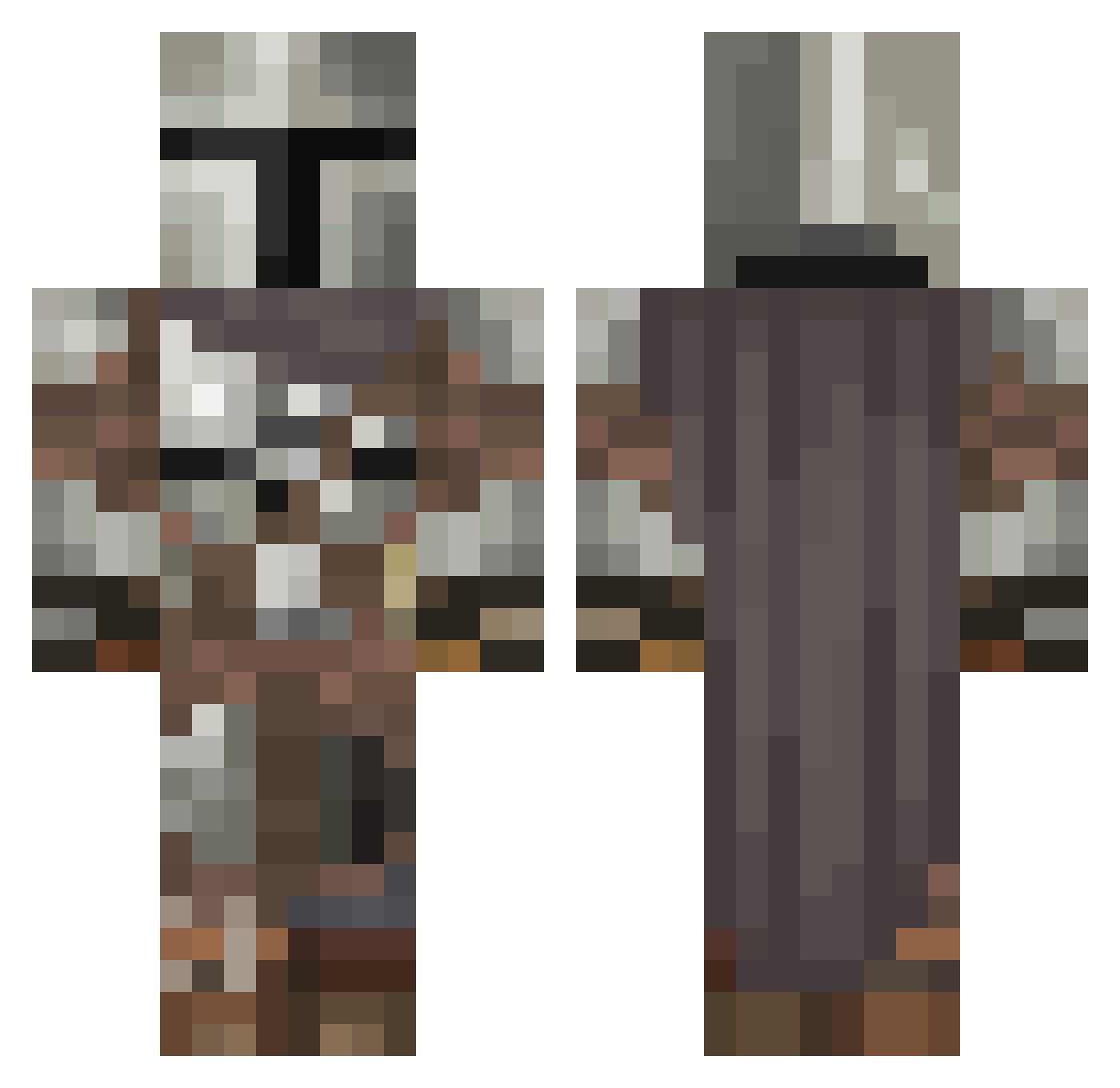
Current Minecraft skin of the player Chaltak, loaded from the official Mojang API. Rotate the 3D model with your mouse or finger, then download the skin as a PNG file and use it in Minecraft: Bedrock Edition or Java Edition for free. When Chaltak changes their skin, this page updates automatically and the old skin stays in the history below.
Other players with this skin (546)
Chaltak was the 22nd player we have seen with this skin, first spotted on 28.07.2026. The same skin was seen on these players. Open a nickname to see their current skin and skin history.
 aVexB WreckitRobbb Haziekeer dropthatbooty AngelAzrael2021 stickeyvicky logarrofa Kid_Arachnid29 Gray_Puma waldie1337 Madzongnez Ssyhaj loptic S0ulD4rk Egeras16 SirToastALot_ Cowpieman11 Tafkat_ BeeSama92 Fl5Hz Thagon ShadowandLight57 localmann Sephaxia Feyn_30 chewpower12345 Alexreload911 DreadLadd osi_nosi EelMet Pandora4life Redgard_ Qtip_22356 earniedcfc Danios92 Topera1 DangNguyen1211 Wolf22 Lamby24 ImCoiled N0M1SDK Andy00715 ALEJAANDROXX Yeah_Ok_Boomer YogiJG Swagstermenis Bigpp88 sourpurple Dj_slay3r N3xusG4mer XBchubz RicoRico194 GingerNinja88 UnzariUrufu vanitas827 Birkheart Dobbystar HaconBaconator Patch_997 Cxllenz_
More The Mandalorian Minecraft skins
See all 591 The Mandalorian skins
How to install the Chaltak skin
- Press the Download button above to save the skin as a PNG file.
- Minecraft: Bedrock Edition (PE): open the Dressing Room from the main menu (or tap your character → Edit Character), go to Classic Skins → Owned, press the + (new skin) button, choose the downloaded PNG and pick the Classic (Steve) model. Works on PC and mobile; consoles cannot import custom skins.
- Minecraft: Java Edition: open the Minecraft Launcher, go to the Skins tab, click New Skin, load the PNG, pick the Classic (Steve) model and press Save & Use. You can also upload it at minecraft.net → Profile → Change Skin.
The skin does not show up after import - what should I do?
Restart Minecraft and open the Dressing Room again - imported skins sometimes appear only after a restart. Also make sure you selected the imported skin and picked the Classic (Steve) model.
Which model should I choose, Classic or Slim?
This skin is designed for the Classic (Steve) model. If you pick the wrong model, the arms of the skin will look stretched or squeezed.
Is the skin of Chaltak free to download?
Yes. Press Download, save the PNG file and use it in Minecraft: Bedrock Edition or Java Edition - no payment or registration needed. The skin also works on multiplayer servers and Realms.
More skins
Looking for more? Go back to all Minecraft skins and check the top skins of the week, month and all time, or find any player's skin by nickname.