
CensoredDeath86 - Minecraft Skins & Skin History
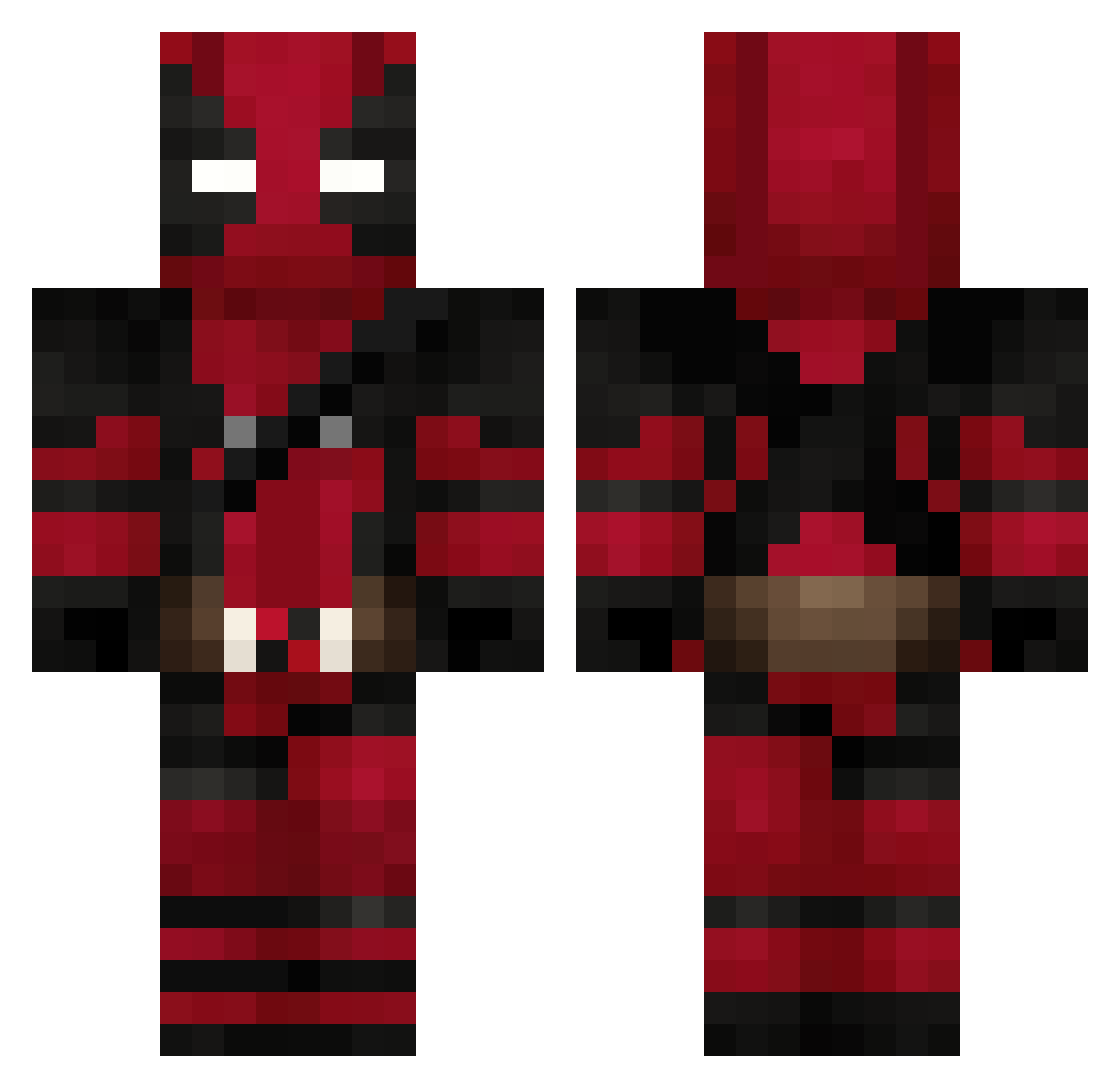
Current Minecraft skin of the player CensoredDeath86, loaded from the official Mojang API. Rotate the 3D model with your mouse or finger, then download the skin as a PNG file and use it in Minecraft: Bedrock Edition or Java Edition for free. When CensoredDeath86 changes their skin, this page updates automatically and the old skin stays in the history below.
Other players with this skin (625)
CensoredDeath86 was the 145th player we have seen with this skin, first spotted on 16.08.2026. The same skin was seen on these players. Open a nickname to see their current skin and skin history.
 Fabian300ZX JackyChoun ZagaZau_CDG_84 Geoelv Kurtoskalacs69 JESPITT MiguelDuarte9090 LarryTe
 CPT_TORL4K designexe99 vevv_ Faxzking SirKenway DetectiveGoose02 Krupmli Fried_Chicken05 SiKiCi1331 EM0sapien Pala_871
 Elkavi_3sg Bartalomeus Nugget7236 Nelwest Gik0305 wjddls7842 Nesa2002 Gabry320 GhostFros SpecialGummy Beko57 DDMary Whinston80 LG021 INWOOLEE JoseBogado kn1ght05 CRT06 oWhizzySz brittyfit Gl0bito CyberPrisoner denizgokduman11 PepiPls Makuria EzequielM ChrisBN UwU_Jester Angnes Furnak Rapt0r9782 Mikla_BR mine_edde Peterstan96 juanramir Rabani001 JeffHue Shoeface48 kev111111 AR3ON Ken0m
More Deadpool Minecraft skins
How to install the CensoredDeath86 skin
- Press the Download button above to save the skin as a PNG file.
- Minecraft: Bedrock Edition (PE): open the Dressing Room from the main menu (or tap your character → Edit Character), go to Classic Skins → Owned, press the + (new skin) button, choose the downloaded PNG and pick the Classic (Steve) model. Works on PC and mobile; consoles cannot import custom skins.
- Minecraft: Java Edition: open the Minecraft Launcher, go to the Skins tab, click New Skin, load the PNG, pick the Classic (Steve) model and press Save & Use. You can also upload it at minecraft.net → Profile → Change Skin.
The skin does not show up after import - what should I do?
Restart Minecraft and open the Dressing Room again - imported skins sometimes appear only after a restart. Also make sure you selected the imported skin and picked the Classic (Steve) model.
Which model should I choose, Classic or Slim?
This skin is designed for the Classic (Steve) model. If you pick the wrong model, the arms of the skin will look stretched or squeezed.
Is the skin of CensoredDeath86 free to download?
Yes. Press Download, save the PNG file and use it in Minecraft: Bedrock Edition or Java Edition - no payment or registration needed. The skin also works on multiplayer servers and Realms.
More skins
Looking for more? Go back to all Minecraft skins and check the top skins of the week, month and all time, or find any player's skin by nickname.