
Cat1611 - Minecraft Skins & Skin History
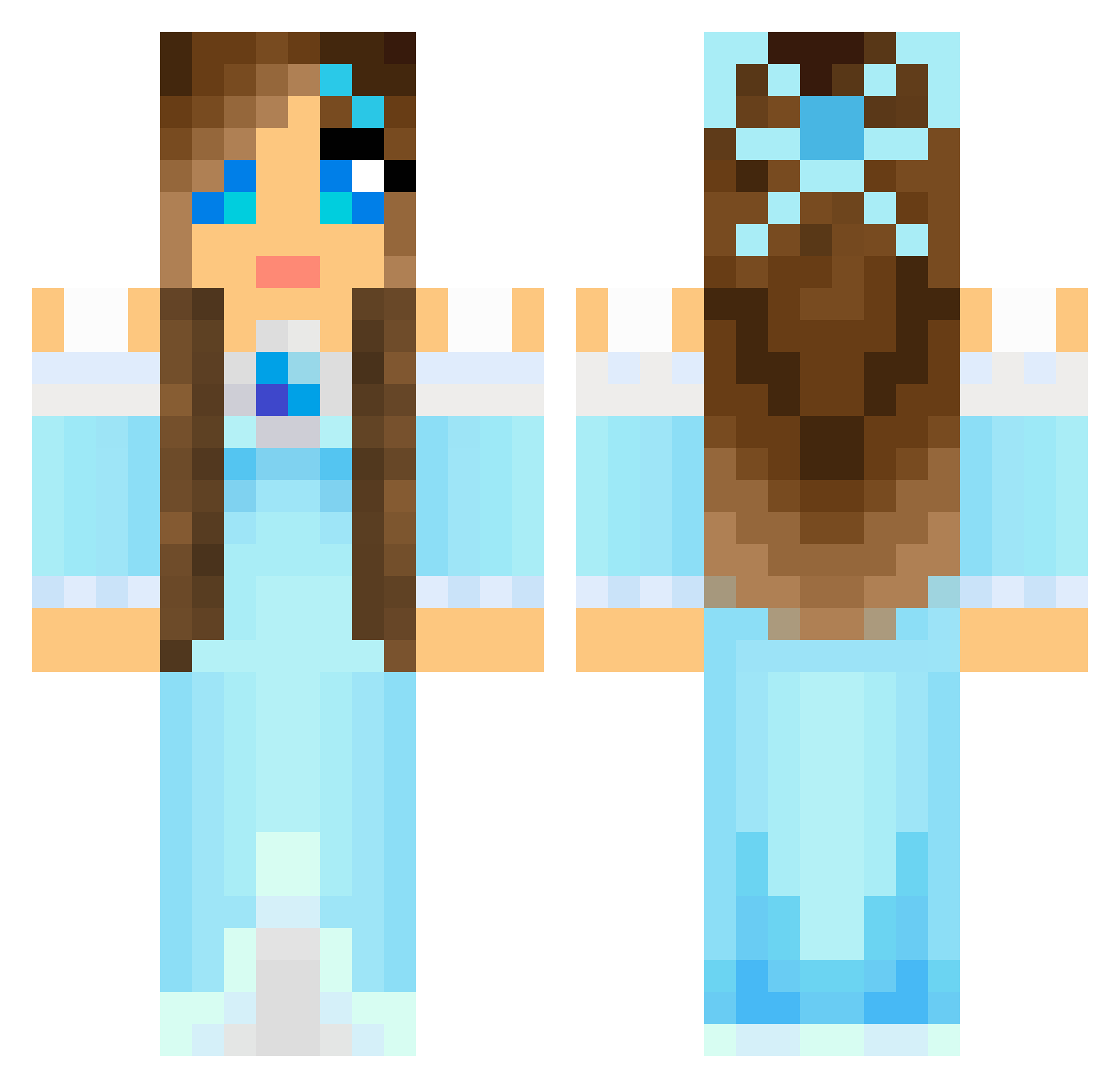
Current Minecraft skin of the player Cat1611, loaded from the official Mojang API. Rotate the 3D model with your mouse or finger, then download the skin as a PNG file and use it in Minecraft: Bedrock Edition or Java Edition for free. When Cat1611 changes their skin, this page updates automatically and the old skin stays in the history below.
Other players with this skin (804)
Cat1611 was the 250th player we have seen with this skin, first spotted on 28.08.2026. The same skin was seen on these players. Open a nickname to see their current skin and skin history.
 LanaMorgan claudia_c Kinia_ schnuckimucki joppiesaus27 fairychild Glitterbird11 Aluella Melissa2908 Anastatic Stellaaria Rotten_Apple_NY EatItJuice minegirlyy luchenator Softijsje95 taytay3639 azjazi Lady_Gwyn alice_2468 CraftySoso RaniMay xYufax fannysunny Capt_Maser isaberg01 Yuki22 masterkyle079 Ronjahc DarbySue10 chloe77600 DeltaBrita pandapuff100 The_Leveler peypeyhef Supacrafter31 Lilyhall617 pinkpink8 MadAxe3577 star_fire13 mariahschuler yjack44 flacsacracker conrad404 violetmagnolia Artistic_Kitsune HelloKittyJordan MeekMiz eccentric_eye rainbowracer3 Littleprincess21 IsabellF00 AmandaP510 Bluesunshine12 littlemolzy Quizzly7 hannahr143 lavenderpeach kamiq2002 netherdude666
More Princess Minecraft skins
How to install the Cat1611 skin
- Press the Download button above to save the skin as a PNG file.
- Minecraft: Bedrock Edition (PE): open the Dressing Room from the main menu (or tap your character → Edit Character), go to Classic Skins → Owned, press the + (new skin) button, choose the downloaded PNG and pick the Classic (Steve) model. Works on PC and mobile; consoles cannot import custom skins.
- Minecraft: Java Edition: open the Minecraft Launcher, go to the Skins tab, click New Skin, load the PNG, pick the Classic (Steve) model and press Save & Use. You can also upload it at minecraft.net → Profile → Change Skin.
The skin does not show up after import - what should I do?
Restart Minecraft and open the Dressing Room again - imported skins sometimes appear only after a restart. Also make sure you selected the imported skin and picked the Classic (Steve) model.
Which model should I choose, Classic or Slim?
This skin is designed for the Classic (Steve) model. If you pick the wrong model, the arms of the skin will look stretched or squeezed.
Is the skin of Cat1611 free to download?
Yes. Press Download, save the PNG file and use it in Minecraft: Bedrock Edition or Java Edition - no payment or registration needed. The skin also works on multiplayer servers and Realms.
More skins
Looking for more? Go back to all Minecraft skins and check the top skins of the week, month and all time, or find any player's skin by nickname.