
CasualOccurrence - Minecraft Skins & Skin History
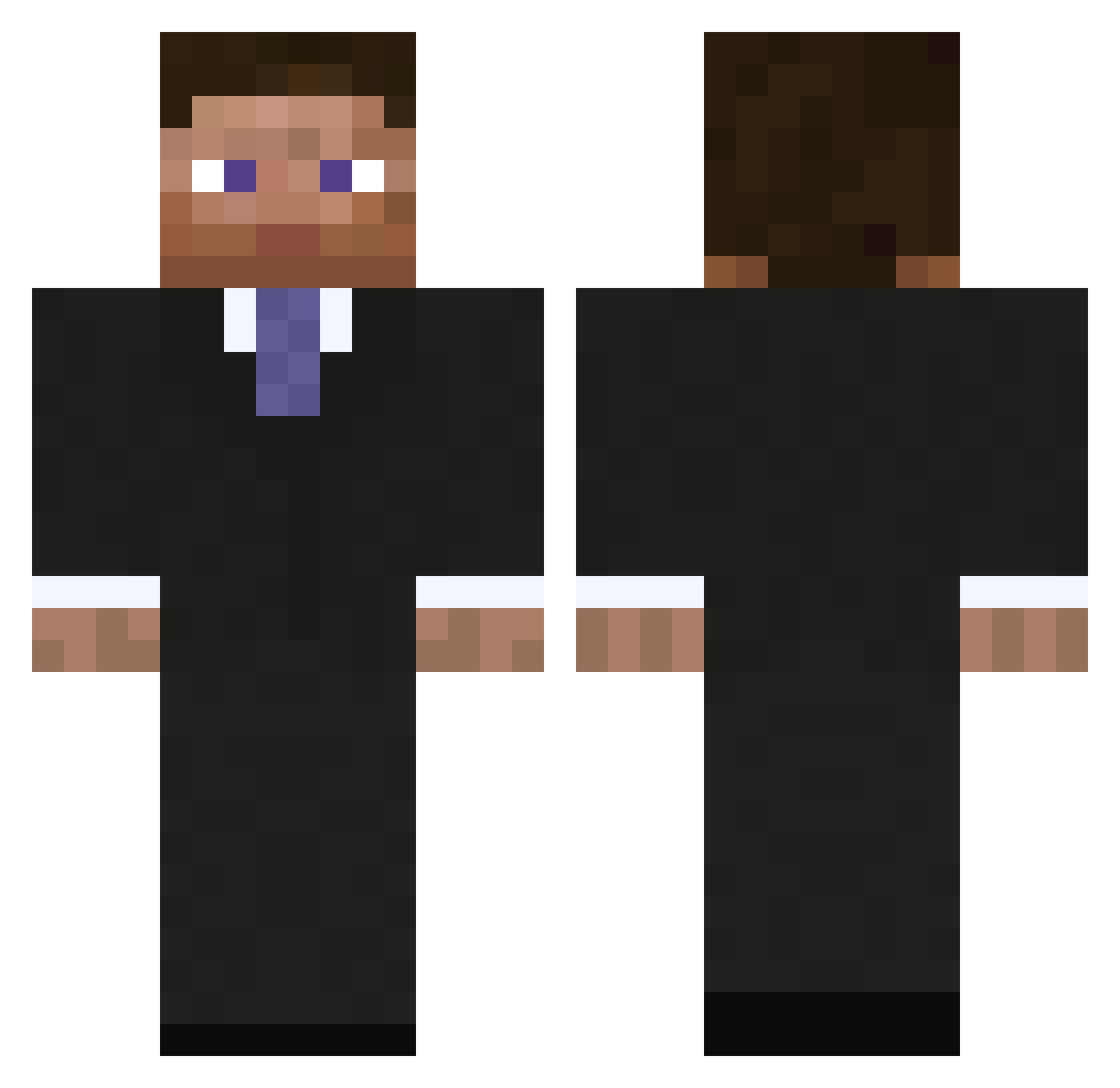
Current Minecraft skin of the player CasualOccurrence, loaded from the official Mojang API. Rotate the 3D model with your mouse or finger, then download the skin as a PNG file and use it in Minecraft: Bedrock Edition or Java Edition for free. When CasualOccurrence changes their skin, this page updates automatically and the old skin stays in the history below.
Other players with this skin (794)
CasualOccurrence was the 262nd player we have seen with this skin, first spotted on 24.08.2026. The same skin was seen on these players. Open a nickname to see their current skin and skin history.
 Fajen 200ALLAN Sling885 bobdobbs313 zachcoyle DaTTeLnerD OWebby DrRauge the_oliver TheAgentNZ barlesishere colin2134 Jonihc03 n8t williamhackett MeatPieMan Josh_Ryan urndel Hao_Yuan501 LagunaWilson Fayed Atmichaelha VB_Builder Stargerar Stelthling lamper30 snowystinger Uttercack Headwind279 Shor3s pht97 ErnestMiller Andrew_Hussey Ires fricia voodoodawg ben69870 Eddie_Jones Charles_Andrew r00tworm Rudde47 90runtthrow12 Danny_Raz edvardbotterli ElatedOwl Gogl92 Bayliss35 batboy500 ljr0600 jayare87 raucouscrew_14 XoXRandomManXoX AlextheK pestman35a Galactike Punchliner AzaMcG willbaba meal2000 m6lunette
More Businessman Minecraft skins
See all 5479 Businessman skins
How to install the CasualOccurrence skin
- Press the Download button above to save the skin as a PNG file.
- Minecraft: Bedrock Edition (PE): open the Dressing Room from the main menu (or tap your character → Edit Character), go to Classic Skins → Owned, press the + (new skin) button, choose the downloaded PNG and pick the Classic (Steve) model. Works on PC and mobile; consoles cannot import custom skins.
- Minecraft: Java Edition: open the Minecraft Launcher, go to the Skins tab, click New Skin, load the PNG, pick the Classic (Steve) model and press Save & Use. You can also upload it at minecraft.net → Profile → Change Skin.
The skin does not show up after import - what should I do?
Restart Minecraft and open the Dressing Room again - imported skins sometimes appear only after a restart. Also make sure you selected the imported skin and picked the Classic (Steve) model.
Which model should I choose, Classic or Slim?
This skin is designed for the Classic (Steve) model. If you pick the wrong model, the arms of the skin will look stretched or squeezed.
Is the skin of CasualOccurrence free to download?
Yes. Press Download, save the PNG file and use it in Minecraft: Bedrock Edition or Java Edition - no payment or registration needed. The skin also works on multiplayer servers and Realms.
More skins
Looking for more? Go back to all Minecraft skins and check the top skins of the week, month and all time, or find any player's skin by nickname.