
Cartoon981 - Minecraft Skins & Skin History
Current Minecraft skin of the player Cartoon981, loaded from the official Mojang API. Rotate the 3D model with your mouse or finger, then download the skin as a PNG file and use it in Minecraft: Bedrock Edition or Java Edition for free. When Cartoon981 changes their skin, this page updates automatically and the old skin stays in the history below.
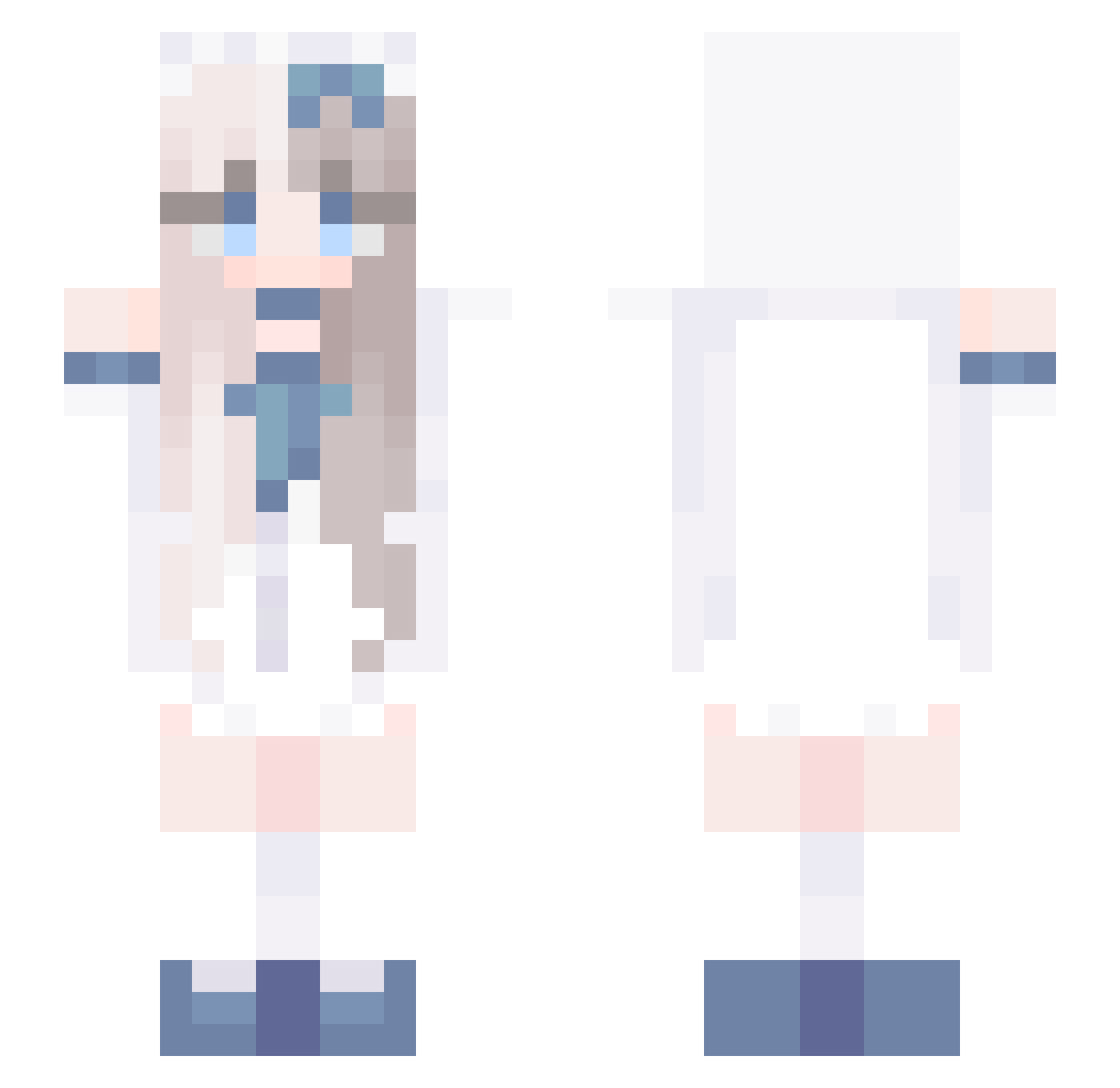
Other players with this skin (647)
Cartoon981 was the 322nd player we have seen with this skin, first spotted on 09.09.2026. The same skin was seen on these players. Open a nickname to see their current skin and skin history.
 shenci03 dancejenny peelyB byd_k yuzup3
 Shikaza youtang233 Kaname_Rana_N mao_222 Wanths hensaki yixi19 StoryLuna Leo_Neon LJJ888 minixuan sliencesuzuka snow02211 Zobie_ _Minjii Minarii845 ffaa44 Twit_sun aaajs fabrizio_mono_mo skychira MapleZ0 VaUwU zzc06 yiyi514 Aaclpindt 454534 DanTa__ ShinCREAM_ mayrae07 byrxq Buhbert xiaoweiniubi2023 ina_lin j5ing marumori0202 ResearcH_RuN Sean_Sia smhhms snowChing jianghe123 Emsharpe lf_SR12o_05_21 Juicesdad17 LUCY_95 XiaoJuu GordanMorgan LCwei THEJOJOFAN White_Jasmine Smmer1 EthanAL99 rvdzia zzzh_0312 wangmuyang
More Anime Girl Minecraft skins
See all 11982 Anime Girl skins
How to install the Cartoon981 skin
- Press the Download button above to save the skin as a PNG file.
- Minecraft: Bedrock Edition (PE): open the Dressing Room from the main menu (or tap your character → Edit Character), go to Classic Skins → Owned, press the + (new skin) button, choose the downloaded PNG and pick the Slim (Alex) model. Works on PC and mobile; consoles cannot import custom skins.
- Minecraft: Java Edition: open the Minecraft Launcher, go to the Skins tab, click New Skin, load the PNG, pick the Slim (Alex) model and press Save & Use. You can also upload it at minecraft.net → Profile → Change Skin.
The skin does not show up after import - what should I do?
Restart Minecraft and open the Dressing Room again - imported skins sometimes appear only after a restart. Also make sure you selected the imported skin and picked the Slim (Alex) model.
Which model should I choose, Classic or Slim?
This skin is designed for the Slim (Alex) model. If you pick the wrong model, the arms of the skin will look stretched or squeezed.
Is the skin of Cartoon981 free to download?
Yes. Press Download, save the PNG file and use it in Minecraft: Bedrock Edition or Java Edition - no payment or registration needed. The skin also works on multiplayer servers and Realms.
More skins
Looking for more? Go back to all Minecraft skins and check the top skins of the week, month and all time, or find any player's skin by nickname.