
Carboneitor - Minecraft Skins & Skin History
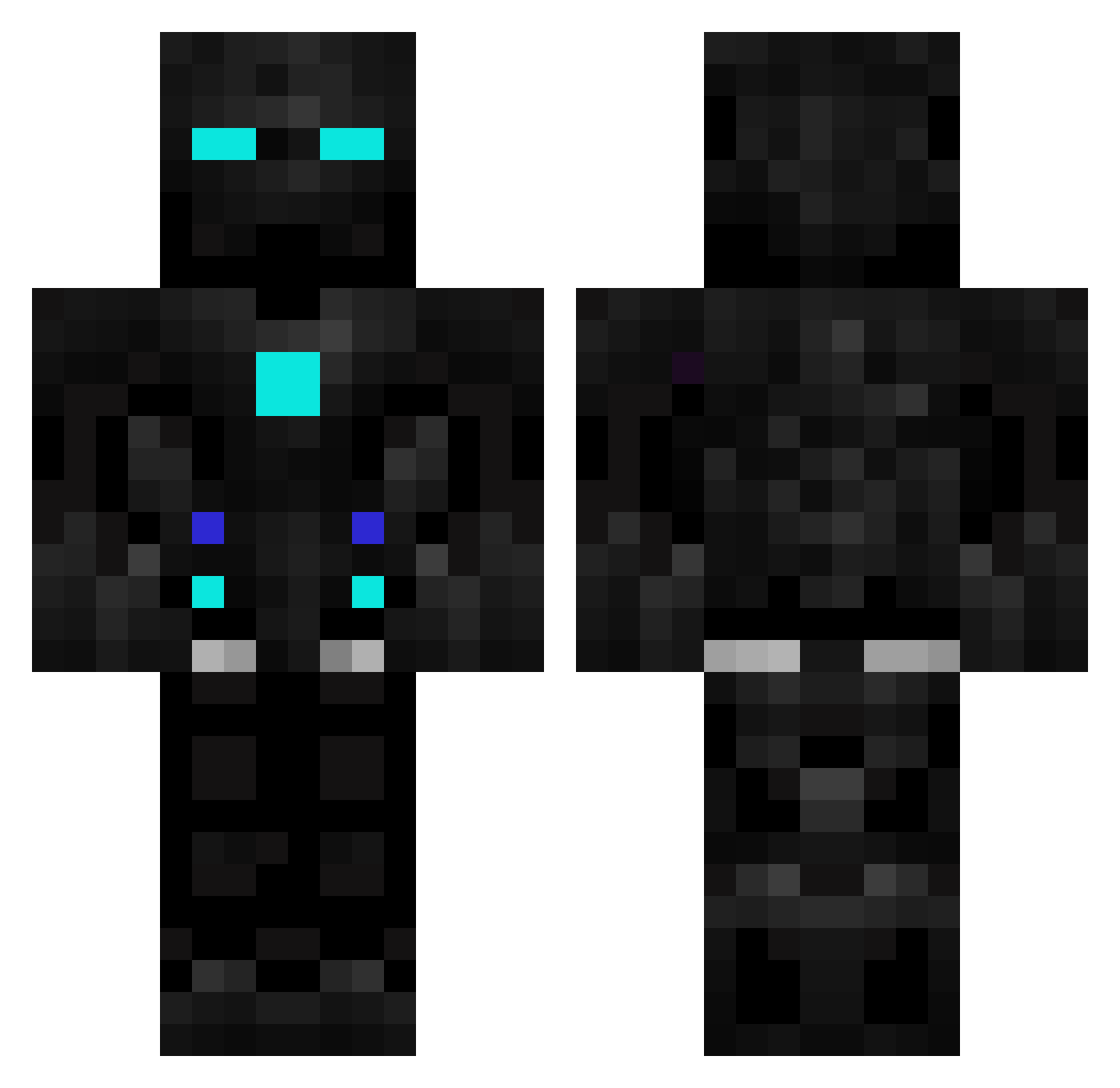
Current Minecraft skin of the player Carboneitor, loaded from the official Mojang API. Rotate the 3D model with your mouse or finger, then download the skin as a PNG file and use it in Minecraft: Bedrock Edition or Java Edition for free. When Carboneitor changes their skin, this page updates automatically and the old skin stays in the history below.
Other players with this skin (602)
Carboneitor was the 263rd player we have seen with this skin, first spotted on 18.09.2026. The same skin was seen on these players. Open a nickname to see their current skin and skin history.
 KlattKids Blocator123 xDeep69 DominatorEvans KOLOBARNIK Chomber123 JICO01 slpyshp fazydiego Rubydacherry44 gokay123123 Baum6375 Thendarth Mineplayer666 Shivangg FauxZ4TH3r CrankyOld Danny7687 CatMyth Ender_CDXX Krisshadow N3biox Dawntless ImprovisedName UndisguisedToast Aliesco Dimactek Brendo77 M1st3ro zoomer2900 _FEVR_ PlayerBenji Lori1400 MineMinosse PackBotrv HUNTY197 shpovel Sownder Ayas122 Wes_playzs HaydenYeh HeNik007 binventeur DeepPage0 Gameshooter01 Lilartistry Phanter091 krystek090 kapteinsjakkel LegendDestROYer1 joe_sizzl ironman968 LacsapII TeddieXD Payfran_ TheHaci forestplays Probot2k VishalNOp Diedfor_myzens
More Robot Minecraft skins
How to install the Carboneitor skin
- Press the Download button above to save the skin as a PNG file.
- Minecraft: Bedrock Edition (PE): open the Dressing Room from the main menu (or tap your character → Edit Character), go to Classic Skins → Owned, press the + (new skin) button, choose the downloaded PNG and pick the Classic (Steve) model. Works on PC and mobile; consoles cannot import custom skins.
- Minecraft: Java Edition: open the Minecraft Launcher, go to the Skins tab, click New Skin, load the PNG, pick the Classic (Steve) model and press Save & Use. You can also upload it at minecraft.net → Profile → Change Skin.
The skin does not show up after import - what should I do?
Restart Minecraft and open the Dressing Room again - imported skins sometimes appear only after a restart. Also make sure you selected the imported skin and picked the Classic (Steve) model.
Which model should I choose, Classic or Slim?
This skin is designed for the Classic (Steve) model. If you pick the wrong model, the arms of the skin will look stretched or squeezed.
Is the skin of Carboneitor free to download?
Yes. Press Download, save the PNG file and use it in Minecraft: Bedrock Edition or Java Edition - no payment or registration needed. The skin also works on multiplayer servers and Realms.
More skins
Looking for more? Go back to all Minecraft skins and check the top skins of the week, month and all time, or find any player's skin by nickname.