
Captain_Sharts - Minecraft Skins & Skin History
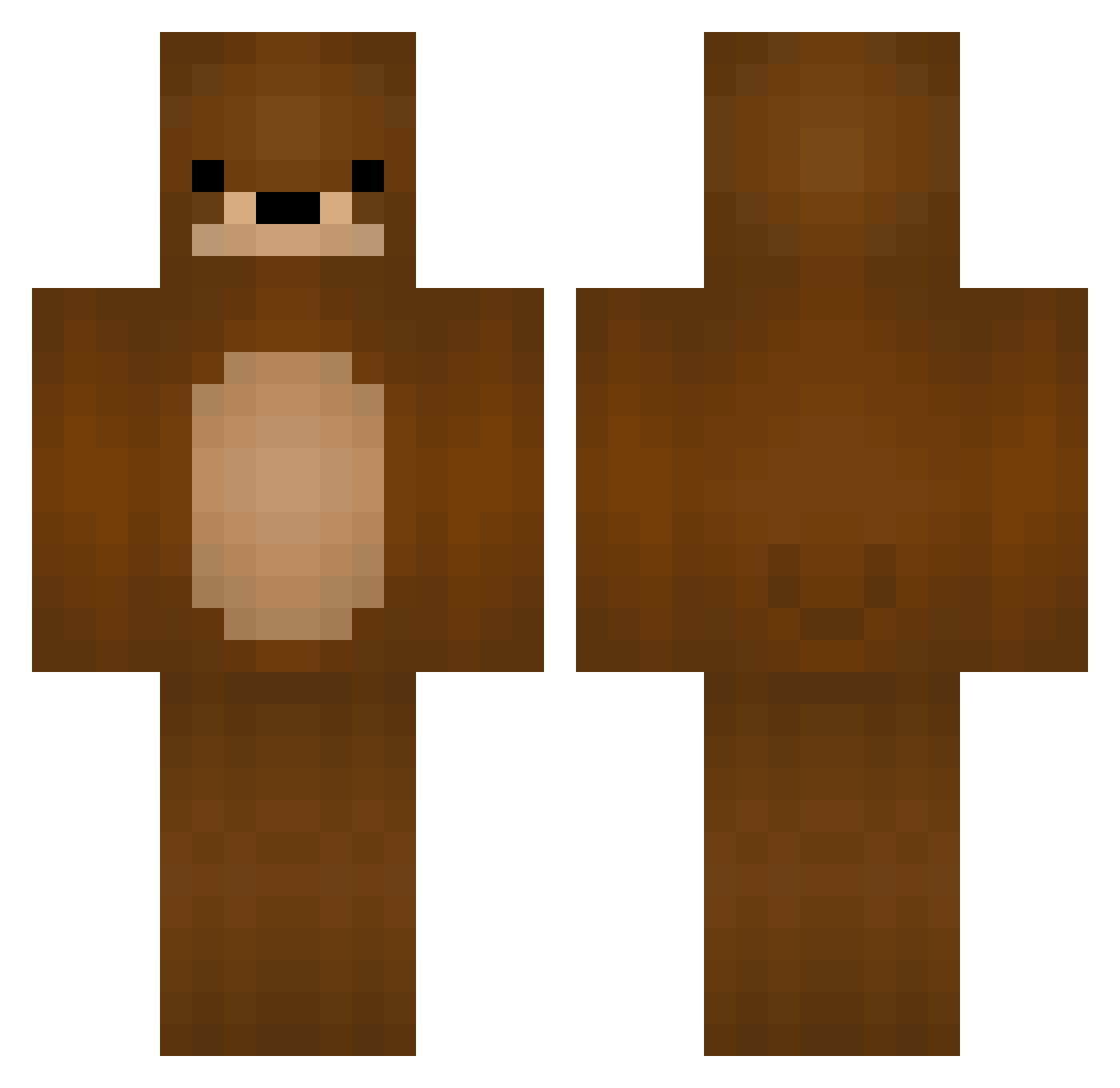
Current Minecraft skin of the player Captain_Sharts, loaded from the official Mojang API. Rotate the 3D model with your mouse or finger, then download the skin as a PNG file and use it in Minecraft: Bedrock Edition or Java Edition for free. When Captain_Sharts changes their skin, this page updates automatically and the old skin stays in the history below.
Other players with this skin (246)
Captain_Sharts was the 129th player we have seen with this skin, first spotted on 24.09.2026. The same skin was seen on these players. Open a nickname to see their current skin and skin history.
 antakyadoner kenz7894 Anzuk Kongbusy bbackgome HAYOON1206 YoungHill c__f BiGbEarYA LITTLEBEARHUANG PoopieLukie suosuo0425 christianveglio Rainfish233 Pro_asic PlumFifa Mirin5328 Huijam LazyTitan0906 knee1226 plumcandy12 F3nmore BossKaan54 seeun1112 IKnowASword Urzia zlzonparksihu kumakumakumasan Player_Shadows WsupBro_ LiiFe_42 Efq233 Wiesmann DDoritosss cheesemom92 foamUwU Elyeww ZippyCh BunnyTiddyMilk Enjeeya lmam ezbait080 BigTastyBacon69 Seiren21 AkterTeatra Chours misiek123445 Hyeokoo tytuf relishbath GeorgeGamerPro21 jaydensgur BURO20 kumajake Kartiam Max_qube potato3104 Omao42 riiiiiinu_ mr_braunbaer
More Bear Minecraft skins
How to install the Captain_Sharts skin
- Press the Download button above to save the skin as a PNG file.
- Minecraft: Bedrock Edition (PE): open the Dressing Room from the main menu (or tap your character → Edit Character), go to Classic Skins → Owned, press the + (new skin) button, choose the downloaded PNG and pick the Classic (Steve) model. Works on PC and mobile; consoles cannot import custom skins.
- Minecraft: Java Edition: open the Minecraft Launcher, go to the Skins tab, click New Skin, load the PNG, pick the Classic (Steve) model and press Save & Use. You can also upload it at minecraft.net → Profile → Change Skin.
The skin does not show up after import - what should I do?
Restart Minecraft and open the Dressing Room again - imported skins sometimes appear only after a restart. Also make sure you selected the imported skin and picked the Classic (Steve) model.
Which model should I choose, Classic or Slim?
This skin is designed for the Classic (Steve) model. If you pick the wrong model, the arms of the skin will look stretched or squeezed.
Is the skin of Captain_Sharts free to download?
Yes. Press Download, save the PNG file and use it in Minecraft: Bedrock Edition or Java Edition - no payment or registration needed. The skin also works on multiplayer servers and Realms.
More skins
Looking for more? Go back to all Minecraft skins and check the top skins of the week, month and all time, or find any player's skin by nickname.