
Cangeokix - Minecraft Skins & Skin History
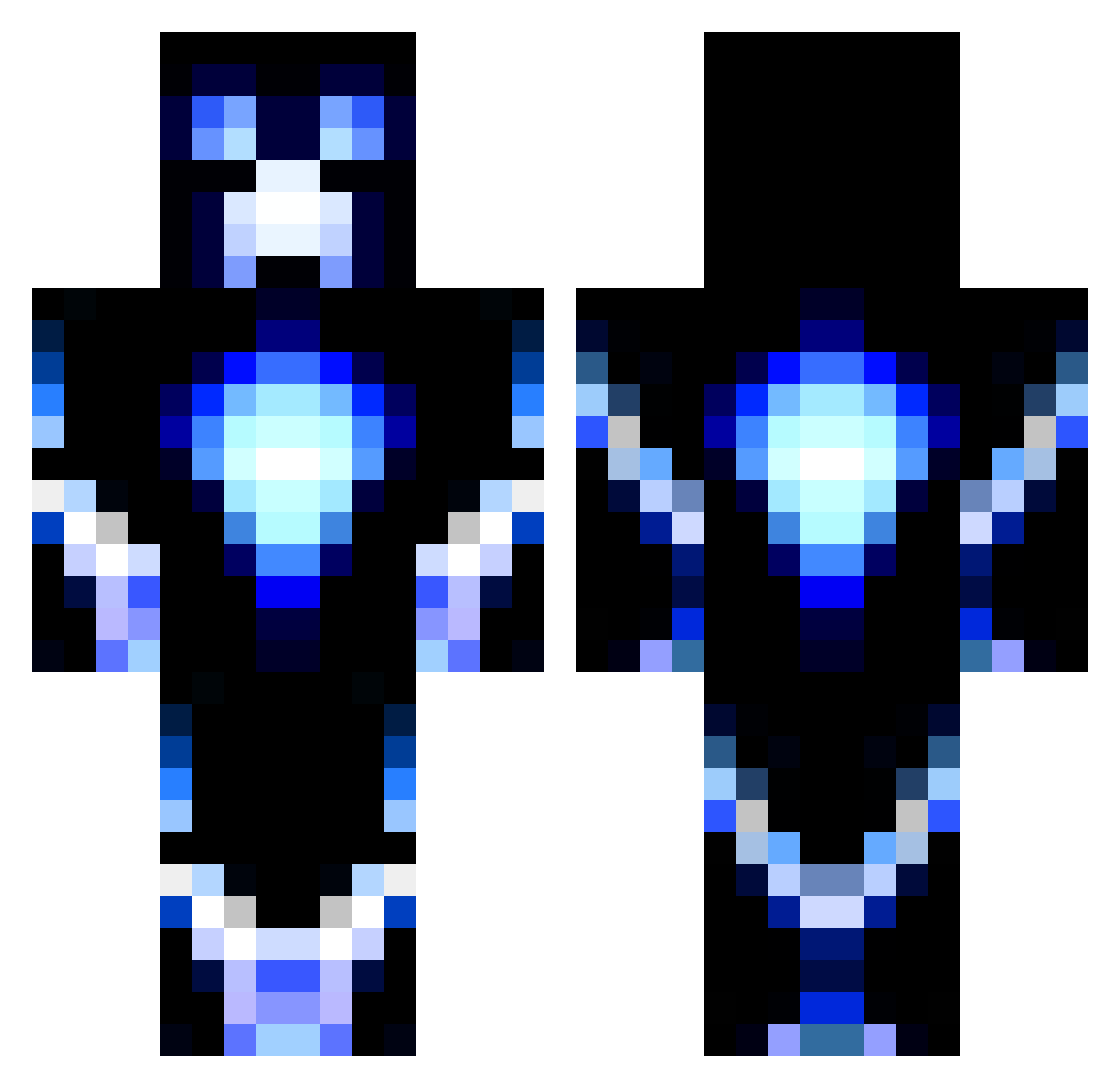
Current Minecraft skin of the player Cangeokix, loaded from the official Mojang API. Rotate the 3D model with your mouse or finger, then download the skin as a PNG file and use it in Minecraft: Bedrock Edition or Java Edition for free. When Cangeokix changes their skin, this page updates automatically and the old skin stays in the history below.
Other players with this skin (1186)
Cangeokix was the 132nd player we have seen with this skin, first spotted on 06.08.2026. The same skin was seen on these players. Open a nickname to see their current skin and skin history.
 sebbegamer9 Niiicooo44 Amberpander jatobin keegenak Greenaggie bygganton AdrianSuperXD Slogan05 ian5495 chrisikoby azzawest123 Former_Guest Godzilla9604 hongster Delirious_Flint WadaBoO LocoLinkin Mattie201522 Frot10 mojo96 ck24kb Refferedfall775 chickenfried610 codpro13 T0rb1nh0 RCKicks TheRealReece Mazza363 Justintime4you SCOTT2300 yoou22 flunga andreamele01 Andronicon Mish_Barks Swors94 AlexKool22 Macabe412 Awesomecole213 ScarabBoy1 edster_98 Sinqin CaptainMiner171 hemoeshock joni8467 MyNameIsJon SkullMoose Salamimatt beast13082001 charliebaja mysteryman1313 Exterminator392 The_Final_Cruz jelly234 jdeese123 1AndOnlyElectro Falconerius Fr0zenLightning Jett_F
More Glowing Minecraft skins
How to install the Cangeokix skin
- Press the Download button above to save the skin as a PNG file.
- Minecraft: Bedrock Edition (PE): open the Dressing Room from the main menu (or tap your character → Edit Character), go to Classic Skins → Owned, press the + (new skin) button, choose the downloaded PNG and pick the Classic (Steve) model. Works on PC and mobile; consoles cannot import custom skins.
- Minecraft: Java Edition: open the Minecraft Launcher, go to the Skins tab, click New Skin, load the PNG, pick the Classic (Steve) model and press Save & Use. You can also upload it at minecraft.net → Profile → Change Skin.
The skin does not show up after import - what should I do?
Restart Minecraft and open the Dressing Room again - imported skins sometimes appear only after a restart. Also make sure you selected the imported skin and picked the Classic (Steve) model.
Which model should I choose, Classic or Slim?
This skin is designed for the Classic (Steve) model. If you pick the wrong model, the arms of the skin will look stretched or squeezed.
Is the skin of Cangeokix free to download?
Yes. Press Download, save the PNG file and use it in Minecraft: Bedrock Edition or Java Edition - no payment or registration needed. The skin also works on multiplayer servers and Realms.
More skins
Looking for more? Go back to all Minecraft skins and check the top skins of the week, month and all time, or find any player's skin by nickname.