
Camilo019 - Minecraft Skins & Skin History
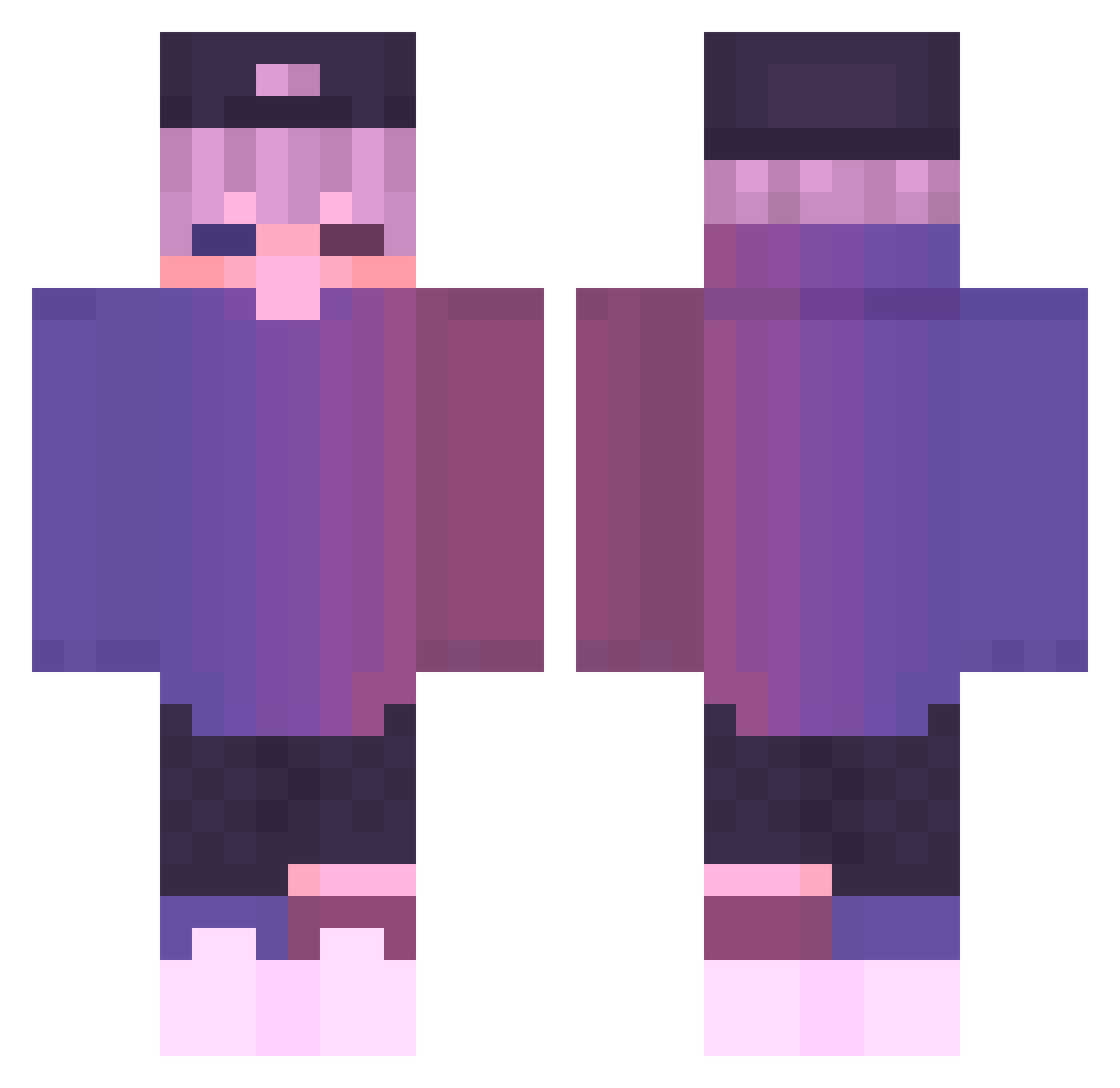
Current Minecraft skin of the player Camilo019, loaded from the official Mojang API. Rotate the 3D model with your mouse or finger, then download the skin as a PNG file and use it in Minecraft: Bedrock Edition or Java Edition for free. When Camilo019 changes their skin, this page updates automatically and the old skin stays in the history below.
Other players with this skin (599)
Camilo019 was the 94th player we have seen with this skin, first spotted on 10.08.2026. The same skin was seen on these players. Open a nickname to see their current skin and skin history.
 xTonyDZx armyOFcorey CosmicViolett haohan250 RedCrap Dodoro_OvQ MenQiuu Heaon Ghanou JoeyRofl_ Slimmme SG94_ AustinKaril coke1196 O_BACK theofficialtbone _mindoru alve224 Ethaniccc Ralo96 6093
 kuba8149 Justquizzz Gh05tF4yc3 Theguizo Sairasu_ diezhou SublimePancake MeutAsu
 FUTUREGAMER579 utanmaru Parrot4545 KORciel Wamuu000 dawid00oo1337 CP152 eiuefgze Clawified ICKEKE maylistaiga ItzStef_YT FingaPoppa PlusBlueGaming balintkratos TheForgottens myusann lowmood lettuboiiiiiiiii RunningTreee AwesomeCoolIggy Storm_Potato Plurtl GhastlyPlayz Inkognitomannen Smn_Vinta2011 _awesomeness Moon234 wmasoniv plentzizi Darkoo19
More Cap Minecraft skins
How to install the Camilo019 skin
- Press the Download button above to save the skin as a PNG file.
- Minecraft: Bedrock Edition (PE): open the Dressing Room from the main menu (or tap your character → Edit Character), go to Classic Skins → Owned, press the + (new skin) button, choose the downloaded PNG and pick the Classic (Steve) model. Works on PC and mobile; consoles cannot import custom skins.
- Minecraft: Java Edition: open the Minecraft Launcher, go to the Skins tab, click New Skin, load the PNG, pick the Classic (Steve) model and press Save & Use. You can also upload it at minecraft.net → Profile → Change Skin.
The skin does not show up after import - what should I do?
Restart Minecraft and open the Dressing Room again - imported skins sometimes appear only after a restart. Also make sure you selected the imported skin and picked the Classic (Steve) model.
Which model should I choose, Classic or Slim?
This skin is designed for the Classic (Steve) model. If you pick the wrong model, the arms of the skin will look stretched or squeezed.
Is the skin of Camilo019 free to download?
Yes. Press Download, save the PNG file and use it in Minecraft: Bedrock Edition or Java Edition - no payment or registration needed. The skin also works on multiplayer servers and Realms.
More skins
Looking for more? Go back to all Minecraft skins and check the top skins of the week, month and all time, or find any player's skin by nickname.