
CallmeJorr - Minecraft Skins & Skin History
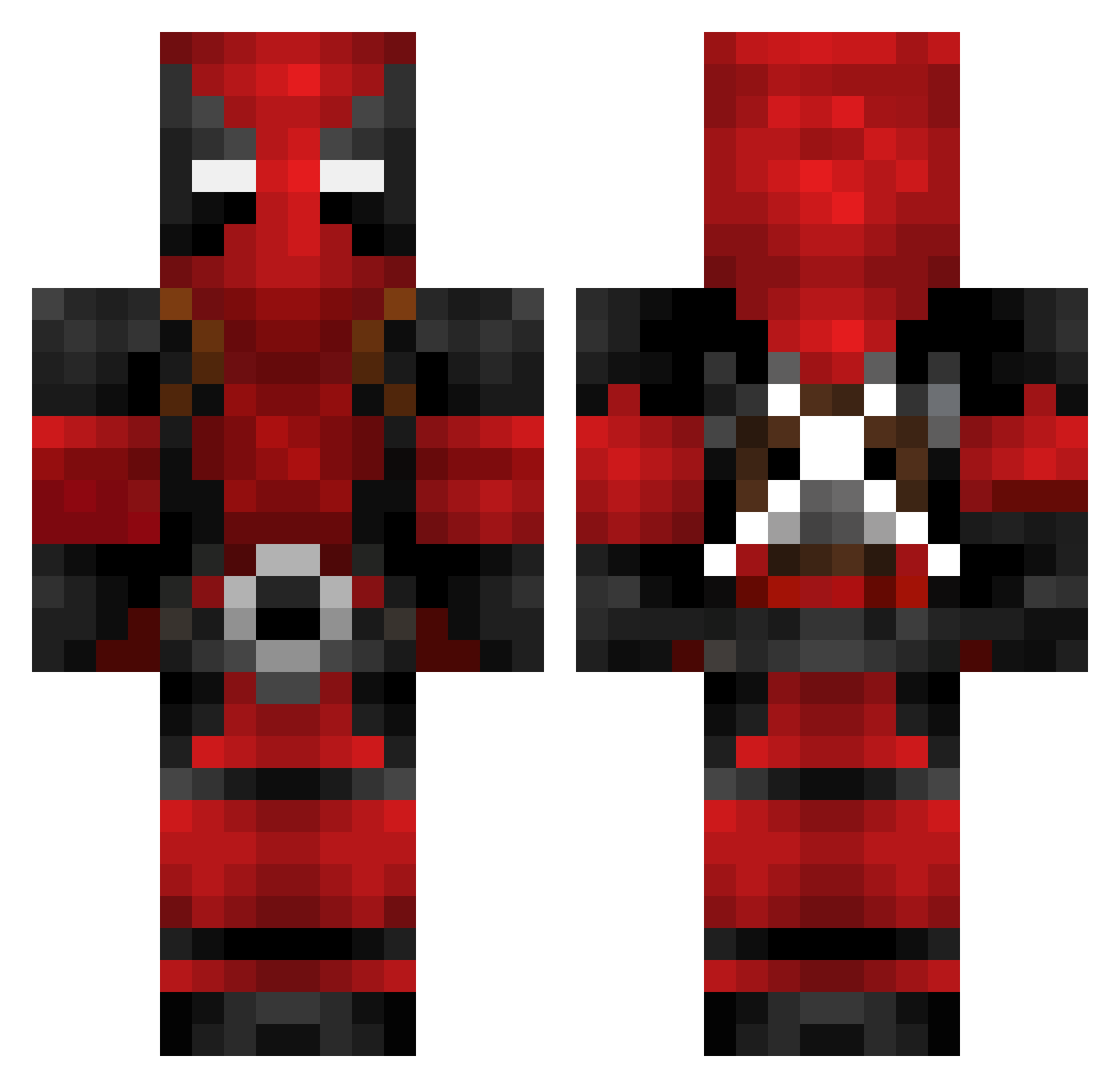
Current Minecraft skin of the player CallmeJorr, loaded from the official Mojang API. Rotate the 3D model with your mouse or finger, then download the skin as a PNG file and use it in Minecraft: Bedrock Edition or Java Edition for free. When CallmeJorr changes their skin, this page updates automatically and the old skin stays in the history below.
Other players with this skin (624)
CallmeJorr was the 241st player we have seen with this skin, first spotted on 31.08.2026. The same skin was seen on these players. Open a nickname to see their current skin and skin history.
 Gangster0172 dafloppadr FXGaming92 Chisspiii Roadkill1234 REESEuk Sky_Force RematoBoi GGlebaty Lukkal HeavyToxin TJKIShadow Kralimash93 Mr3UnknOWNn mr_green69 Chbrandtz Tjob ToxicUnderpants1 Wallykat Boberrrrro Jackofire Fonceee __Kaotik__ acwhitefield benichu Zaku131313 fernand0martins Motorola174 Doc_Waffles Lancefestivalen SeniaPool512 xItNorm Arb9l_ Ariel1320 dobra99314 FreeDobbyNow ThatPcStreamer cooljg20 ItzStan RedSC8 Soupnado
 kash4019 shiveringAbel_ Carloscano8830 Lavabomb ImDamonTV FuzionGod Veni4200 xZayl babybubblenugget Artisani xfairmanx DanielArshad ParabellumX420 debrickshaw238 BTZL123 Jaeone1 Rookknight rasnog Brombeerpilot030
More Deadpool Minecraft skins
How to install the CallmeJorr skin
- Press the Download button above to save the skin as a PNG file.
- Minecraft: Bedrock Edition (PE): open the Dressing Room from the main menu (or tap your character → Edit Character), go to Classic Skins → Owned, press the + (new skin) button, choose the downloaded PNG and pick the Classic (Steve) model. Works on PC and mobile; consoles cannot import custom skins.
- Minecraft: Java Edition: open the Minecraft Launcher, go to the Skins tab, click New Skin, load the PNG, pick the Classic (Steve) model and press Save & Use. You can also upload it at minecraft.net → Profile → Change Skin.
The skin does not show up after import - what should I do?
Restart Minecraft and open the Dressing Room again - imported skins sometimes appear only after a restart. Also make sure you selected the imported skin and picked the Classic (Steve) model.
Which model should I choose, Classic or Slim?
This skin is designed for the Classic (Steve) model. If you pick the wrong model, the arms of the skin will look stretched or squeezed.
Is the skin of CallmeJorr free to download?
Yes. Press Download, save the PNG file and use it in Minecraft: Bedrock Edition or Java Edition - no payment or registration needed. The skin also works on multiplayer servers and Realms.
More skins
Looking for more? Go back to all Minecraft skins and check the top skins of the week, month and all time, or find any player's skin by nickname.