
CRE915 - Minecraft Skins & Skin History
Current Minecraft skin of the player CRE915, loaded from the official Mojang API. Rotate the 3D model with your mouse or finger, then download the skin as a PNG file and use it in Minecraft: Bedrock Edition or Java Edition for free. When CRE915 changes their skin, this page updates automatically and the old skin stays in the history below.
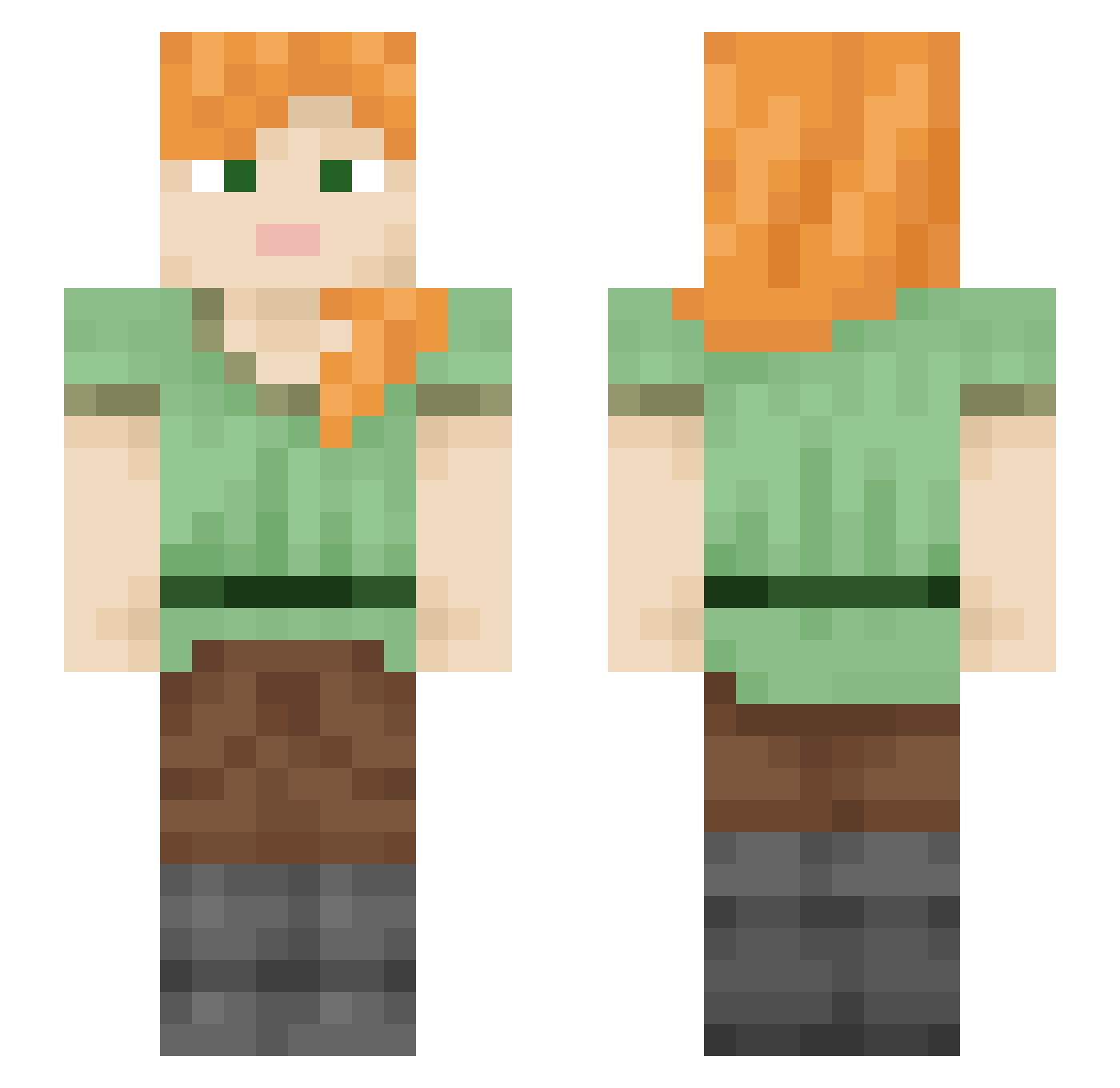
Other players with this skin (2236)
CRE915 was the 1628th player we have seen with this skin, first spotted on 13.10.2026. The same skin was seen on these players. Open a nickname to see their current skin and skin history.
 Bonnes Florist Nattieeee_A karaage2345 Tuvkanminecraft 1MustafaKing_ pedroalcuadrado Pig32 novaUrdumb KentCk23 Taki1088 Mandatum ih8steeny protagvnist Twiggier Boldacious T0XICBL00D smoky_baby Dewwyzs Blarny LegendaryGem Newbie123246 Dumburz i8bluepiranha PairoPig Shading ianjtho1 MejiroPakupaku gagiqanava_ catgirl8yy RobaAbuelitas iidog0923 TripleH2801 JensVS sikaku_maru CrystlDragon21 B_II Japour julianwuss MageFoul_ ImACrossBearer Mingle Zenonian Mediations winhoyeon australopithecus Arvink_6912 sTe10000 Tubingen pellets charlton133 MapiccX ghosty913 Qkul Riceyguy Banister Barnage NoelPro13 ApoGlitsch absinth
How to install the CRE915 skin
- Press the Download button above to save the skin as a PNG file.
- Minecraft: Bedrock Edition (PE): open the Dressing Room from the main menu (or tap your character → Edit Character), go to Classic Skins → Owned, press the + (new skin) button, choose the downloaded PNG and pick the Slim (Alex) model. Works on PC and mobile; consoles cannot import custom skins.
- Minecraft: Java Edition: open the Minecraft Launcher, go to the Skins tab, click New Skin, load the PNG, pick the Slim (Alex) model and press Save & Use. You can also upload it at minecraft.net → Profile → Change Skin.
The skin does not show up after import - what should I do?
Restart Minecraft and open the Dressing Room again - imported skins sometimes appear only after a restart. Also make sure you selected the imported skin and picked the Slim (Alex) model.
Which model should I choose, Classic or Slim?
This skin is designed for the Slim (Alex) model. If you pick the wrong model, the arms of the skin will look stretched or squeezed.
Is the skin of CRE915 free to download?
Yes. Press Download, save the PNG file and use it in Minecraft: Bedrock Edition or Java Edition - no payment or registration needed. The skin also works on multiplayer servers and Realms.
More skins
Looking for more? Go back to all Minecraft skins and check the top skins of the week, month and all time, or find any player's skin by nickname.