
CJLMAO69 - Minecraft Skins & Skin History
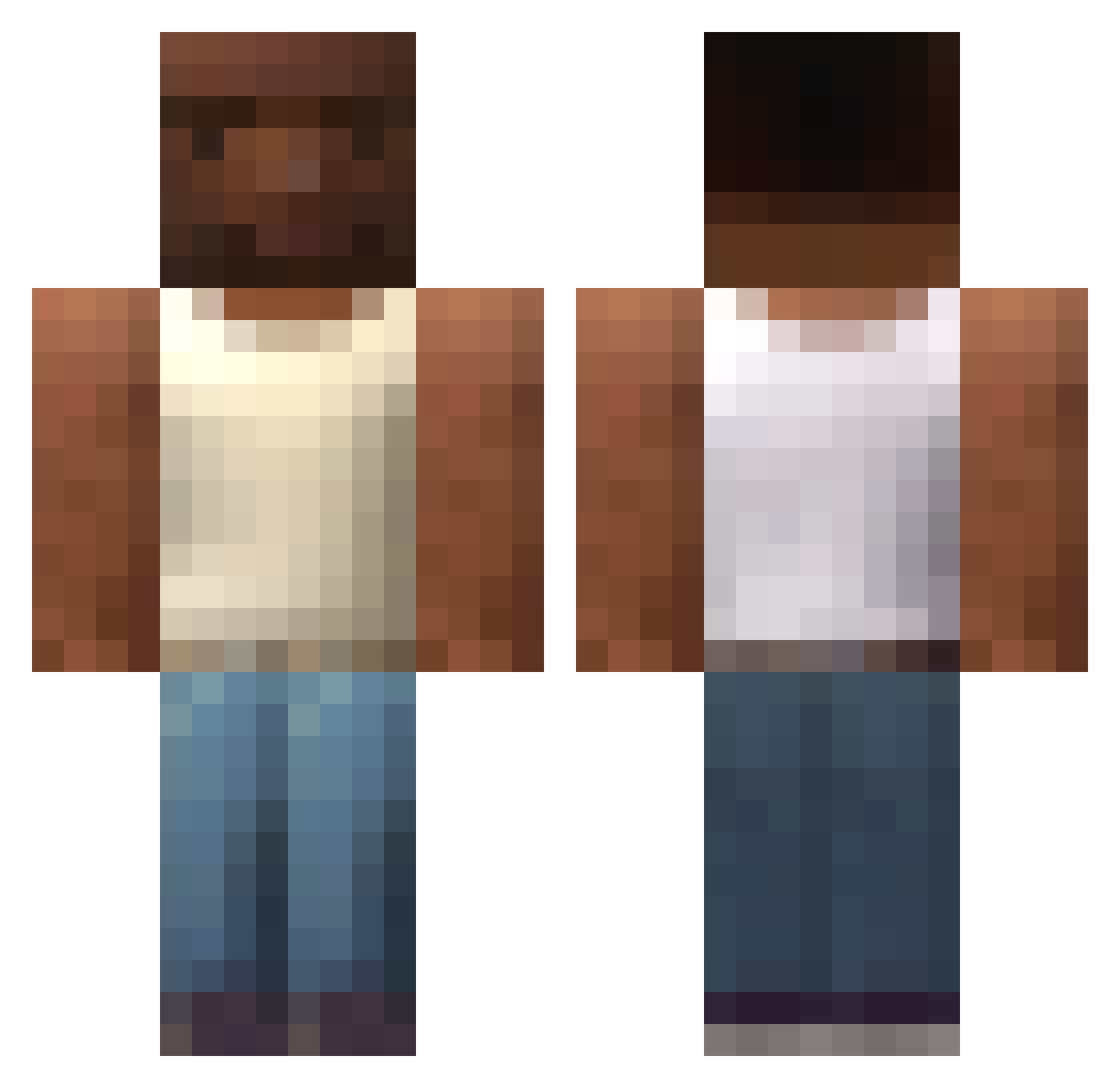
Current Minecraft skin of the player CJLMAO69, loaded from the official Mojang API. Rotate the 3D model with your mouse or finger, then download the skin as a PNG file and use it in Minecraft: Bedrock Edition or Java Edition for free. When CJLMAO69 changes their skin, this page updates automatically and the old skin stays in the history below.
Other players with this skin (191)
CJLMAO69 was the 120th player we have seen with this skin, first spotted on 09.10.2026. The same skin was seen on these players. Open a nickname to see their current skin and skin history.
 Sungjun_420 tfel Themsourt Josugiri ReKlyyy Boltyyyyyy elnegritoa Ofjut n1ghtcr4wl3er EJJ4Q chip741 Diosalll FastBoiiiii Agaragan ShauJava DufteFisole zvkxo H0l0Peve tobefrankly SharpR coolmanbigface Stormrider322 Impure1 kikusnegus grrapapa chernyycherep PakTommy DUBLO420 Camomille1707 JoeVanilla Napaszi SunAitisOnLaski JuwanaCraft Zazary __person_ Dr_Lobby ZuZZkA lluca_05 chapetoide Bogdanbmwsas Klahibi Chickenmonkey480 EstyEdits0 ekremgny2033 Tibomibo54 p_o_u_t Insendary_shark Maciekzdresscode Zena07 persannnn Ryrize Vladosichek123 rdog528 NEKOPL Wongch2005 EnesD xXUnc67Xx Biggest_Gamer951 ssb_skr tqlia
How to install the CJLMAO69 skin
- Press the Download button above to save the skin as a PNG file.
- Minecraft: Bedrock Edition (PE): open the Dressing Room from the main menu (or tap your character → Edit Character), go to Classic Skins → Owned, press the + (new skin) button, choose the downloaded PNG and pick the Classic (Steve) model. Works on PC and mobile; consoles cannot import custom skins.
- Minecraft: Java Edition: open the Minecraft Launcher, go to the Skins tab, click New Skin, load the PNG, pick the Classic (Steve) model and press Save & Use. You can also upload it at minecraft.net → Profile → Change Skin.
The skin does not show up after import - what should I do?
Restart Minecraft and open the Dressing Room again - imported skins sometimes appear only after a restart. Also make sure you selected the imported skin and picked the Classic (Steve) model.
Which model should I choose, Classic or Slim?
This skin is designed for the Classic (Steve) model. If you pick the wrong model, the arms of the skin will look stretched or squeezed.
Is the skin of CJLMAO69 free to download?
Yes. Press Download, save the PNG file and use it in Minecraft: Bedrock Edition or Java Edition - no payment or registration needed. The skin also works on multiplayer servers and Realms.
More skins
Looking for more? Go back to all Minecraft skins and check the top skins of the week, month and all time, or find any player's skin by nickname.