
CITOOX - Minecraft Skins & Skin History
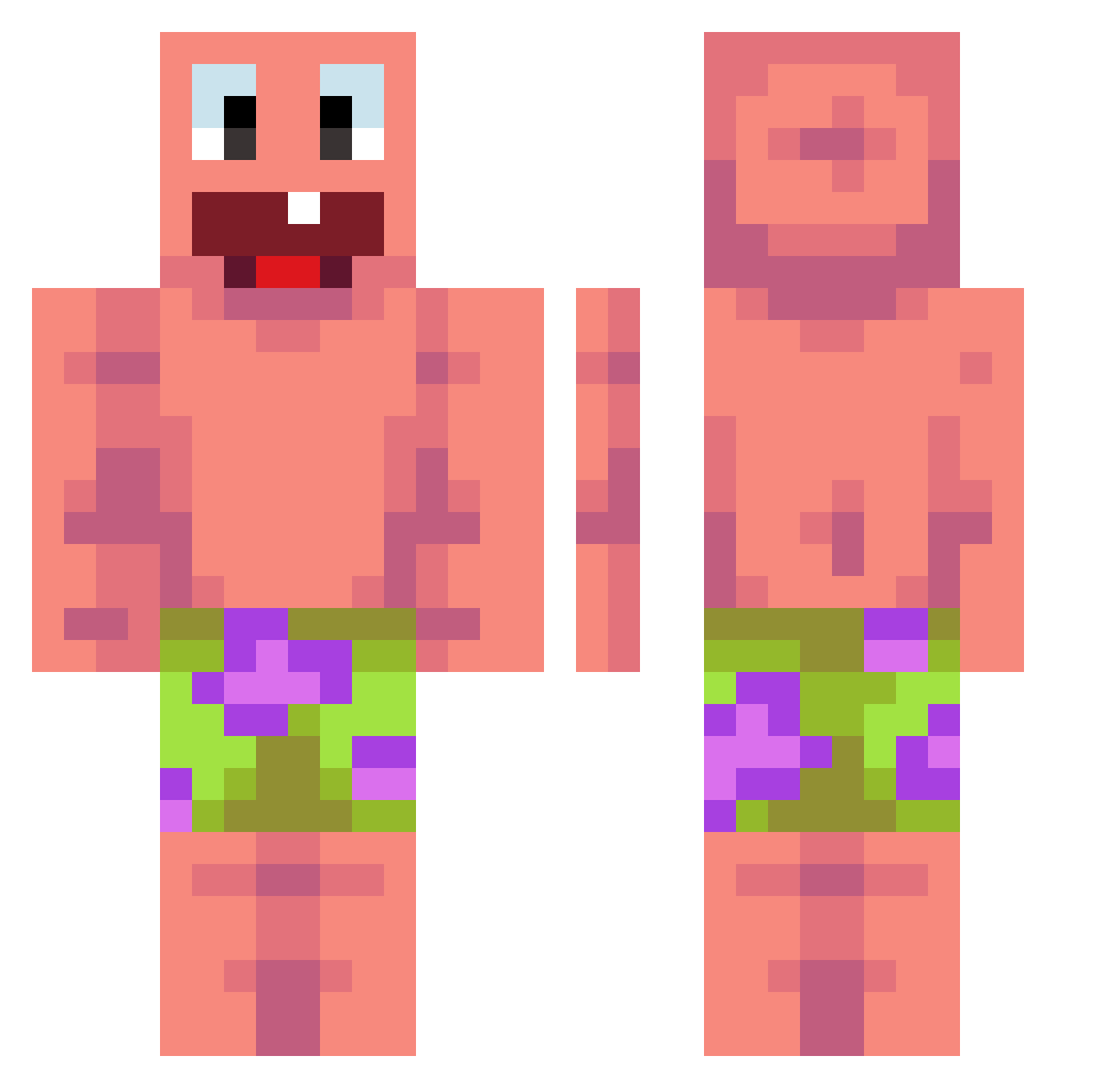
Current Minecraft skin of the player CITOOX, loaded from the official Mojang API. Rotate the 3D model with your mouse or finger, then download the skin as a PNG file and use it in Minecraft: Bedrock Edition or Java Edition for free. When CITOOX changes their skin, this page updates automatically and the old skin stays in the history below.
Other players with this skin (476)
CITOOX was the 180th player we have seen with this skin, first spotted on 06.09.2026. The same skin was seen on these players. Open a nickname to see their current skin and skin history.
 asgardwithaknife
 SezexeBey MatiTheGreat HothouseMoss_YT WendyFanta Samppa88 RpzElisa wolfie33333 Zeroyssi Tszpuiii Pajares1234 billysim05 paintfulart jescobar2004 pig2004 CatsGreat supermin04 SpencerJK1 DRIZZYJAMAL VILLUM99 CocopuffsXF ViktorDS PoProstuNpc Porsche955 MukhaMor AbsoluteDominant Je_sa fatlifeguard yeongin524 MrGn0m Krotin_ tominovek Blemi_ 54581BY Thwico ruksina estelleballouta Moolah2 VK10000 Cossio2013 Crafty1835 EnderKidJ12 RealDream6826 Hubi2015 Zhitao Tanuuush xMrSteel syggfrfrgbruh travis101 tomyos78 MrClean1324 MindLyfe mavan04 Pakodil1 Betmen2369 forfluky Xinara21 9Mongkol zac776 k1llik
More Patrick Star Minecraft skins
See all 646 Patrick Star skins
How to install the CITOOX skin
- Press the Download button above to save the skin as a PNG file.
- Minecraft: Bedrock Edition (PE): open the Dressing Room from the main menu (or tap your character → Edit Character), go to Classic Skins → Owned, press the + (new skin) button, choose the downloaded PNG and pick the Classic (Steve) model. Works on PC and mobile; consoles cannot import custom skins.
- Minecraft: Java Edition: open the Minecraft Launcher, go to the Skins tab, click New Skin, load the PNG, pick the Classic (Steve) model and press Save & Use. You can also upload it at minecraft.net → Profile → Change Skin.
The skin does not show up after import - what should I do?
Restart Minecraft and open the Dressing Room again - imported skins sometimes appear only after a restart. Also make sure you selected the imported skin and picked the Classic (Steve) model.
Which model should I choose, Classic or Slim?
This skin is designed for the Classic (Steve) model. If you pick the wrong model, the arms of the skin will look stretched or squeezed.
Is the skin of CITOOX free to download?
Yes. Press Download, save the PNG file and use it in Minecraft: Bedrock Edition or Java Edition - no payment or registration needed. The skin also works on multiplayer servers and Realms.
More skins
Looking for more? Go back to all Minecraft skins and check the top skins of the week, month and all time, or find any player's skin by nickname.