
CIRMERCONGAME - Minecraft Skins & Skin History
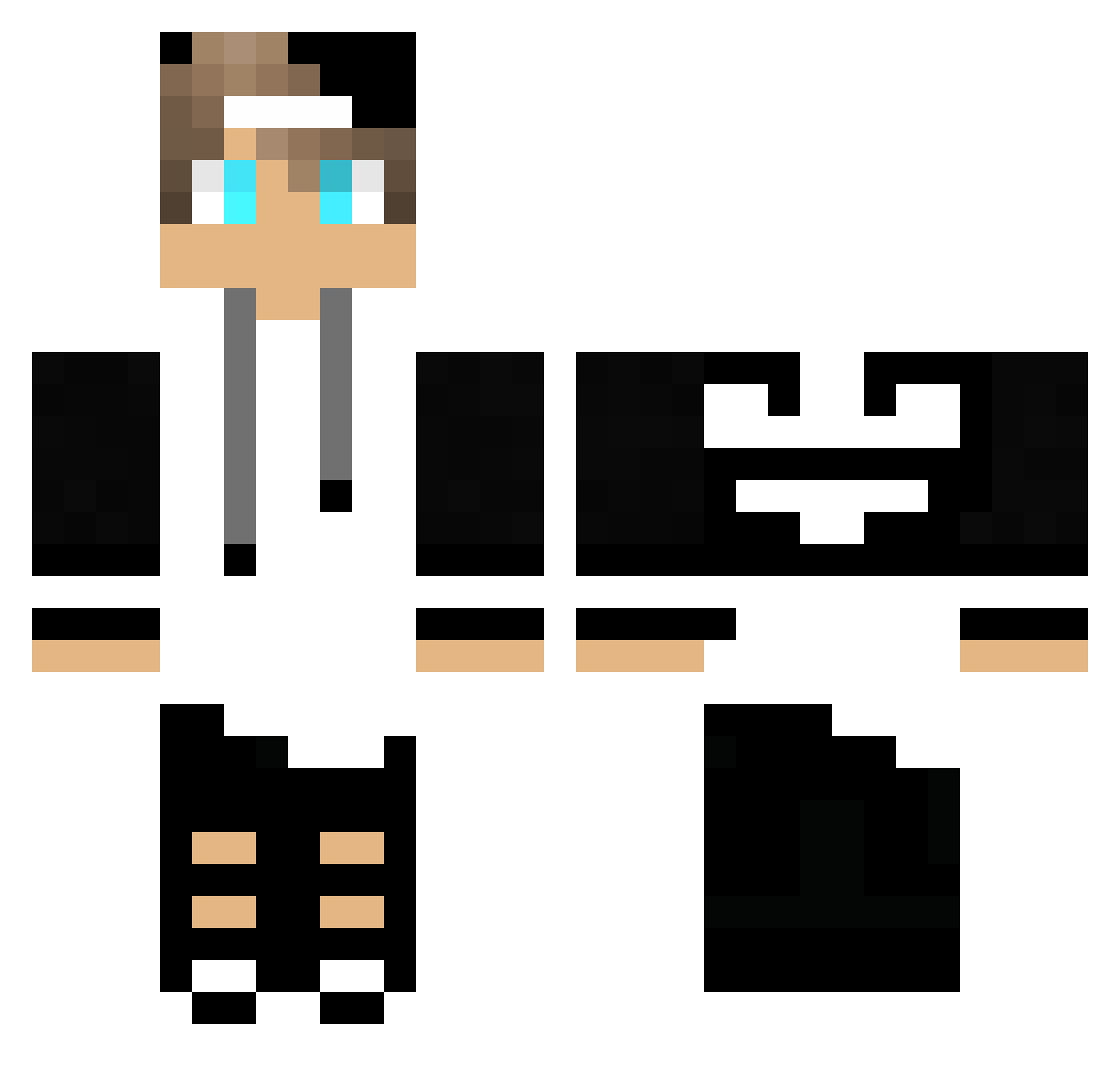
Current Minecraft skin of the player CIRMERCONGAME, loaded from the official Mojang API. Rotate the 3D model with your mouse or finger, then download the skin as a PNG file and use it in Minecraft: Bedrock Edition or Java Edition for free. When CIRMERCONGAME changes their skin, this page updates automatically and the old skin stays in the history below.
Other players with this skin (74)
CIRMERCONGAME was the 41st player we have seen with this skin, first spotted on 04.10.2026. The same skin was seen on these players. Open a nickname to see their current skin and skin history.
 GabrielGoes_ badgerofcourage Dragon_LoreK Steelface TonCarvalho AkamuruBr keithmt547 AEG2 Saigoryu Joaopedrop Classic_Piblo NightHawked DXCUCR Alperenkadana HARLEM_06 xBaunTy choiiidee Noodman23 zDdizq_ SOUSHIRO Meliodas0856 oksii_omg FelipeLimao Valaa ByKnuspii Kirli_Peder Andrew055 DaniOof_ elcoronel_loco DKBR7 yLucasGV zLipeehzBr_ SurfAlt13 DarkLordoo9 yCombeedYou_ GekkeMats Joao_Gabriel123 Elfander9720 XxSHADY_TNT AgentO47 willianferreira_ Tschako15 TRooPST ITzMeSenan_ TheSlipperySeal1 RustacU funnymanpatrick Z3LDA_BR Oppy2006 iSh4rKFtw__ Newt_Evanse yGalinho_G0D vqmpirk0 SlenderLibra10 Cr4zyMan1 Xeqozo Nox45 Theus_S I_LOVE_CASH imHmza_
More Cap Minecraft skins
How to install the CIRMERCONGAME skin
- Press the Download button above to save the skin as a PNG file.
- Minecraft: Bedrock Edition (PE): open the Dressing Room from the main menu (or tap your character → Edit Character), go to Classic Skins → Owned, press the + (new skin) button, choose the downloaded PNG and pick the Classic (Steve) model. Works on PC and mobile; consoles cannot import custom skins.
- Minecraft: Java Edition: open the Minecraft Launcher, go to the Skins tab, click New Skin, load the PNG, pick the Classic (Steve) model and press Save & Use. You can also upload it at minecraft.net → Profile → Change Skin.
The skin does not show up after import - what should I do?
Restart Minecraft and open the Dressing Room again - imported skins sometimes appear only after a restart. Also make sure you selected the imported skin and picked the Classic (Steve) model.
Which model should I choose, Classic or Slim?
This skin is designed for the Classic (Steve) model. If you pick the wrong model, the arms of the skin will look stretched or squeezed.
Is the skin of CIRMERCONGAME free to download?
Yes. Press Download, save the PNG file and use it in Minecraft: Bedrock Edition or Java Edition - no payment or registration needed. The skin also works on multiplayer servers and Realms.
More skins
Looking for more? Go back to all Minecraft skins and check the top skins of the week, month and all time, or find any player's skin by nickname.