
C0boldKlauer - Minecraft Skins & Skin History
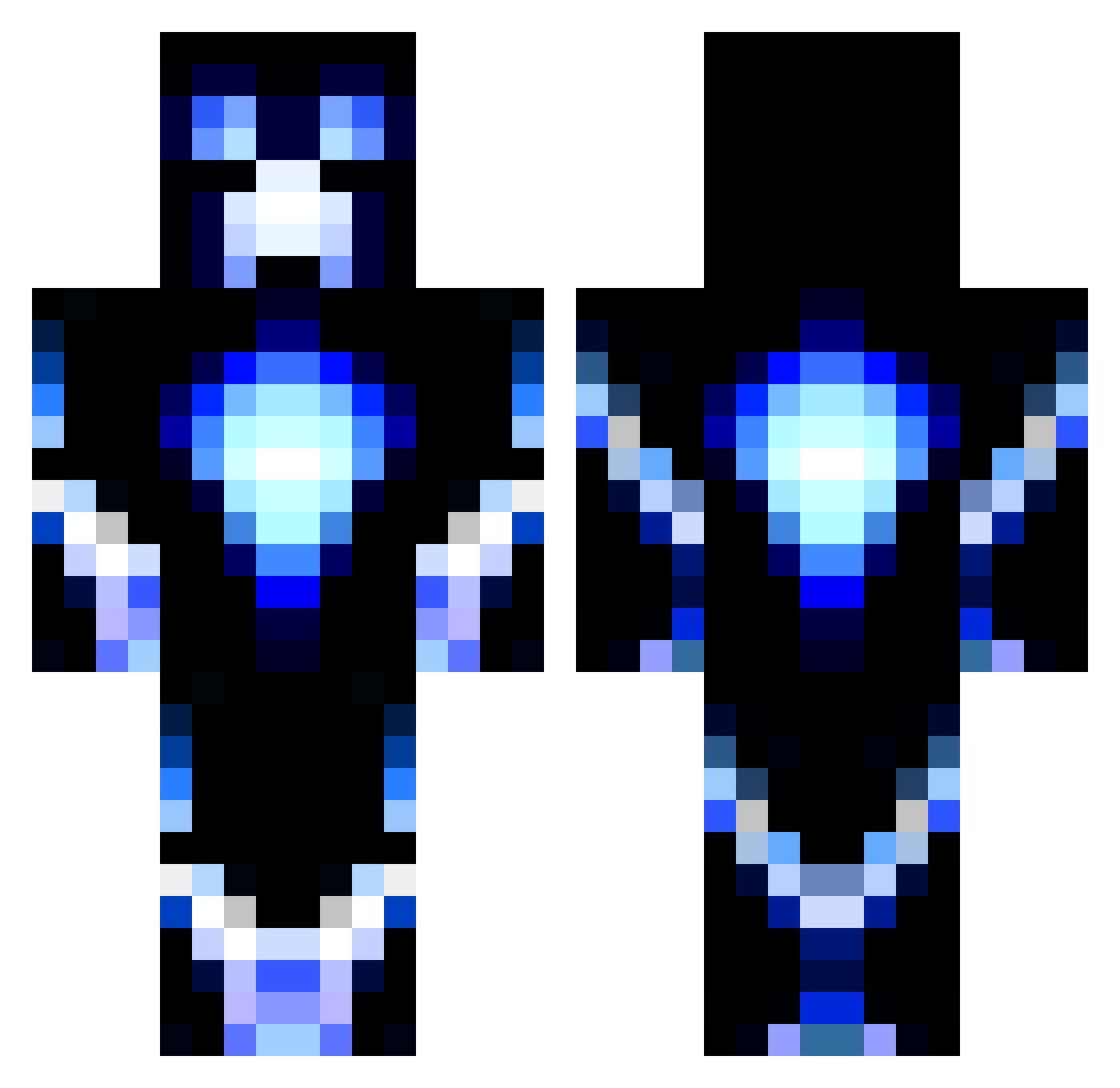
Current Minecraft skin of the player C0boldKlauer, loaded from the official Mojang API. Rotate the 3D model with your mouse or finger, then download the skin as a PNG file and use it in Minecraft: Bedrock Edition or Java Edition for free. When C0boldKlauer changes their skin, this page updates automatically and the old skin stays in the history below.
Other players with this skin (1452)
C0boldKlauer was the 1302nd player we have seen with this skin, first spotted on 09.11.2026. The same skin was seen on these players. Open a nickname to see their current skin and skin history.
 viggo2008 xxx_peyton_xxx bae12359 B_3xcelz MerkingChief209 Winters_Mr LTWill1 nodont1 Bananaknockknock jack_hope1 DMcgahan5 Bro9904 liviaedin Fraggleonacid BeanSpouts cam19988 bcbattles jjherobrine03 bmele123 tisiwisie Domster16105 ismash3 sebimausner Game_Knight999 Shikkane69 Maverick987 keeperfury2014 Boucher2345 SolarSundew7928 kawaii_mastur Khaalem Zwergi1903 Intro123 urieluribe1 ZOMBI3SL4Y3R01 SmoothKid21 CALEB177487 LeonMindCrafter Stor3y KikolinoBR Ravenqt Kaptain_Krazee BillyTWood CTayOfficialHD duvarnie Camcraft102 Prairie_Dog8 CarsonPott CustomeName theredreno Suitedcookie ChromeRimmer Aramyr84 Koospower123 Halex77 FirstJester FatherF ActionKiller123 kale1025 NILULI
More Glowing Minecraft skins
How to install the C0boldKlauer skin
- Press the Download button above to save the skin as a PNG file.
- Minecraft: Bedrock Edition (PE): open the Dressing Room from the main menu (or tap your character → Edit Character), go to Classic Skins → Owned, press the + (new skin) button, choose the downloaded PNG and pick the Classic (Steve) model. Works on PC and mobile; consoles cannot import custom skins.
- Minecraft: Java Edition: open the Minecraft Launcher, go to the Skins tab, click New Skin, load the PNG, pick the Classic (Steve) model and press Save & Use. You can also upload it at minecraft.net → Profile → Change Skin.
The skin does not show up after import - what should I do?
Restart Minecraft and open the Dressing Room again - imported skins sometimes appear only after a restart. Also make sure you selected the imported skin and picked the Classic (Steve) model.
Which model should I choose, Classic or Slim?
This skin is designed for the Classic (Steve) model. If you pick the wrong model, the arms of the skin will look stretched or squeezed.
Is the skin of C0boldKlauer free to download?
Yes. Press Download, save the PNG file and use it in Minecraft: Bedrock Edition or Java Edition - no payment or registration needed. The skin also works on multiplayer servers and Realms.
More skins
Looking for more? Go back to all Minecraft skins and check the top skins of the week, month and all time, or find any player's skin by nickname.