
BuckmyCorpse - Minecraft Skins & Skin History
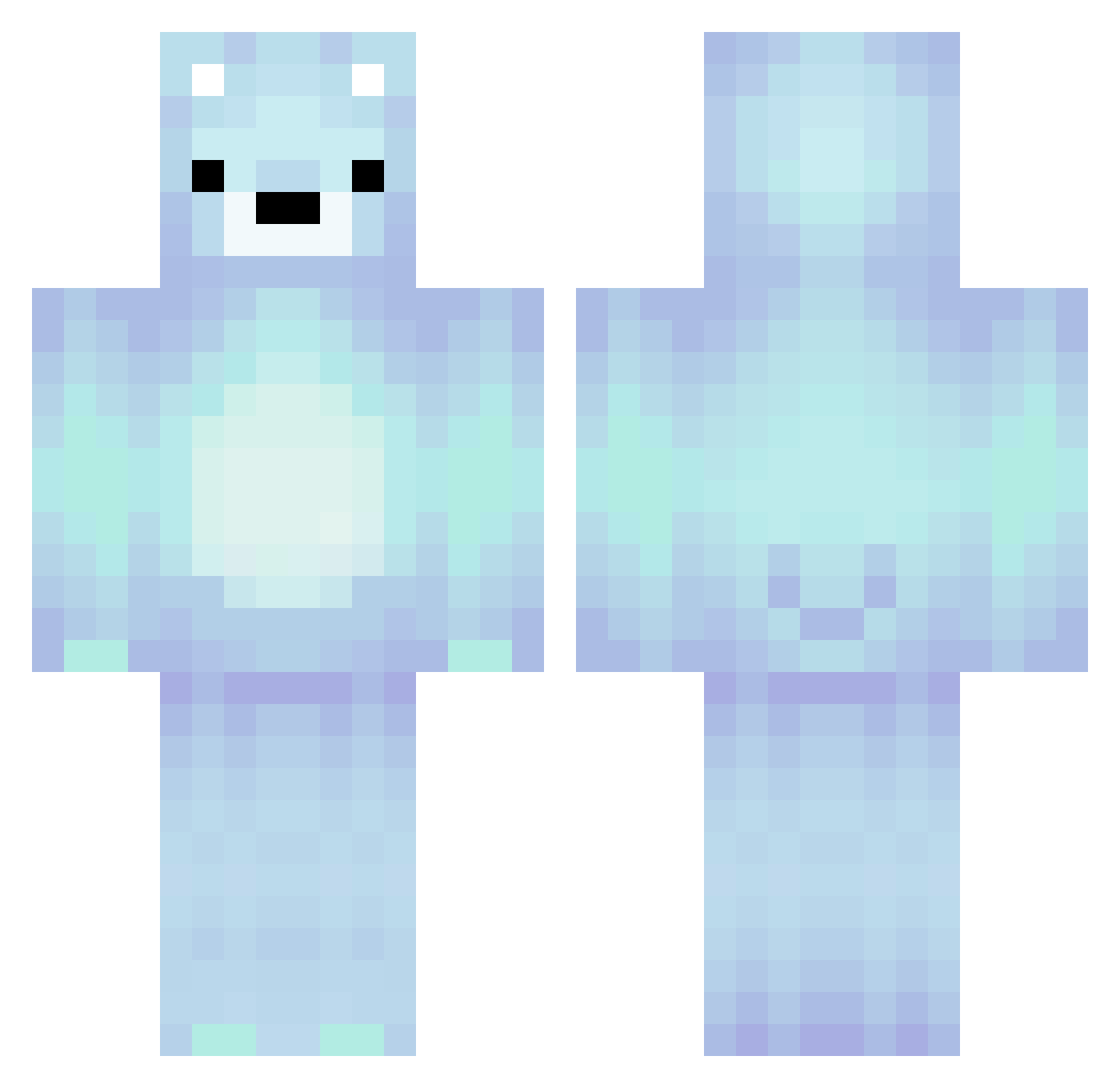
Current Minecraft skin of the player BuckmyCorpse, loaded from the official Mojang API. Rotate the 3D model with your mouse or finger, then download the skin as a PNG file and use it in Minecraft: Bedrock Edition or Java Edition for free. When BuckmyCorpse changes their skin, this page updates automatically and the old skin stays in the history below.
Other players with this skin (234)
BuckmyCorpse was the 202nd player we have seen with this skin, first spotted on 08.10.2026. The same skin was seen on these players. Open a nickname to see their current skin and skin history.
 EvilManTwo coolgrrl POIPOI94 wiktor1915 fozdai Gamertag263 axrtro NOobVeNoM THE_GAMER_BG juanjdz508 Okman345 JackalofDawn mcs0602 sirchent KB_Pro DungeonHero_XL kumiwashere Bloodhoodz Kathrick muniiiii therealwalterw Caz222 LastHope182 Cocopuffffss17 MrHopee Wallibear1 Asault_A __DDOG__ Wallibear Matofic Worker365 Devu14 lEuphorial Noelle1108 hazemakery SlasherGames30 gb2144 AnddieFromUni k8rboi casiloff HungryNugget16 BagelOpsSix freakinjerk Croottx dooglow theo2600 flyingpig2909 manokamel Eeveequeen2014 AlphaEmu2247 purkae Nikoooo0123 LuciTheViking milkislover HawkTuahMaster12 ellenuz JOHHNYJOE AzariahPiggy Waillibear allypal1
More Polar Bear Minecraft skins
How to install the BuckmyCorpse skin
- Press the Download button above to save the skin as a PNG file.
- Minecraft: Bedrock Edition (PE): open the Dressing Room from the main menu (or tap your character → Edit Character), go to Classic Skins → Owned, press the + (new skin) button, choose the downloaded PNG and pick the Classic (Steve) model. Works on PC and mobile; consoles cannot import custom skins.
- Minecraft: Java Edition: open the Minecraft Launcher, go to the Skins tab, click New Skin, load the PNG, pick the Classic (Steve) model and press Save & Use. You can also upload it at minecraft.net → Profile → Change Skin.
The skin does not show up after import - what should I do?
Restart Minecraft and open the Dressing Room again - imported skins sometimes appear only after a restart. Also make sure you selected the imported skin and picked the Classic (Steve) model.
Which model should I choose, Classic or Slim?
This skin is designed for the Classic (Steve) model. If you pick the wrong model, the arms of the skin will look stretched or squeezed.
Is the skin of BuckmyCorpse free to download?
Yes. Press Download, save the PNG file and use it in Minecraft: Bedrock Edition or Java Edition - no payment or registration needed. The skin also works on multiplayer servers and Realms.
More skins
Looking for more? Go back to all Minecraft skins and check the top skins of the week, month and all time, or find any player's skin by nickname.