
BreakDownzPvp1 - Minecraft Skins & Skin History
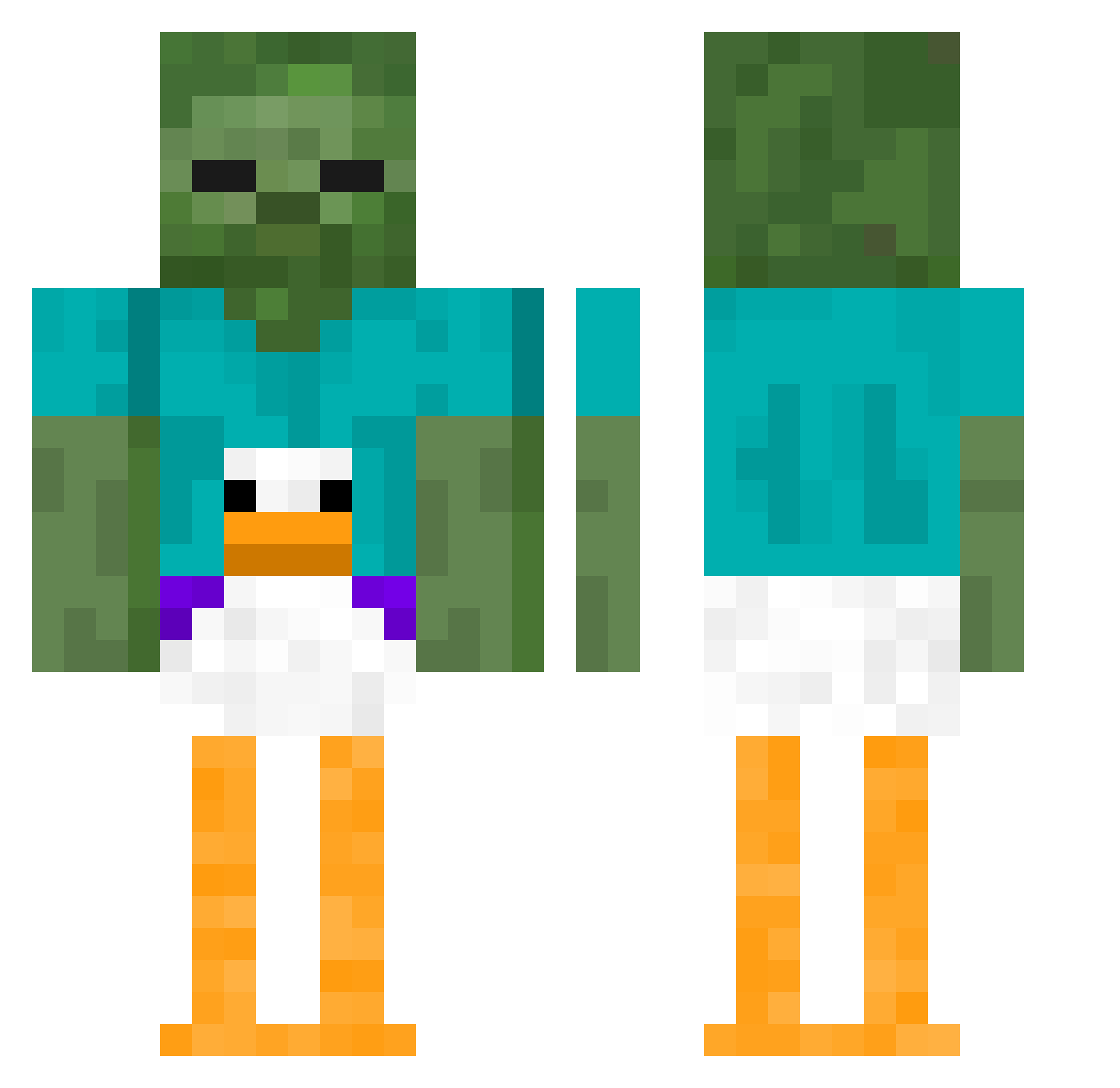
Current Minecraft skin of the player BreakDownzPvp1, loaded from the official Mojang API. Rotate the 3D model with your mouse or finger, then download the skin as a PNG file and use it in Minecraft: Bedrock Edition or Java Edition for free. When BreakDownzPvp1 changes their skin, this page updates automatically and the old skin stays in the history below.
Other players with this skin (339)
BreakDownzPvp1 was the 113th player we have seen with this skin, first spotted on 22.08.2026. The same skin was seen on these players. Open a nickname to see their current skin and skin history.
 ClaesmaLann Ratchet_Ricky Matijakus J0shDaGamrErl561 Cap0o cuterabbitFINGER Josnoop DaanBanaanHaan Hr_FirSt Grandmarose_ Milkol DaanBanana16 HellboeXD pilinvenoso66 buffsbusiness Mgalex2006 santigas17
 Lazy_Dog12 MensaaFr hamandcheese1 Rusty4100 INSULTING bigboicucco RitzyMaple9394 neckslayer9000 Suppd cookiesareGreen Rekkwave AxlMan777 MestariWho URGRANDPA15 yune0 REDGOAT24 KingofAllGoats1 kiiwwiie daredivel MinerBiBi DeZmEmO thatmightve slydrifter _Rambo___ Netttyy Ruziii CupidValenti9 Whitehusky8 niich2 cameronishy SoleTunic5039 Beckadrill MMBrogan Nickha05 itzRealThomas zxccybxi sigmabigkebab378 Y33733Y marioD321 Aprche Bartblade CmdrJubby Kosik_27
More Funny Minecraft skins
How to install the BreakDownzPvp1 skin
- Press the Download button above to save the skin as a PNG file.
- Minecraft: Bedrock Edition (PE): open the Dressing Room from the main menu (or tap your character → Edit Character), go to Classic Skins → Owned, press the + (new skin) button, choose the downloaded PNG and pick the Classic (Steve) model. Works on PC and mobile; consoles cannot import custom skins.
- Minecraft: Java Edition: open the Minecraft Launcher, go to the Skins tab, click New Skin, load the PNG, pick the Classic (Steve) model and press Save & Use. You can also upload it at minecraft.net → Profile → Change Skin.
The skin does not show up after import - what should I do?
Restart Minecraft and open the Dressing Room again - imported skins sometimes appear only after a restart. Also make sure you selected the imported skin and picked the Classic (Steve) model.
Which model should I choose, Classic or Slim?
This skin is designed for the Classic (Steve) model. If you pick the wrong model, the arms of the skin will look stretched or squeezed.
Is the skin of BreakDownzPvp1 free to download?
Yes. Press Download, save the PNG file and use it in Minecraft: Bedrock Edition or Java Edition - no payment or registration needed. The skin also works on multiplayer servers and Realms.
More skins
Looking for more? Go back to all Minecraft skins and check the top skins of the week, month and all time, or find any player's skin by nickname.