
Brav0Gamer - Minecraft Skins & Skin History
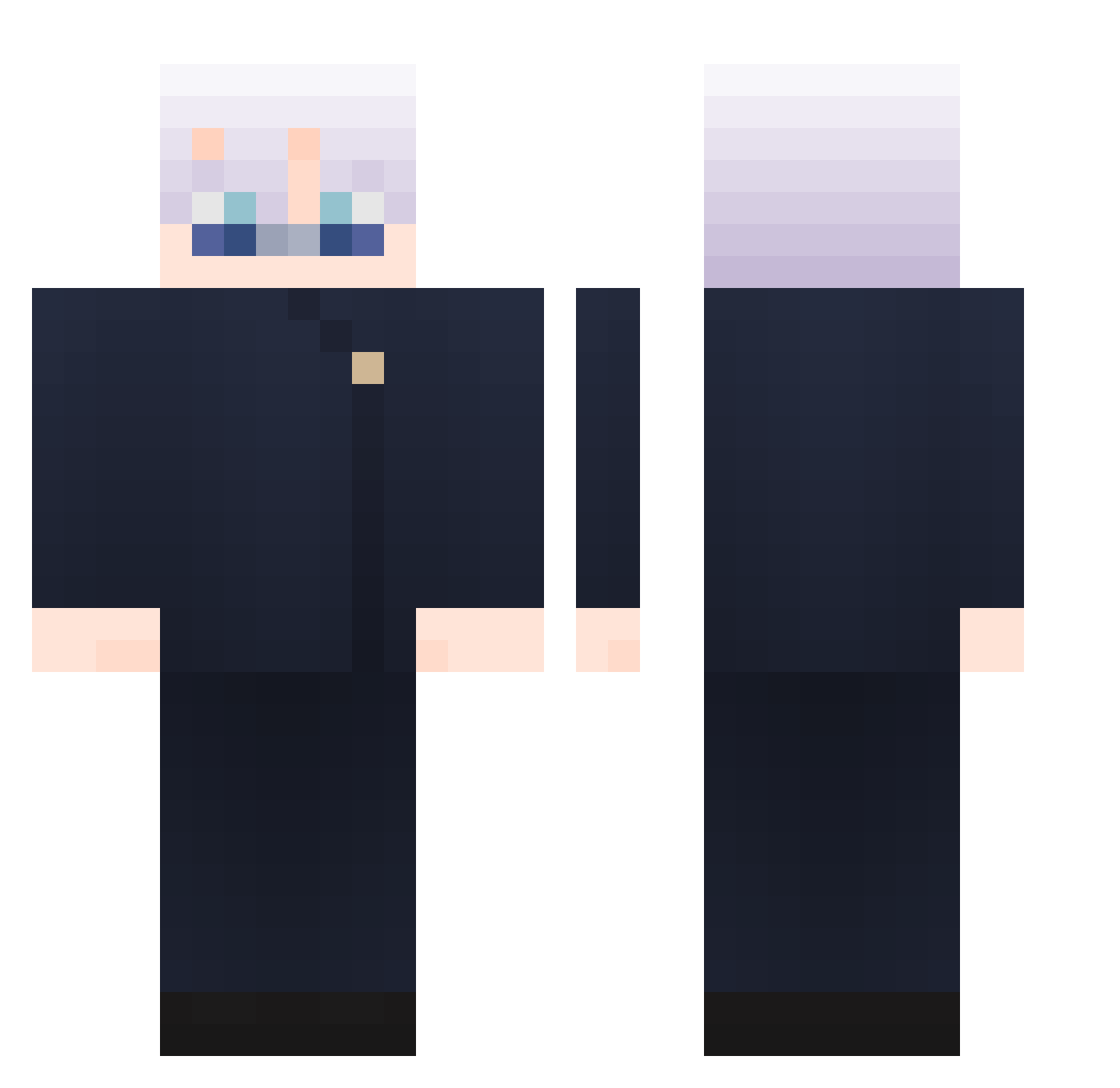
Current Minecraft skin of the player Brav0Gamer, loaded from the official Mojang API. Rotate the 3D model with your mouse or finger, then download the skin as a PNG file and use it in Minecraft: Bedrock Edition or Java Edition for free. When Brav0Gamer changes their skin, this page updates automatically and the old skin stays in the history below.
Other players with this skin (1164)
Brav0Gamer was the 897th player we have seen with this skin, first spotted on 24.10.2026. The same skin was seen on these players. Open a nickname to see their current skin and skin history.
 DeclaNTF Dusty355 Yvalo93 Pedamonte10 a51pro TTVxxtinyxx0 NeroYF SugarChris__ Vixs2002 sosochan1001 RRRRTEN_0118 sunzihui rayadotcom Riley0801 Gumai64 EhSan5100 Forteda ashillao Neteyam007 Tsunedara trykran noikjang Wendaxx zhou7154 zzeho Soramame_WHITE ElDant asha0_0 Taeckun jaehyok Yueeeeeeeee EoHiroshi Divine_Sublime BEIRAMAR777 Mad_Tip byzick_ feavore woogi127 MeliodasIII ZoRalNo Dino2184 Daruuuum Kibububu SetanteZ Saifeldz JEU5 FrancisTw soyuzii MacaronBLOOM simper08 qianlu7 mmzztt Mertsking mvnv zKaleel dongchuan06 SaTiiiii Cainefy winpalistin checkmate911
More Satoru Gojo Minecraft skins
See all 1484 Satoru Gojo skins
How to install the Brav0Gamer skin
- Press the Download button above to save the skin as a PNG file.
- Minecraft: Bedrock Edition (PE): open the Dressing Room from the main menu (or tap your character → Edit Character), go to Classic Skins → Owned, press the + (new skin) button, choose the downloaded PNG and pick the Classic (Steve) model. Works on PC and mobile; consoles cannot import custom skins.
- Minecraft: Java Edition: open the Minecraft Launcher, go to the Skins tab, click New Skin, load the PNG, pick the Classic (Steve) model and press Save & Use. You can also upload it at minecraft.net → Profile → Change Skin.
The skin does not show up after import - what should I do?
Restart Minecraft and open the Dressing Room again - imported skins sometimes appear only after a restart. Also make sure you selected the imported skin and picked the Classic (Steve) model.
Which model should I choose, Classic or Slim?
This skin is designed for the Classic (Steve) model. If you pick the wrong model, the arms of the skin will look stretched or squeezed.
Is the skin of Brav0Gamer free to download?
Yes. Press Download, save the PNG file and use it in Minecraft: Bedrock Edition or Java Edition - no payment or registration needed. The skin also works on multiplayer servers and Realms.
More skins
Looking for more? Go back to all Minecraft skins and check the top skins of the week, month and all time, or find any player's skin by nickname.