
Bqatza - Minecraft Skins & Skin History
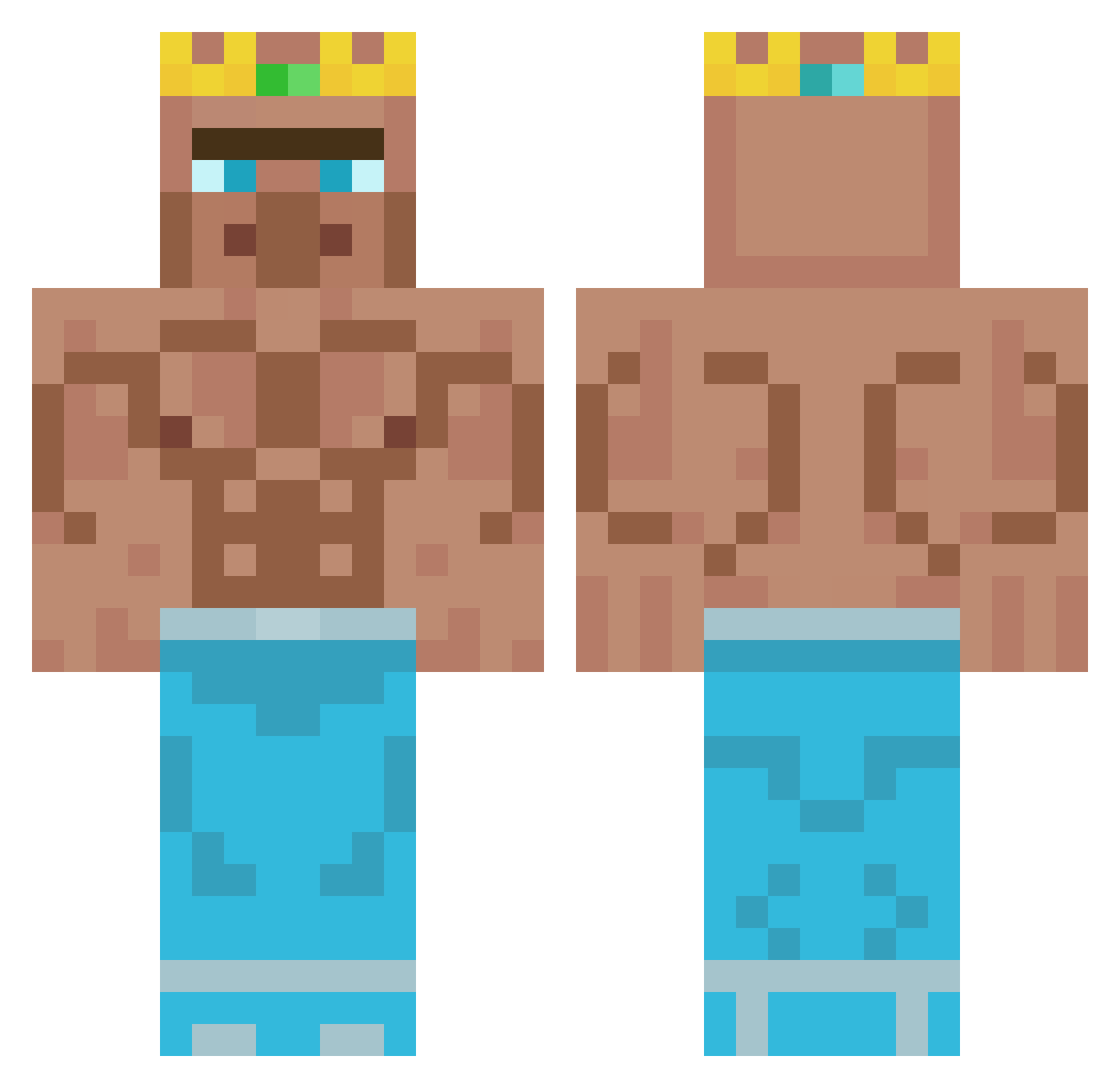
Current Minecraft skin of the player Bqatza, loaded from the official Mojang API. Rotate the 3D model with your mouse or finger, then download the skin as a PNG file and use it in Minecraft: Bedrock Edition or Java Edition for free. When Bqatza changes their skin, this page updates automatically and the old skin stays in the history below.
Other players with this skin (429)
Bqatza was the 348th player we have seen with this skin, first spotted on 21.10.2026. The same skin was seen on these players. Open a nickname to see their current skin and skin history.
 Lipszips ZJEMCIMATKE668 mezz02 meowloka GGIO973 BumseBiene29 _798 lightningFalconz Krystt 13th_Glitch TheBlobMaster222 LuvDr MiClab09 QKWA ProgamerLukas tapetko LEvvvv7 Tee_C TroyBlack DowniDown Zona11 canibledude5 Shiragaming16 SehrLegitVertrau Sweloki FABRICIOBITTCRUZ IFanGeqi realkennyloggins DanielM181 SOME_RANDOM__GUY xxmh_ DudeRasmus Yali29 Daniloaps_98 epicginger0 CopperSkillGamer hodovoi4ik Monoxide3322 khtsdfddascv Homeswiss Karcer_Puika Theavanter getrektonion yanansboytoy33 Oberlalu poopybhum Maciek_Ka Ulli3009 BeansBohnen Medonis _MrB4nana R_P_G_ molodoi_goroh Bealfiur Liberatordude01 JooshWE Meddoxx Arciniegas17 talber123 Hericol
More Buff Minecraft skins
How to install the Bqatza skin
- Press the Download button above to save the skin as a PNG file.
- Minecraft: Bedrock Edition (PE): open the Dressing Room from the main menu (or tap your character → Edit Character), go to Classic Skins → Owned, press the + (new skin) button, choose the downloaded PNG and pick the Classic (Steve) model. Works on PC and mobile; consoles cannot import custom skins.
- Minecraft: Java Edition: open the Minecraft Launcher, go to the Skins tab, click New Skin, load the PNG, pick the Classic (Steve) model and press Save & Use. You can also upload it at minecraft.net → Profile → Change Skin.
The skin does not show up after import - what should I do?
Restart Minecraft and open the Dressing Room again - imported skins sometimes appear only after a restart. Also make sure you selected the imported skin and picked the Classic (Steve) model.
Which model should I choose, Classic or Slim?
This skin is designed for the Classic (Steve) model. If you pick the wrong model, the arms of the skin will look stretched or squeezed.
Is the skin of Bqatza free to download?
Yes. Press Download, save the PNG file and use it in Minecraft: Bedrock Edition or Java Edition - no payment or registration needed. The skin also works on multiplayer servers and Realms.
More skins
Looking for more? Go back to all Minecraft skins and check the top skins of the week, month and all time, or find any player's skin by nickname.