
BoxierKuba - Minecraft Skins & Skin History
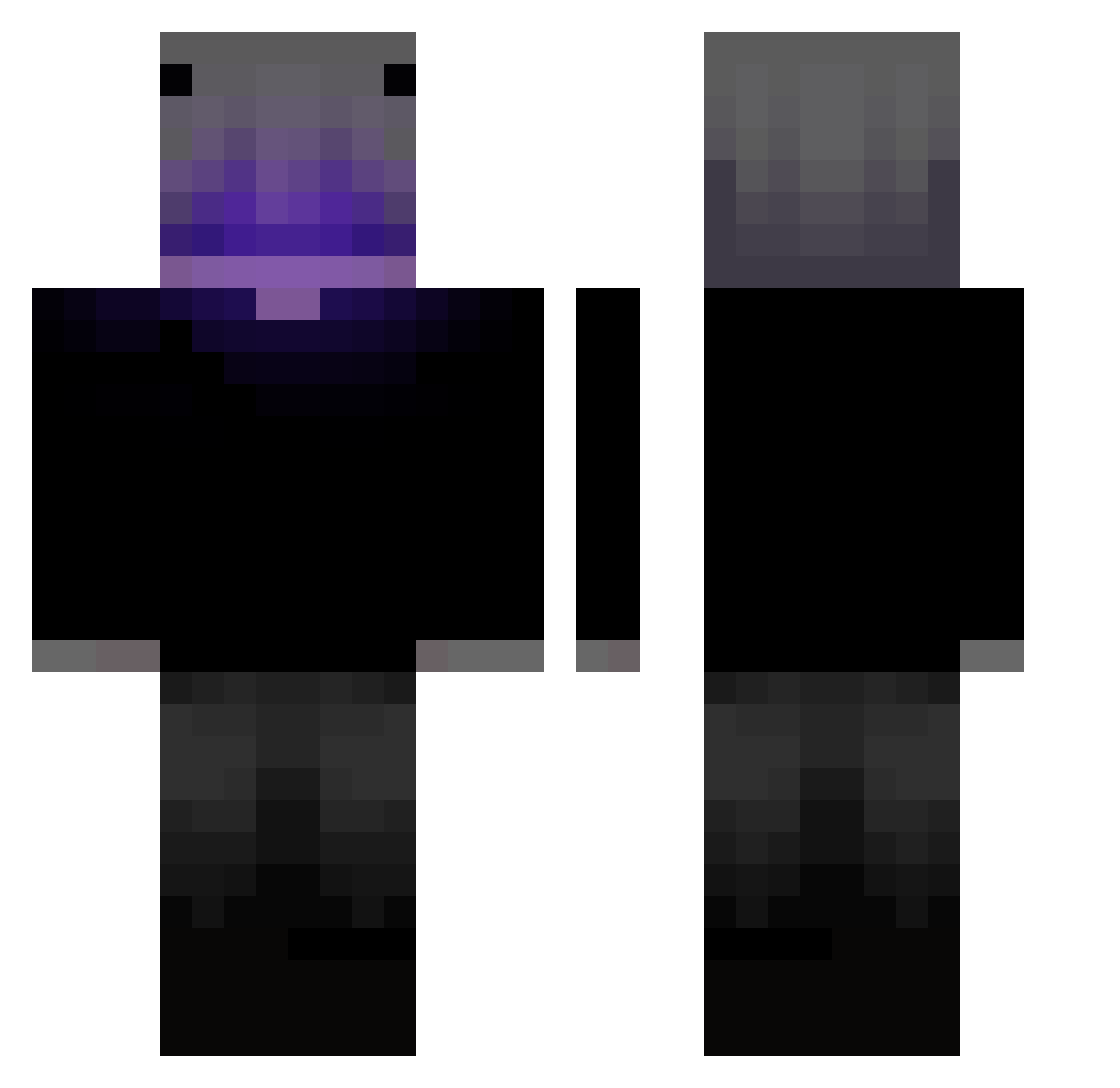
Current Minecraft skin of the player BoxierKuba, loaded from the official Mojang API. Rotate the 3D model with your mouse or finger, then download the skin as a PNG file and use it in Minecraft: Bedrock Edition or Java Edition for free. When BoxierKuba changes their skin, this page updates automatically and the old skin stays in the history below.
Other players with this skin (346)
BoxierKuba was the 23rd player we have seen with this skin, first spotted on 29.07.2026. The same skin was seen on these players. Open a nickname to see their current skin and skin history.
 Ellegon2835 yvenskyytr wreched45 cady2021 Gnombino ROODRIGOPL _gad N1neX DengMoo
 einfachSkipper
 DyZzCr stupidabdr
 Schoko_15
 Mr_Saori
 Arianfn2
 Mys3lfO_O SebaQ1234 1312331231 HopeDawnA Palito_Palito SinonGK Phantom_Clap A6_Maniac1 RON_DGO Phakphong212 18500Ethan12 Xyro0o Xaboruz danathole JANx27
 DOGIX_ Shinchi_Hiankoto
 Skyee_eee Ivvaann04 TheNikoNiko N3S__ El_Cachii Ver_Official Vortexal_2 YkkAsmodeus Universea krajano ZotrexYT NAukaP0Kqe Indra_Uchiha RobertTheDuck29 1ove_ZeR0 JuJuTIan0261 Egz00 s1axerv KFungbb AintCritz_ Niteguy ZabaZabaZingo LUIZUC Blank201005 AxionLI TOT17 dushkkaa K1NGJEREMY
More Parrot Minecraft skins
How to install the BoxierKuba skin
- Press the Download button above to save the skin as a PNG file.
- Minecraft: Bedrock Edition (PE): open the Dressing Room from the main menu (or tap your character → Edit Character), go to Classic Skins → Owned, press the + (new skin) button, choose the downloaded PNG and pick the Classic (Steve) model. Works on PC and mobile; consoles cannot import custom skins.
- Minecraft: Java Edition: open the Minecraft Launcher, go to the Skins tab, click New Skin, load the PNG, pick the Classic (Steve) model and press Save & Use. You can also upload it at minecraft.net → Profile → Change Skin.
The skin does not show up after import - what should I do?
Restart Minecraft and open the Dressing Room again - imported skins sometimes appear only after a restart. Also make sure you selected the imported skin and picked the Classic (Steve) model.
Which model should I choose, Classic or Slim?
This skin is designed for the Classic (Steve) model. If you pick the wrong model, the arms of the skin will look stretched or squeezed.
Is the skin of BoxierKuba free to download?
Yes. Press Download, save the PNG file and use it in Minecraft: Bedrock Edition or Java Edition - no payment or registration needed. The skin also works on multiplayer servers and Realms.
More skins
Looking for more? Go back to all Minecraft skins and check the top skins of the week, month and all time, or find any player's skin by nickname.