
Born2bWild - Minecraft Skins & Skin History
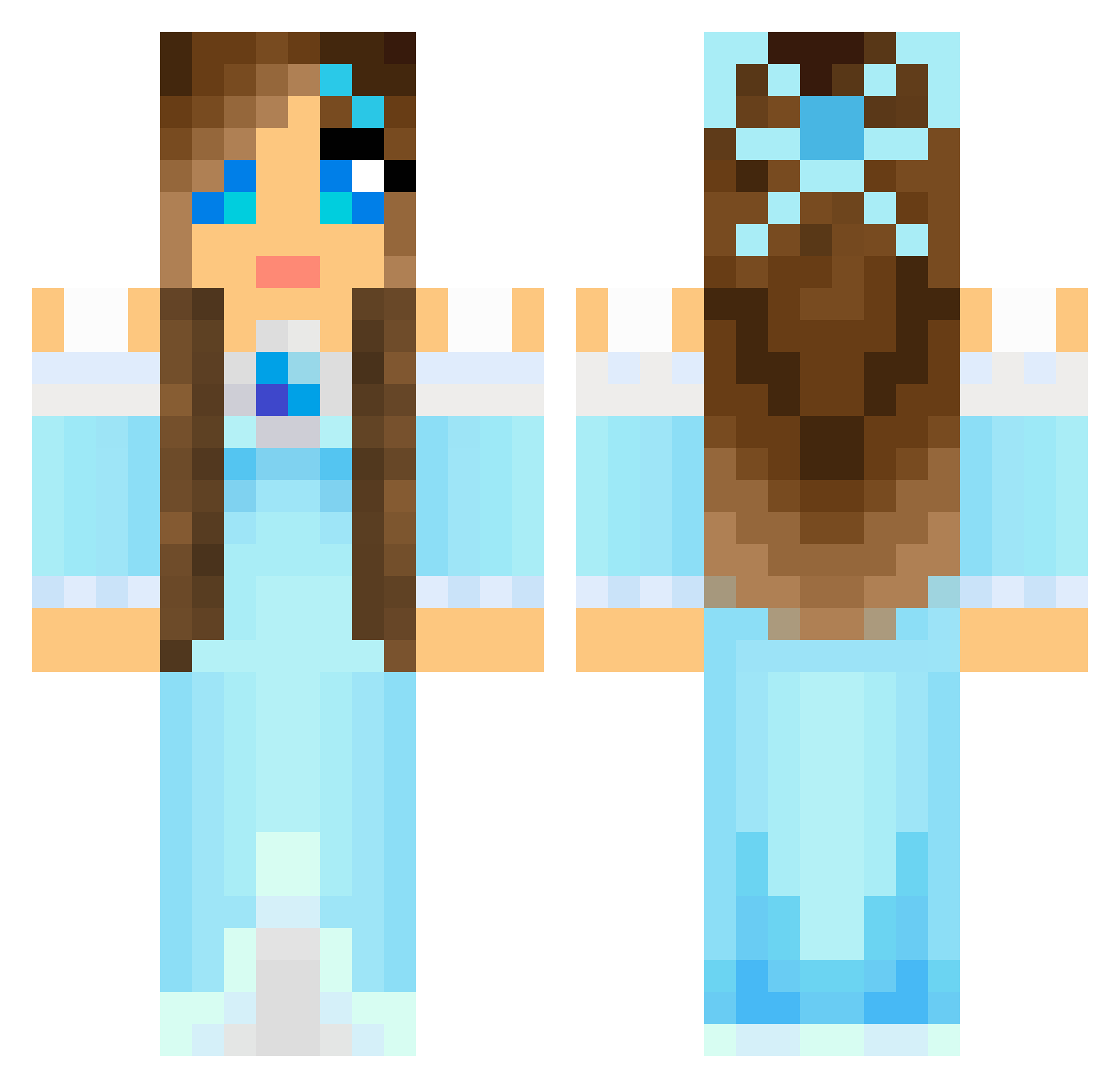
Current Minecraft skin of the player Born2bWild, loaded from the official Mojang API. Rotate the 3D model with your mouse or finger, then download the skin as a PNG file and use it in Minecraft: Bedrock Edition or Java Edition for free. When Born2bWild changes their skin, this page updates automatically and the old skin stays in the history below.
Other players with this skin (804)
Born2bWild was the 474th player we have seen with this skin, first spotted on 27.09.2026. The same skin was seen on these players. Open a nickname to see their current skin and skin history.
 Kruemel1991 LePoiMan Pink_Panther_15 Queen_Death_ LadyDreamshade CupCakeGirl_2007 Swimington katie7 JinJinRa kbear10 bluecat1029 Larca18 fujipear lonewoulff sagis1 Miri2205 Nadinechen LadiWolf Sally2897 vanessa9903 phoebe0412 sillecamilla CrazyPen Mitsiki Tomboy_2014 Chaper1 malvagita _Masania_ MusicalBoo16 Honeybee66 hannemartens lilly787 Sleepingariel elodielolo Myranir desertflower92 nevethirwen ConverseKitty Legofriend8 JusNammy courtneybig23 Tomotishi Ohhaidercathy Thegumballkid hailey55422 PunPotato aqueney ponies2001 Crazy775 Mickis112 wolfpack2145 om_nom_berries ETGomez charlotte_holt IKarenI frosting2012 PrincessB88 rose189 Aermisty MadameLaNatalie
More Princess Minecraft skins
How to install the Born2bWild skin
- Press the Download button above to save the skin as a PNG file.
- Minecraft: Bedrock Edition (PE): open the Dressing Room from the main menu (or tap your character → Edit Character), go to Classic Skins → Owned, press the + (new skin) button, choose the downloaded PNG and pick the Classic (Steve) model. Works on PC and mobile; consoles cannot import custom skins.
- Minecraft: Java Edition: open the Minecraft Launcher, go to the Skins tab, click New Skin, load the PNG, pick the Classic (Steve) model and press Save & Use. You can also upload it at minecraft.net → Profile → Change Skin.
The skin does not show up after import - what should I do?
Restart Minecraft and open the Dressing Room again - imported skins sometimes appear only after a restart. Also make sure you selected the imported skin and picked the Classic (Steve) model.
Which model should I choose, Classic or Slim?
This skin is designed for the Classic (Steve) model. If you pick the wrong model, the arms of the skin will look stretched or squeezed.
Is the skin of Born2bWild free to download?
Yes. Press Download, save the PNG file and use it in Minecraft: Bedrock Edition or Java Edition - no payment or registration needed. The skin also works on multiplayer servers and Realms.
More skins
Looking for more? Go back to all Minecraft skins and check the top skins of the week, month and all time, or find any player's skin by nickname.