
BoriMex4408 - Minecraft Skins & Skin History
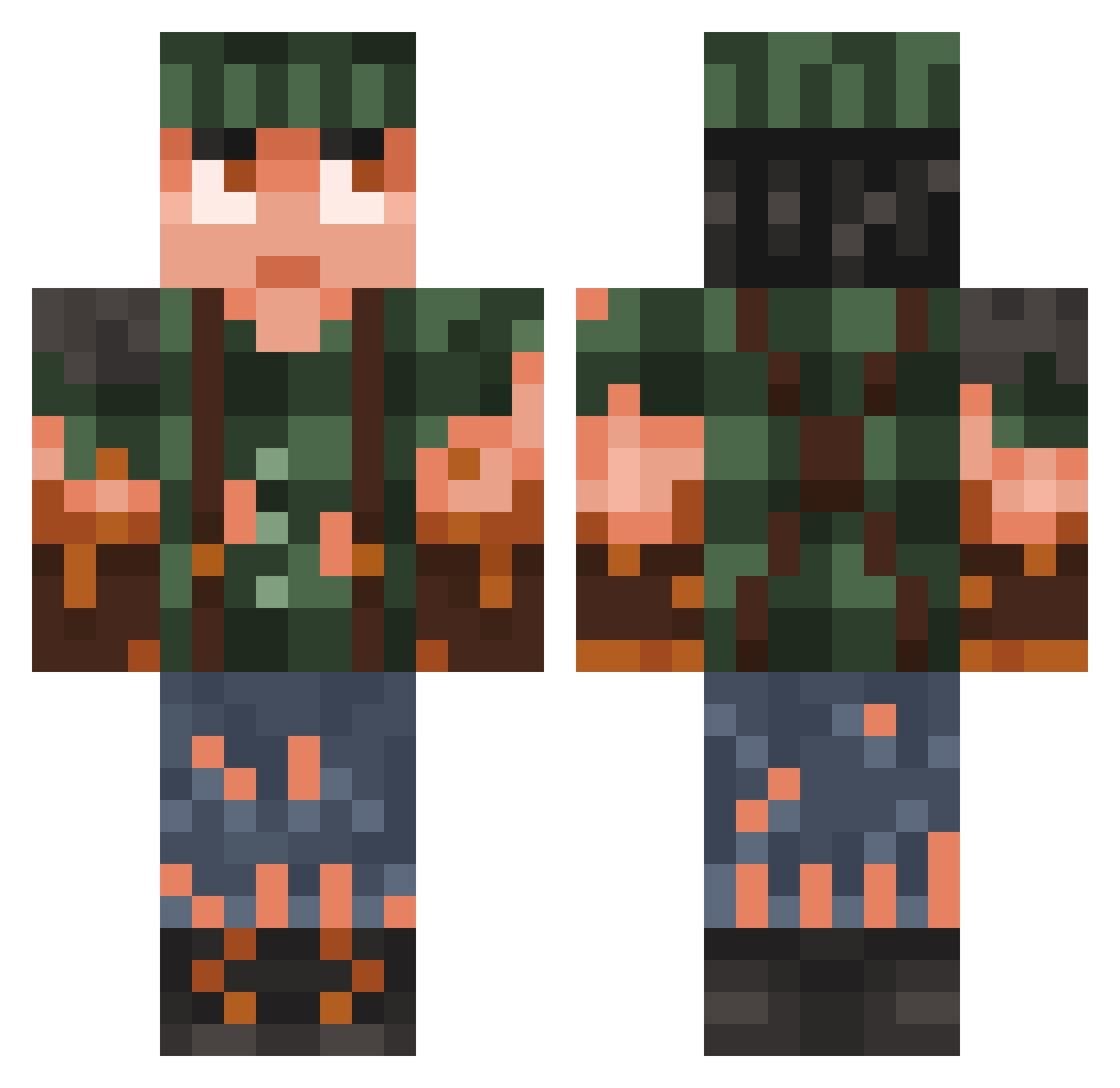
Current Minecraft skin of the player BoriMex4408, loaded from the official Mojang API. Rotate the 3D model with your mouse or finger, then download the skin as a PNG file and use it in Minecraft: Bedrock Edition or Java Edition for free. When BoriMex4408 changes their skin, this page updates automatically and the old skin stays in the history below.
Other players with this skin (936)
BoriMex4408 was the 393rd player we have seen with this skin, first spotted on 12.09.2026. The same skin was seen on these players. Open a nickname to see their current skin and skin history.
 jvopinho LI562 BoogityBoo007 mickycool SpaceDonkeyVT charlotcoco2012 BlueFoxCub Ziizuu SPHV_Echov SirZuka Schuljung Fanatic89 jaeoong oXxDMCxXo NikyRG akashi52 progamer167 emberfalcon Jowy1289 maggithehamster2 KingSpast lxrdphused Elyagomme Melo_133 koelie123 SupremeSalmon650 maysil03 PsycheAqua Enegy ShiftyRex699 GeomeTriDinh DKW110S oguzhan_hohohehe qwmgz Projility Helmmmm _BullToX_ elai1 Zuk2 Hobilon zinerco LLP1 user88985 Marry_Jane420 pat__ Intremour ayBryan labubuteam_911 SirMcDuck MyLittleBGD BeaverAssassin43 ADRIOCAXD Scheherazade1892 TheBuilder8016 DeadlyGhost4313 KrooS Swiz__ test4 TommyGunz3205 reThink23
More Survivor Minecraft skins
How to install the BoriMex4408 skin
- Press the Download button above to save the skin as a PNG file.
- Minecraft: Bedrock Edition (PE): open the Dressing Room from the main menu (or tap your character → Edit Character), go to Classic Skins → Owned, press the + (new skin) button, choose the downloaded PNG and pick the Classic (Steve) model. Works on PC and mobile; consoles cannot import custom skins.
- Minecraft: Java Edition: open the Minecraft Launcher, go to the Skins tab, click New Skin, load the PNG, pick the Classic (Steve) model and press Save & Use. You can also upload it at minecraft.net → Profile → Change Skin.
The skin does not show up after import - what should I do?
Restart Minecraft and open the Dressing Room again - imported skins sometimes appear only after a restart. Also make sure you selected the imported skin and picked the Classic (Steve) model.
Which model should I choose, Classic or Slim?
This skin is designed for the Classic (Steve) model. If you pick the wrong model, the arms of the skin will look stretched or squeezed.
Is the skin of BoriMex4408 free to download?
Yes. Press Download, save the PNG file and use it in Minecraft: Bedrock Edition or Java Edition - no payment or registration needed. The skin also works on multiplayer servers and Realms.
More skins
Looking for more? Go back to all Minecraft skins and check the top skins of the week, month and all time, or find any player's skin by nickname.