
Bluminium - Minecraft Skins & Skin History
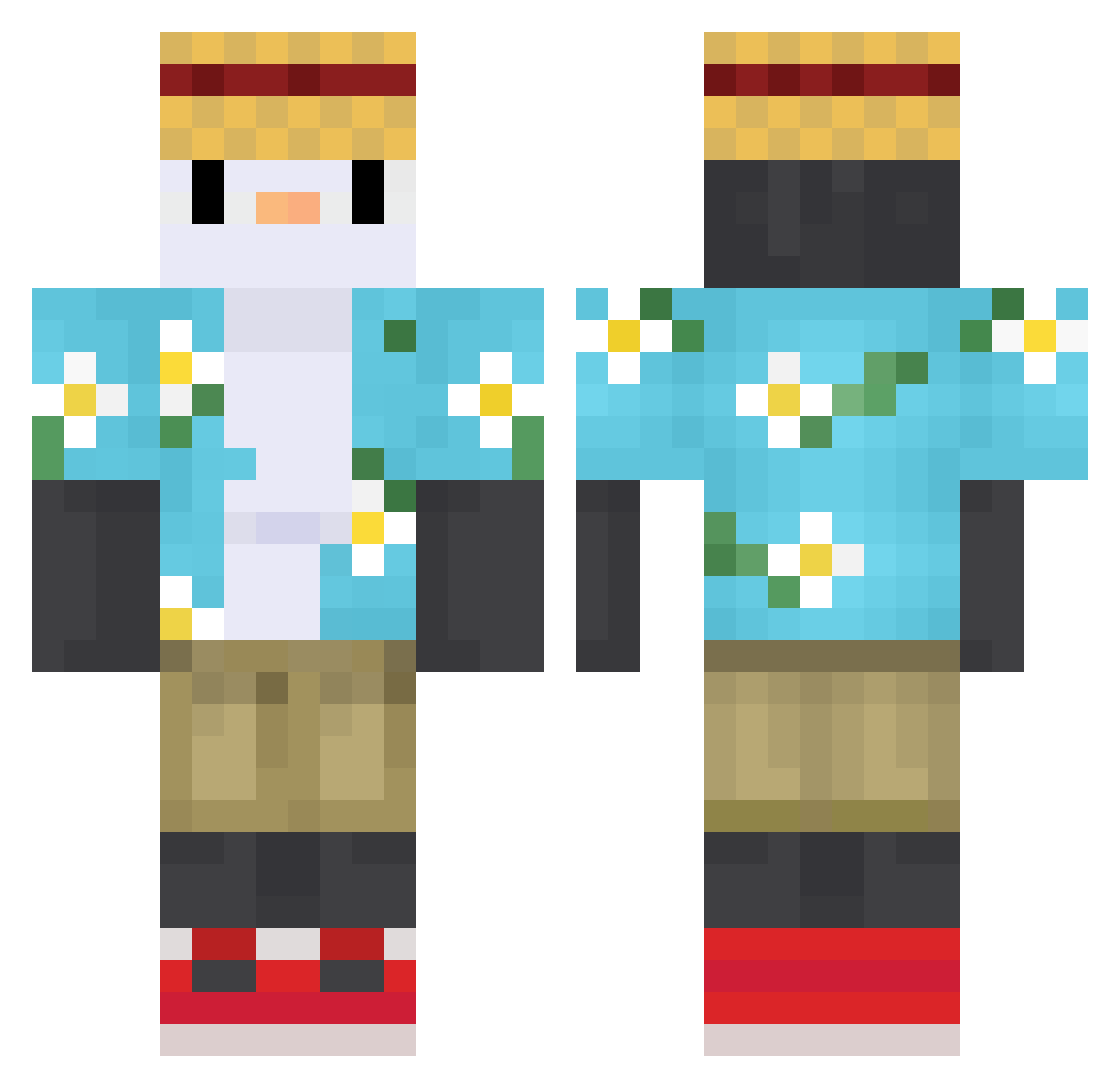
Current Minecraft skin of the player Bluminium, loaded from the official Mojang API. Rotate the 3D model with your mouse or finger, then download the skin as a PNG file and use it in Minecraft: Bedrock Edition or Java Edition for free. When Bluminium changes their skin, this page updates automatically and the old skin stays in the history below.
Other players with this skin (615)
Bluminium was the 132nd player we have seen with this skin, first spotted on 16.08.2026. The same skin was seen on these players. Open a nickname to see their current skin and skin history.
 ItssAngiee Marmamon DemiSign KendrozF mayer666233 erfantoxic2003 IAEJOAO Jinyu0314 kulka1601 Gio2641 midyng coolguy1998 Chris225UA __SPARTEX__ Whiskyzs Golubika 3YK_ MORAN087 Kirikaio poyoo3o SunQueen3492 Melios_ dajuner FabbGamer dwfargo Cafzito
 pastrello M5vTfaK gKryha9 LeoMashiro IBeginToMissYou Tyllzz babyboyok5 finallyzz Bastos31 terrordecandys fathooo MiniFrypan alm0ndj4r SetHxxl QuenMine KonfuPenguin Dramagold Nickystix333 BronzeSheep6225 Shonathan2709 GodlikeCraft2 LadyBug7978 RoddyMC LaYug Flybird234 kaernokiller Teskito bigzck leandre59 takeshichiu JSTGVP Edan_8 omubttc Disease_Cold
More Straw Hat Minecraft skins
How to install the Bluminium skin
- Press the Download button above to save the skin as a PNG file.
- Minecraft: Bedrock Edition (PE): open the Dressing Room from the main menu (or tap your character → Edit Character), go to Classic Skins → Owned, press the + (new skin) button, choose the downloaded PNG and pick the Classic (Steve) model. Works on PC and mobile; consoles cannot import custom skins.
- Minecraft: Java Edition: open the Minecraft Launcher, go to the Skins tab, click New Skin, load the PNG, pick the Classic (Steve) model and press Save & Use. You can also upload it at minecraft.net → Profile → Change Skin.
The skin does not show up after import - what should I do?
Restart Minecraft and open the Dressing Room again - imported skins sometimes appear only after a restart. Also make sure you selected the imported skin and picked the Classic (Steve) model.
Which model should I choose, Classic or Slim?
This skin is designed for the Classic (Steve) model. If you pick the wrong model, the arms of the skin will look stretched or squeezed.
Is the skin of Bluminium free to download?
Yes. Press Download, save the PNG file and use it in Minecraft: Bedrock Edition or Java Edition - no payment or registration needed. The skin also works on multiplayer servers and Realms.
More skins
Looking for more? Go back to all Minecraft skins and check the top skins of the week, month and all time, or find any player's skin by nickname.