
BluealianM - Minecraft Skins & Skin History
Current Minecraft skin of the player BluealianM, loaded from the official Mojang API. Rotate the 3D model with your mouse or finger, then download the skin as a PNG file and use it in Minecraft: Bedrock Edition or Java Edition for free. When BluealianM changes their skin, this page updates automatically and the old skin stays in the history below.
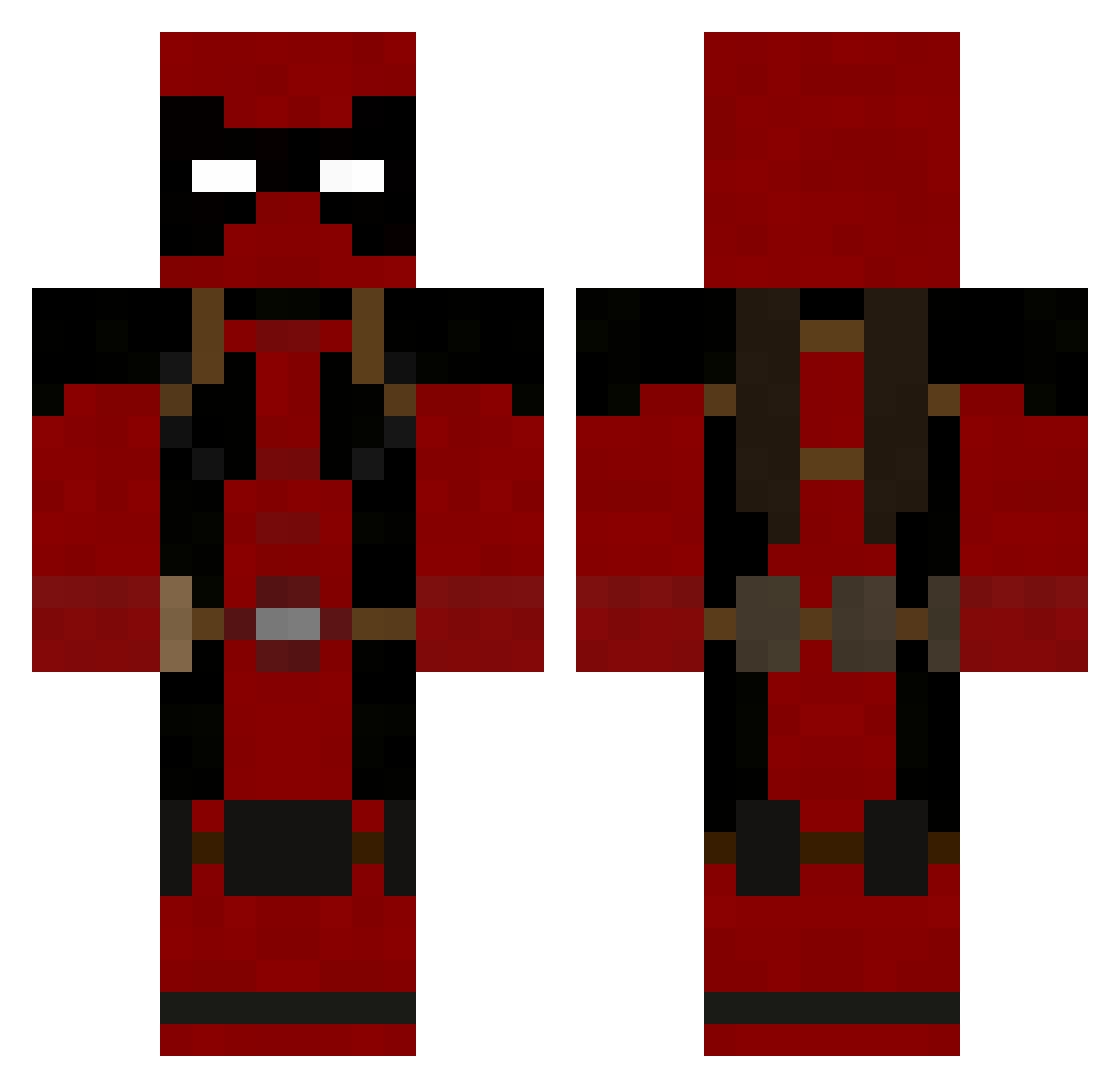
Other players with this skin (753)
BluealianM was the 630th player we have seen with this skin, first spotted on 09.10.2026. The same skin was seen on these players. Open a nickname to see their current skin and skin history.
 Sadech Endegame darkstar4811 AtlasRyan Kuroniiro Dirty_Weston dinowiz90 Hanimal91 Bananaramah badass007 chaddush Zombikkichi Izanagi771 PapaSteamer jester8652 Owenvader joeyisswag123 Derek_Sidey Read0rdie MelvinFerniker andyingham kminer57 Maxpaco chenziyuan LordCreamy stack_em_up_123 minningben tigerman77 TheRealNerdyBoy Bigboss5nake Internal_ninja1 fmao Evil_Lapinou lordmax CaptainShaker mzuleft IngloriousGreco Ahdryl buckystorm FreddyMckrueger OppanGangnam rafawhs DJTunafish wolfzfangz GemMaster2005 expendable_llama sasuke599 jojolafreux prohocking Le_boun FreedomMRTN legynd Ddwag1 osmodeous pyrowl Mojoptimus conman477 Flash_Back Pigglish lraalex
More Deadpool Minecraft skins
How to install the BluealianM skin
- Press the Download button above to save the skin as a PNG file.
- Minecraft: Bedrock Edition (PE): open the Dressing Room from the main menu (or tap your character → Edit Character), go to Classic Skins → Owned, press the + (new skin) button, choose the downloaded PNG and pick the Classic (Steve) model. Works on PC and mobile; consoles cannot import custom skins.
- Minecraft: Java Edition: open the Minecraft Launcher, go to the Skins tab, click New Skin, load the PNG, pick the Classic (Steve) model and press Save & Use. You can also upload it at minecraft.net → Profile → Change Skin.
The skin does not show up after import - what should I do?
Restart Minecraft and open the Dressing Room again - imported skins sometimes appear only after a restart. Also make sure you selected the imported skin and picked the Classic (Steve) model.
Which model should I choose, Classic or Slim?
This skin is designed for the Classic (Steve) model. If you pick the wrong model, the arms of the skin will look stretched or squeezed.
Is the skin of BluealianM free to download?
Yes. Press Download, save the PNG file and use it in Minecraft: Bedrock Edition or Java Edition - no payment or registration needed. The skin also works on multiplayer servers and Realms.
More skins
Looking for more? Go back to all Minecraft skins and check the top skins of the week, month and all time, or find any player's skin by nickname.