
Bloodhoove - Minecraft Skins & Skin History
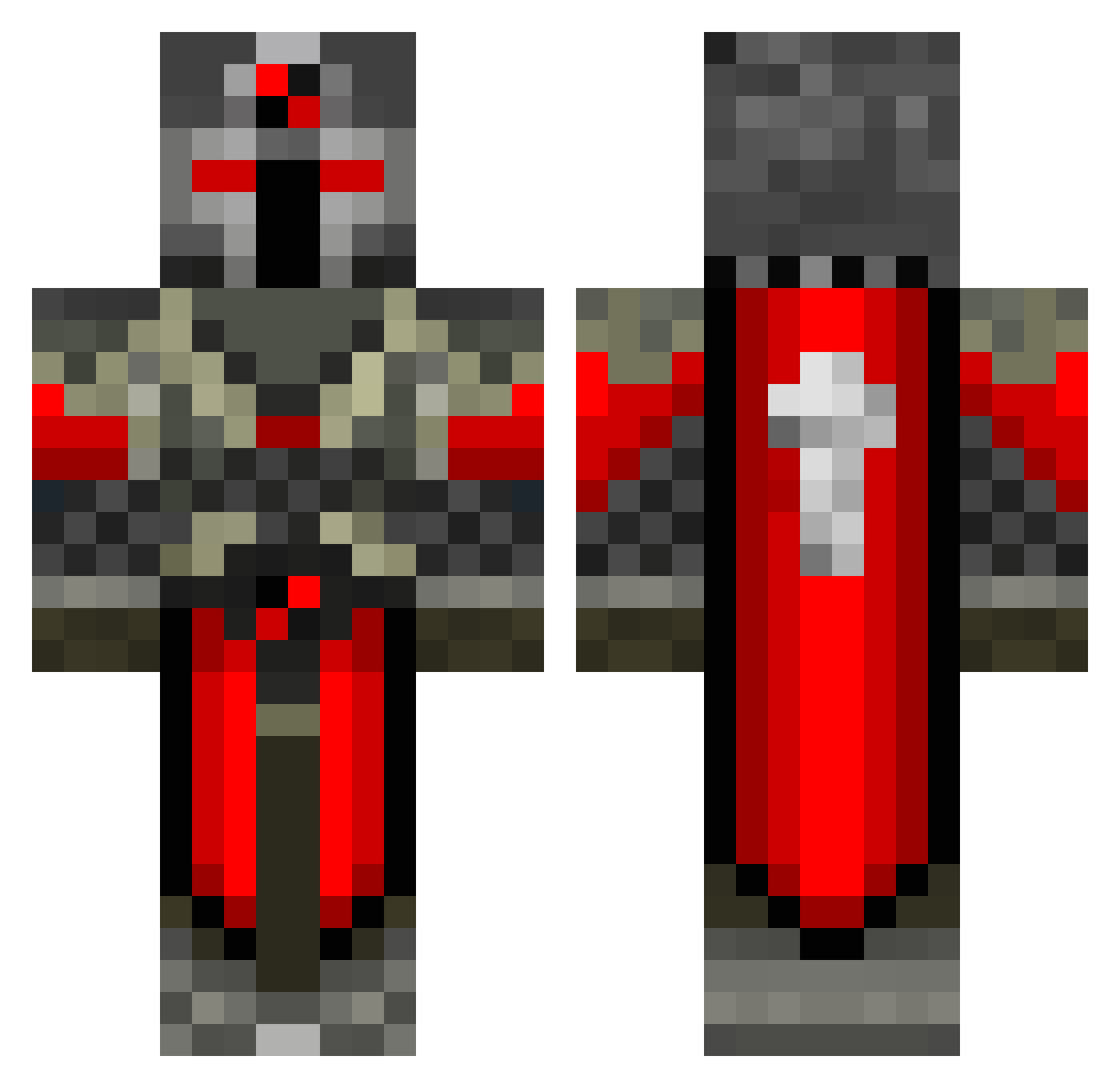
Current Minecraft skin of the player Bloodhoove, loaded from the official Mojang API. Rotate the 3D model with your mouse or finger, then download the skin as a PNG file and use it in Minecraft: Bedrock Edition or Java Edition for free. When Bloodhoove changes their skin, this page updates automatically and the old skin stays in the history below.
Other players with this skin (686)
Bloodhoove was the 644th player we have seen with this skin, first spotted on 13.11.2026. The same skin was seen on these players. Open a nickname to see their current skin and skin history.
 Xexos GhostKnight618 xHOONIGANxRYANx Koziroth davethedude69 djmixdub Fliprofl gmailcom123 glacisag TacoCruncher SuperAlfred SlowestMan jammybond BinPDA Vextris LadleIV BlockLooper Sartekar matthewmc7 yankees235 Bloodyferguson alucardtfs666 jfinch Hardistyle1 Theldoff Dio_Demonic Arlian2551 Pupielie CorruptedK account101 MELMO Hami216 RoboDudeGaming Soulclaw bootlegtitan Salat_Hunter dinni2011 Huggarn2002 jimmylolcatz EricTheNice AwesomeKill47 fanticaljesus123 GrandadBoy JONAT1919 NamNwod andycandy1 DarkRaven7 muchRainy vincevill Mad_Mark90 dc272727 dekkuran Fluxtrance68 Awsome_Man_101 Aehxy Freitaler93 HarryE1 iniesta980 sjbanks FrescoSF1
More Crusader Minecraft skins
How to install the Bloodhoove skin
- Press the Download button above to save the skin as a PNG file.
- Minecraft: Bedrock Edition (PE): open the Dressing Room from the main menu (or tap your character → Edit Character), go to Classic Skins → Owned, press the + (new skin) button, choose the downloaded PNG and pick the Classic (Steve) model. Works on PC and mobile; consoles cannot import custom skins.
- Minecraft: Java Edition: open the Minecraft Launcher, go to the Skins tab, click New Skin, load the PNG, pick the Classic (Steve) model and press Save & Use. You can also upload it at minecraft.net → Profile → Change Skin.
The skin does not show up after import - what should I do?
Restart Minecraft and open the Dressing Room again - imported skins sometimes appear only after a restart. Also make sure you selected the imported skin and picked the Classic (Steve) model.
Which model should I choose, Classic or Slim?
This skin is designed for the Classic (Steve) model. If you pick the wrong model, the arms of the skin will look stretched or squeezed.
Is the skin of Bloodhoove free to download?
Yes. Press Download, save the PNG file and use it in Minecraft: Bedrock Edition or Java Edition - no payment or registration needed. The skin also works on multiplayer servers and Realms.
More skins
Looking for more? Go back to all Minecraft skins and check the top skins of the week, month and all time, or find any player's skin by nickname.