
Block_Crusher86 - Minecraft Skins & Skin History
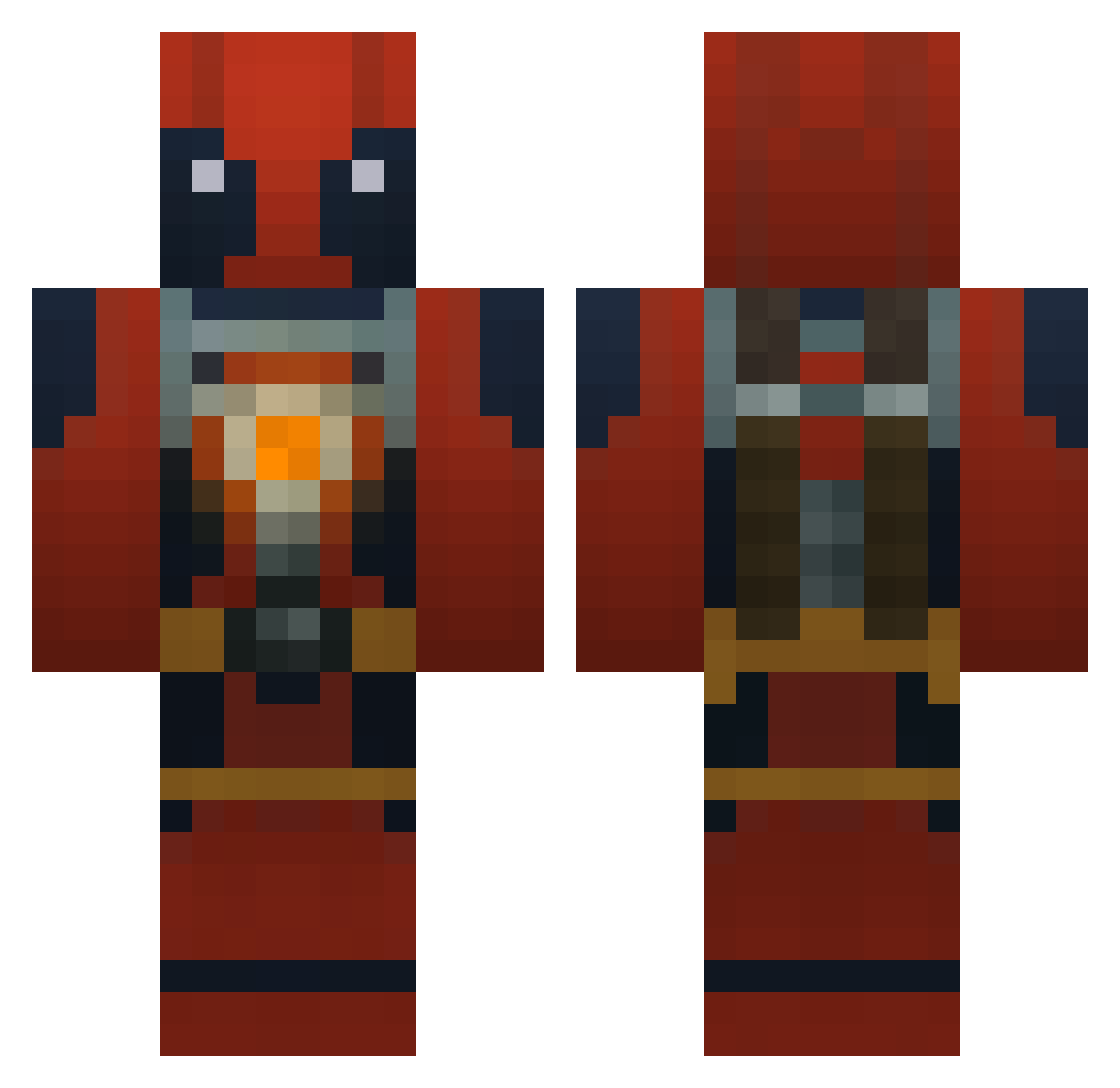
Current Minecraft skin of the player Block_Crusher86, loaded from the official Mojang API. Rotate the 3D model with your mouse or finger, then download the skin as a PNG file and use it in Minecraft: Bedrock Edition or Java Edition for free. When Block_Crusher86 changes their skin, this page updates automatically and the old skin stays in the history below.
Other players with this skin (750)
Block_Crusher86 was the 157th player we have seen with this skin, first spotted on 15.08.2026. The same skin was seen on these players. Open a nickname to see their current skin and skin history.
 Lumphii puffpuff21 Veon_Scopez TheRealGmo Kiddude LaLxJuiced Maarten11NL yoel1000000 gfk1337 BombasticsBombs nickr67 RTD4 supercholo9 KissBye War_Potato_666 zWishman ecwh TheCampVG drfuzz76 Walthoo Technatron1 AMCtrain Mizzou_man thetornado325 theterrerofdeath tingzy111 Eggward1 KieranGlen jmuniz85 Isbomb GodsCanvas GuanacoJ Rueplukkeren TheSuperhealey Blood_Bane Arbhuzas zoom1708 Marceline13 jesus8787 Tentacious Exuvier vinsacco Matryx914 cbad22446 Dorinzo123 Apihsto clonskeaghdude StankyFoo sicxtwisted dfresh2death Nowise irishlegos ClassyAmbassador taken5000 JosephOB PropheticDolphin Dinohunter69 CCBali007 ama10tp antthedrag
More Deadpool Minecraft skins
How to install the Block_Crusher86 skin
- Press the Download button above to save the skin as a PNG file.
- Minecraft: Bedrock Edition (PE): open the Dressing Room from the main menu (or tap your character → Edit Character), go to Classic Skins → Owned, press the + (new skin) button, choose the downloaded PNG and pick the Classic (Steve) model. Works on PC and mobile; consoles cannot import custom skins.
- Minecraft: Java Edition: open the Minecraft Launcher, go to the Skins tab, click New Skin, load the PNG, pick the Classic (Steve) model and press Save & Use. You can also upload it at minecraft.net → Profile → Change Skin.
The skin does not show up after import - what should I do?
Restart Minecraft and open the Dressing Room again - imported skins sometimes appear only after a restart. Also make sure you selected the imported skin and picked the Classic (Steve) model.
Which model should I choose, Classic or Slim?
This skin is designed for the Classic (Steve) model. If you pick the wrong model, the arms of the skin will look stretched or squeezed.
Is the skin of Block_Crusher86 free to download?
Yes. Press Download, save the PNG file and use it in Minecraft: Bedrock Edition or Java Edition - no payment or registration needed. The skin also works on multiplayer servers and Realms.
More skins
Looking for more? Go back to all Minecraft skins and check the top skins of the week, month and all time, or find any player's skin by nickname.