
Blackw0lf246 - Minecraft Skins & Skin History
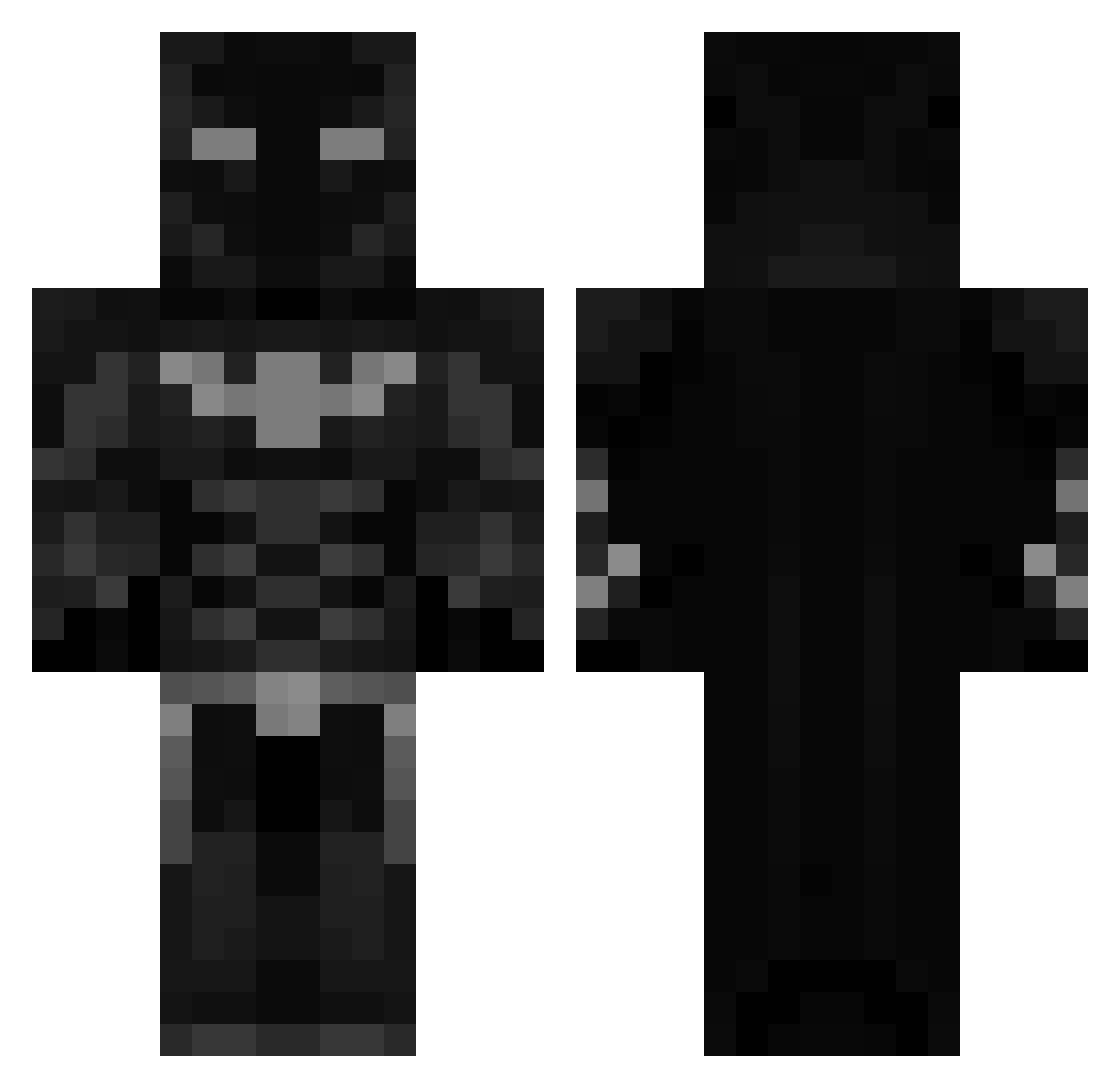
Current Minecraft skin of the player Blackw0lf246, loaded from the official Mojang API. Rotate the 3D model with your mouse or finger, then download the skin as a PNG file and use it in Minecraft: Bedrock Edition or Java Edition for free. When Blackw0lf246 changes their skin, this page updates automatically and the old skin stays in the history below.
Other players with this skin (567)
Blackw0lf246 was the 466th player we have seen with this skin, first spotted on 01.11.2026. The same skin was seen on these players. Open a nickname to see their current skin and skin history.
 Bloody_Dragons Mucchii heysisters9 coolmail Bald_a6d Branchyboy69 UrInsaneJarvis 9e2 xdBeamer7 darkknight216 gattor212 ThatCrazyJay carchanz JOKERZX07 McCool213 Jisthegoat Reubenaitor Coltin56 TaxiHub ZikuuMC Gabe14234 Schuller2404 FestiveBatman mkyeq Tymchak24 ParkerPryor Jake2shiesty69 JoshyTBMC JuanDav21 diegotico15 AetheriusMine _Bartorius_ lecastor69 Gmacc BunnyGirlXOX RedFire_23 Ghosttfrr Brugottt Anarchyyyyyy KAYIAHMET AcridSplash311 ZALOL16 Nenad_ ChrisB070 neverfortess BANANEN8 HeySiah DCXAR kh_247 KimocuYT FanatykGier NotSkyboundYT driving_boy MMM1232 Chillbone789 Arch_joe ComboReaper konnari76 JustJerom_ GayLussak
More Batman Minecraft skins
How to install the Blackw0lf246 skin
- Press the Download button above to save the skin as a PNG file.
- Minecraft: Bedrock Edition (PE): open the Dressing Room from the main menu (or tap your character → Edit Character), go to Classic Skins → Owned, press the + (new skin) button, choose the downloaded PNG and pick the Classic (Steve) model. Works on PC and mobile; consoles cannot import custom skins.
- Minecraft: Java Edition: open the Minecraft Launcher, go to the Skins tab, click New Skin, load the PNG, pick the Classic (Steve) model and press Save & Use. You can also upload it at minecraft.net → Profile → Change Skin.
The skin does not show up after import - what should I do?
Restart Minecraft and open the Dressing Room again - imported skins sometimes appear only after a restart. Also make sure you selected the imported skin and picked the Classic (Steve) model.
Which model should I choose, Classic or Slim?
This skin is designed for the Classic (Steve) model. If you pick the wrong model, the arms of the skin will look stretched or squeezed.
Is the skin of Blackw0lf246 free to download?
Yes. Press Download, save the PNG file and use it in Minecraft: Bedrock Edition or Java Edition - no payment or registration needed. The skin also works on multiplayer servers and Realms.
More skins
Looking for more? Go back to all Minecraft skins and check the top skins of the week, month and all time, or find any player's skin by nickname.