
BittyNickel8057 - Minecraft Skins & Skin History
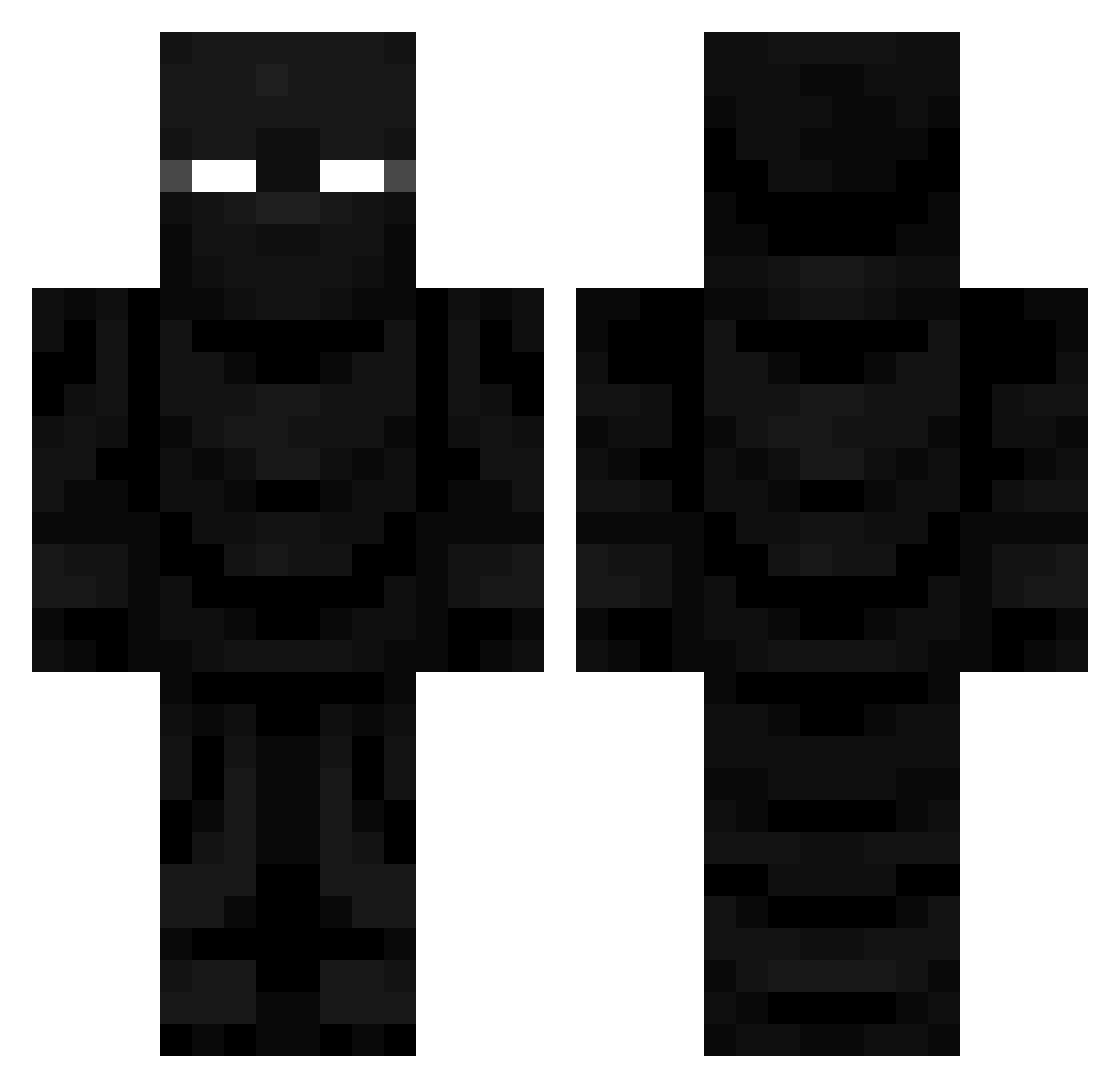
Current Minecraft skin of the player BittyNickel8057, loaded from the official Mojang API. Rotate the 3D model with your mouse or finger, then download the skin as a PNG file and use it in Minecraft: Bedrock Edition or Java Edition for free. When BittyNickel8057 changes their skin, this page updates automatically and the old skin stays in the history below.
Other players with this skin (728)
BittyNickel8057 was the 133rd player we have seen with this skin, first spotted on 15.08.2026. The same skin was seen on these players. Open a nickname to see their current skin and skin history.
 BunnyAF luccas209 22um Sasquatchium AlchemyWraith MustangMan112 KingSupportz Yung8abyY0da Beluimem
 Jalmee peppe_jones Ghost103121 TGO113 ColdYogurt hGhostly Trip1242 TheNameIs6 Glxxmstrider RocketX_X Sithlordshokon luis_san131 Mr__Purple allanizis1kem Kourasen34 PK49 moonfighterxd Sqwilliam303 cod2167 jessepeep SAPPYSALO R3IGEN ponydL AlexDaLame Delicious149 Polii_MC
 Just_JJ_ Omrevol NickTxdallas0909 9unhyeon De1taa_ SuperUltraSaiyan KaidenMack D_DooFenshmirtz
 TheBl4ckW0lf thevipking00 CooperJackson
 Saponine Jameslipp JACOB990234
 Wat3rb011le SaiHuy ondys708 kd_s SAK3BI WhiteLotus3
 SealTeamRicks Robot_Commander nosoydiego12345 jaehyun56 keviinapd
More Ninja Minecraft skins
How to install the BittyNickel8057 skin
- Press the Download button above to save the skin as a PNG file.
- Minecraft: Bedrock Edition (PE): open the Dressing Room from the main menu (or tap your character → Edit Character), go to Classic Skins → Owned, press the + (new skin) button, choose the downloaded PNG and pick the Classic (Steve) model. Works on PC and mobile; consoles cannot import custom skins.
- Minecraft: Java Edition: open the Minecraft Launcher, go to the Skins tab, click New Skin, load the PNG, pick the Classic (Steve) model and press Save & Use. You can also upload it at minecraft.net → Profile → Change Skin.
The skin does not show up after import - what should I do?
Restart Minecraft and open the Dressing Room again - imported skins sometimes appear only after a restart. Also make sure you selected the imported skin and picked the Classic (Steve) model.
Which model should I choose, Classic or Slim?
This skin is designed for the Classic (Steve) model. If you pick the wrong model, the arms of the skin will look stretched or squeezed.
Is the skin of BittyNickel8057 free to download?
Yes. Press Download, save the PNG file and use it in Minecraft: Bedrock Edition or Java Edition - no payment or registration needed. The skin also works on multiplayer servers and Realms.
More skins
Looking for more? Go back to all Minecraft skins and check the top skins of the week, month and all time, or find any player's skin by nickname.