
Bitezilla - Minecraft Skins & Skin History
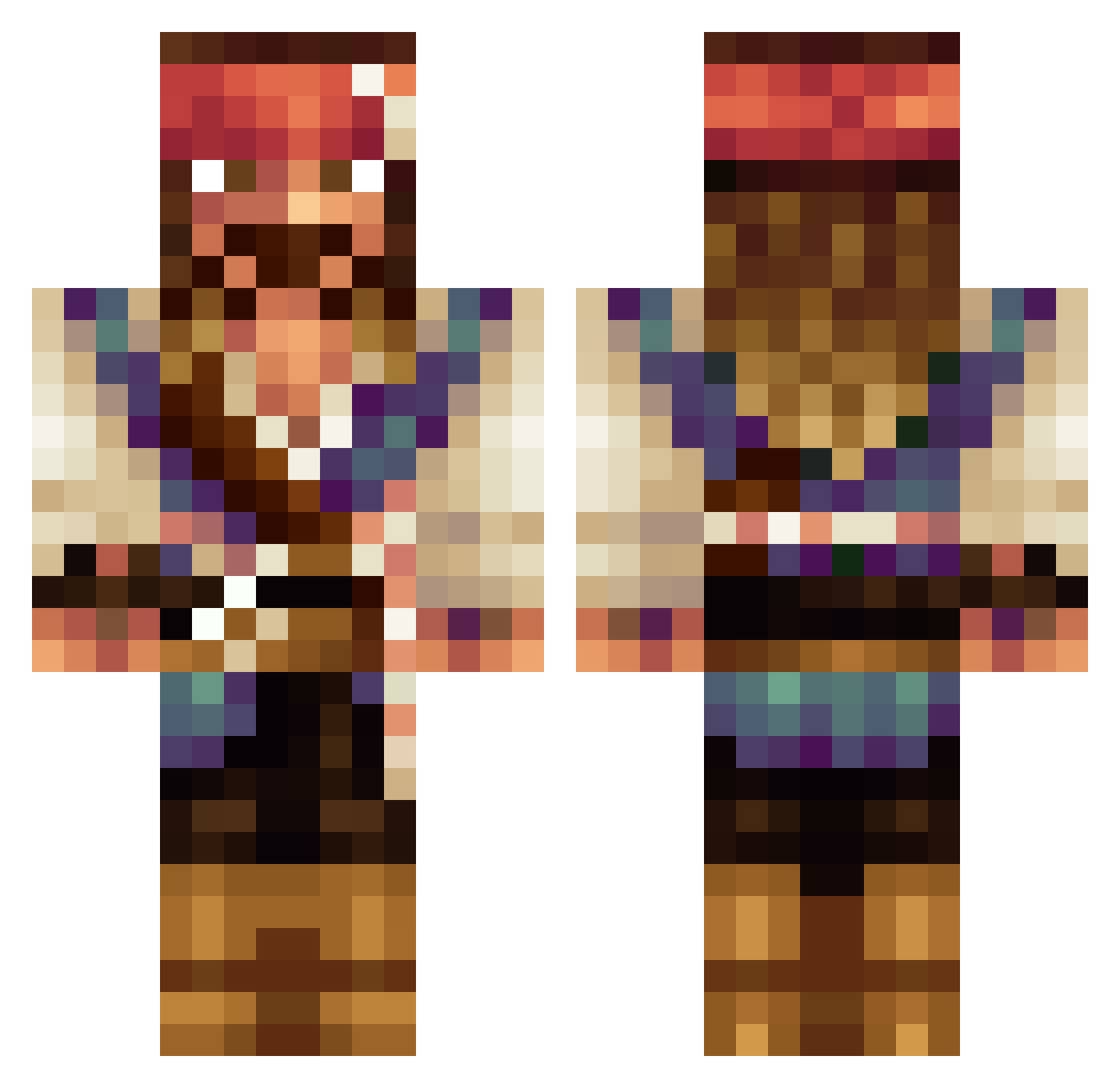
Current Minecraft skin of the player Bitezilla, loaded from the official Mojang API. Rotate the 3D model with your mouse or finger, then download the skin as a PNG file and use it in Minecraft: Bedrock Edition or Java Edition for free. When Bitezilla changes their skin, this page updates automatically and the old skin stays in the history below.
Other players with this skin (534)
Bitezilla was the 529th player we have seen with this skin, first spotted on 31.10.2026. The same skin was seen on these players. Open a nickname to see their current skin and skin history.
 Actamon Damoonthered mmmatt__ Arkanna Michael027 Flo3827 BigPapiOrtiz34 aStreamer emedelrey MallackBonthia Soccer943 toomuchsauuuuce AJTAV smoker03834 LaMontana Skalp BeanMaster47 Museco FunnySword _RedSmoke_ Julius761 olligamer3008 MeMedesimo Abs_Ads frenisecundari sxu35p4cjo SweetoSweeto Rwakus Bean4902 Nestor_Sparrow uoof0427 Revebello00 RabbidHunter Camuyoga Nneav thewayofshadows DRAUG5 AnimalFour59238 Mathijswie UltraDeathLord11 LickHere_ Melcanor Fanta111 LeoSan2008 poudreuxqc LuckyMonster218 its_Chriss01 Ryuuzon DirtyGrinder69 gabiyiy Mirkcore JackSparrow_4 agiurgiu20 DigDe3per13 3jw CatyCafe BuffJaguar Prokie20 CaptianJack55 henrybollins
More Jack Sparrow Minecraft skins
See all 108 Jack Sparrow skins
How to install the Bitezilla skin
- Press the Download button above to save the skin as a PNG file.
- Minecraft: Bedrock Edition (PE): open the Dressing Room from the main menu (or tap your character → Edit Character), go to Classic Skins → Owned, press the + (new skin) button, choose the downloaded PNG and pick the Classic (Steve) model. Works on PC and mobile; consoles cannot import custom skins.
- Minecraft: Java Edition: open the Minecraft Launcher, go to the Skins tab, click New Skin, load the PNG, pick the Classic (Steve) model and press Save & Use. You can also upload it at minecraft.net → Profile → Change Skin.
The skin does not show up after import - what should I do?
Restart Minecraft and open the Dressing Room again - imported skins sometimes appear only after a restart. Also make sure you selected the imported skin and picked the Classic (Steve) model.
Which model should I choose, Classic or Slim?
This skin is designed for the Classic (Steve) model. If you pick the wrong model, the arms of the skin will look stretched or squeezed.
Is the skin of Bitezilla free to download?
Yes. Press Download, save the PNG file and use it in Minecraft: Bedrock Edition or Java Edition - no payment or registration needed. The skin also works on multiplayer servers and Realms.
More skins
Looking for more? Go back to all Minecraft skins and check the top skins of the week, month and all time, or find any player's skin by nickname.