
Bisso - Minecraft Skins & Skin History
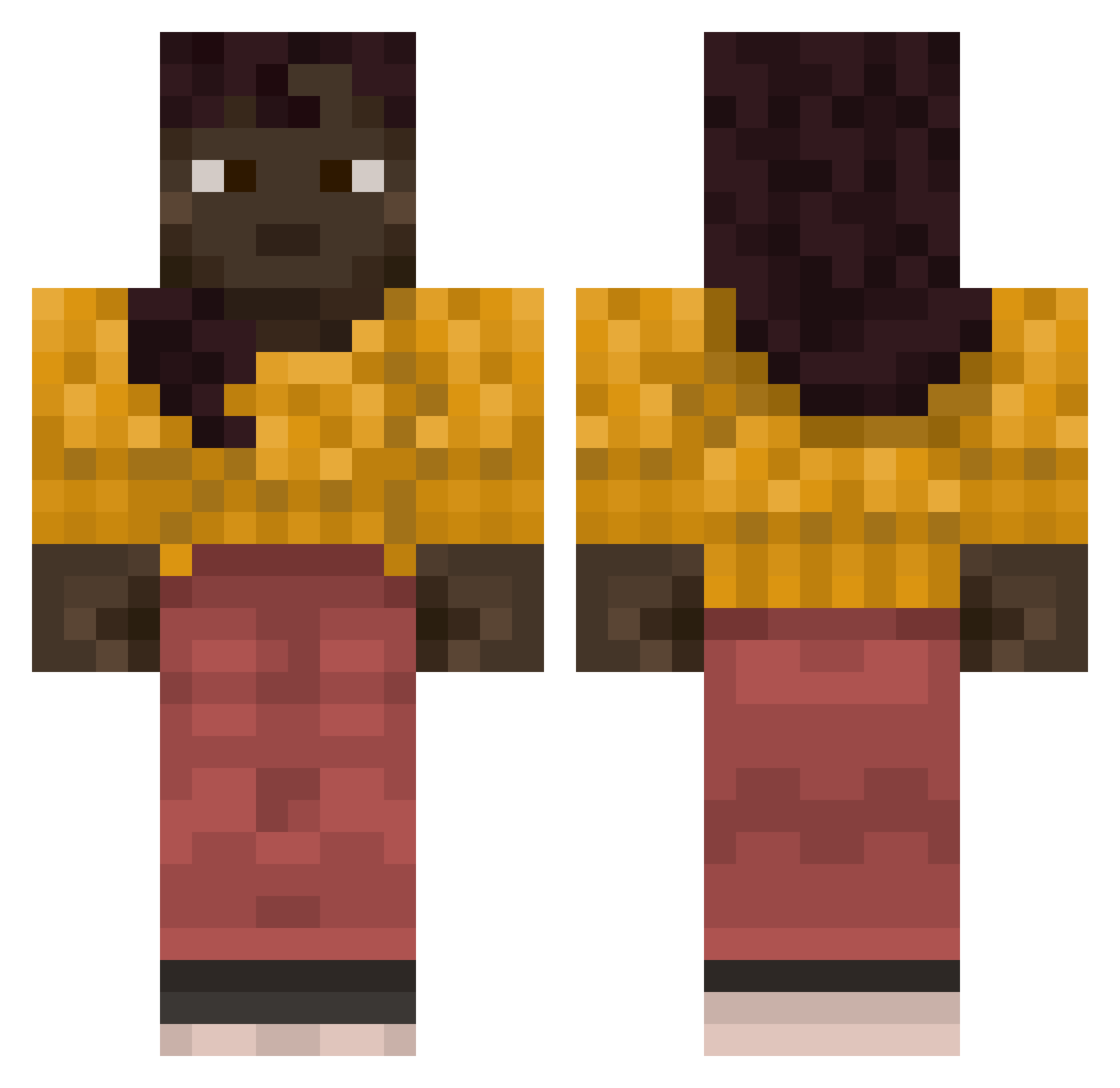
Current Minecraft skin of the player Bisso, loaded from the official Mojang API. Rotate the 3D model with your mouse or finger, then download the skin as a PNG file and use it in Minecraft: Bedrock Edition or Java Edition for free. When Bisso changes their skin, this page updates automatically and the old skin stays in the history below.
Other players with this skin (837)
Bisso was the 378th player we have seen with this skin, first spotted on 15.09.2026. The same skin was seen on these players. Open a nickname to see their current skin and skin history.
 Panurge grandchildren Doddering sdsdsdsdsdsdsfff Remi_Oreo GiveKneeCaps 00Mel0n Bottleholder DontBlame Scribers Biflex xJcksn Tomilegendario24 Malowi Lucam1ne SecretX123 KanzMc_ CraftyCams SAWAH wacklyyy Tabes Jigmen Manuelegar bloc Remorsefulness Byronics sakamaki um12 60kgBenk MrBadaBoom pilseners holayadios Adustion Singer SoScooch s3mmer_ Cortisone Backy DiabolicalNess Tubal zippy919 MrKotia susihukka_12 Amir_drzz Eygineer hitsuhh challengeable Sparver rickshas ILoveBaddiess Burstys Rottemandenn HaoZhu xYeatFaN_2347192 Featurely Corrugate Lunulite CP_09 Psammead Ordinates
More Girl Minecraft skins
How to install the Bisso skin
- Press the Download button above to save the skin as a PNG file.
- Minecraft: Bedrock Edition (PE): open the Dressing Room from the main menu (or tap your character → Edit Character), go to Classic Skins → Owned, press the + (new skin) button, choose the downloaded PNG and pick the Classic (Steve) model. Works on PC and mobile; consoles cannot import custom skins.
- Minecraft: Java Edition: open the Minecraft Launcher, go to the Skins tab, click New Skin, load the PNG, pick the Classic (Steve) model and press Save & Use. You can also upload it at minecraft.net → Profile → Change Skin.
The skin does not show up after import - what should I do?
Restart Minecraft and open the Dressing Room again - imported skins sometimes appear only after a restart. Also make sure you selected the imported skin and picked the Classic (Steve) model.
Which model should I choose, Classic or Slim?
This skin is designed for the Classic (Steve) model. If you pick the wrong model, the arms of the skin will look stretched or squeezed.
Is the skin of Bisso free to download?
Yes. Press Download, save the PNG file and use it in Minecraft: Bedrock Edition or Java Edition - no payment or registration needed. The skin also works on multiplayer servers and Realms.
More skins
Looking for more? Go back to all Minecraft skins and check the top skins of the week, month and all time, or find any player's skin by nickname.