
Billy9108 - Minecraft Skins & Skin History
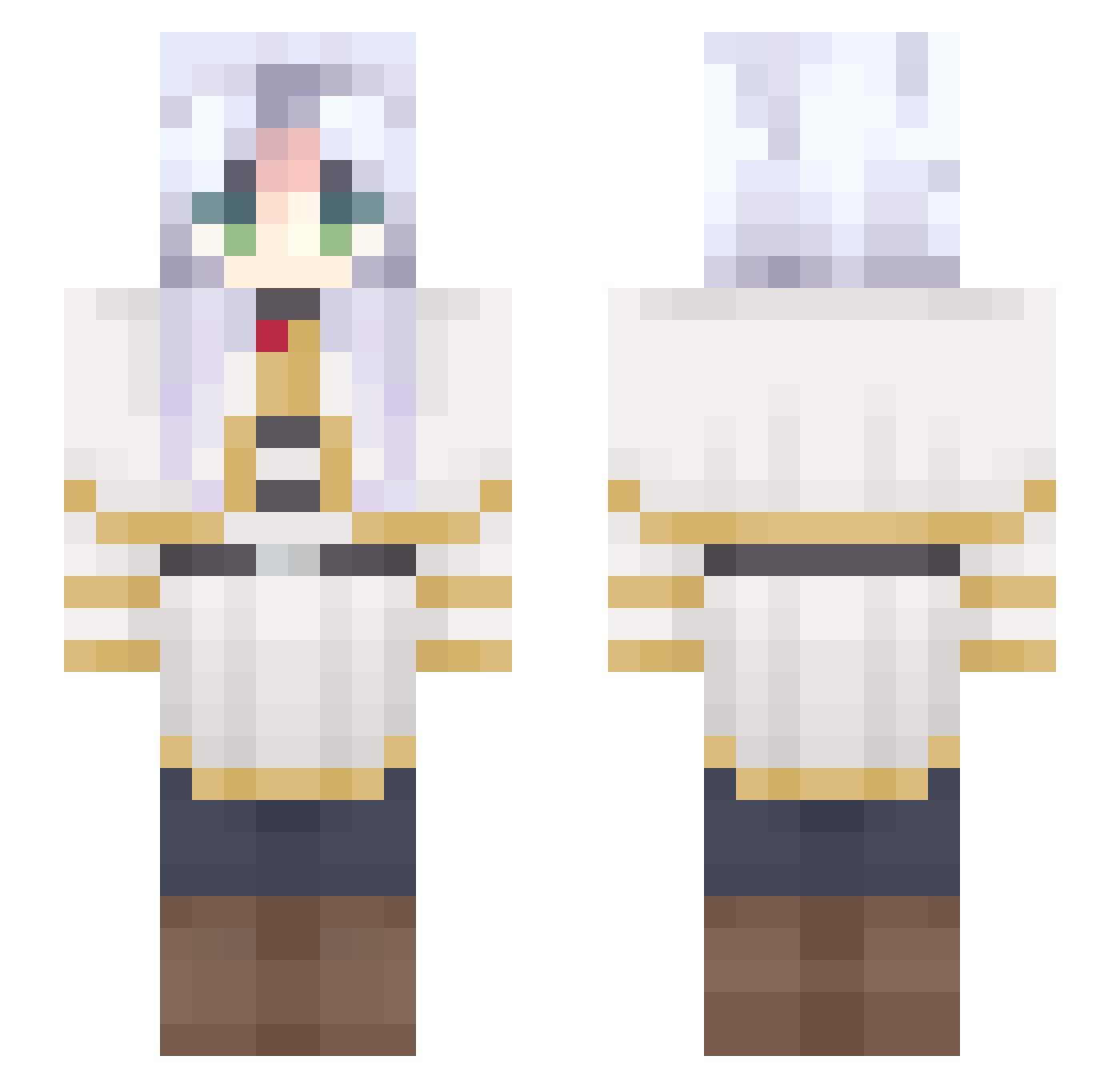
Current Minecraft skin of the player Billy9108, loaded from the official Mojang API. Rotate the 3D model with your mouse or finger, then download the skin as a PNG file and use it in Minecraft: Bedrock Edition or Java Edition for free. When Billy9108 changes their skin, this page updates automatically and the old skin stays in the history below.
Other players with this skin (691)
Billy9108 was the 352nd player we have seen with this skin, first spotted on 23.09.2026. The same skin was seen on these players. Open a nickname to see their current skin and skin history.
 zixuna MarioDieNese iT_Resctructor enenko Samanthaire bjhow Zs2a Aileri3 Yarogleck DX4651 nayha73 petersonfamily42 PepsiMan76 Otalya GloomyAnnie agnaldo569 02hunter NenderNorfleet ZAWAREKA wxstaaa JHJustin FacuTM jeboisdelo holymika antobar2016 tmeten Gaizka32 vin0ca gzkun mechiia JenC16 Seteznn Cherry_Sakura221 anacondq IBoux Tr3visan_ xWolfitox SrFrank325 starrienya junjuuun Wart3miss ar3372 Jellied64 vitorcrowley Lerozi flieders_luci Rng_Cross01 MangoGamer4732 DamonHunter13 yocizawa dc1n HamAndEggs DekorinVT Somali001 JENSLAYY FancyCl0wn Dissociation Arqne Vasshira Jershy_
More Frieren Beyond Journeys End Minecraft skins
See all 132 Frieren Beyond Journeys End skins
How to install the Billy9108 skin
- Press the Download button above to save the skin as a PNG file.
- Minecraft: Bedrock Edition (PE): open the Dressing Room from the main menu (or tap your character → Edit Character), go to Classic Skins → Owned, press the + (new skin) button, choose the downloaded PNG and pick the Slim (Alex) model. Works on PC and mobile; consoles cannot import custom skins.
- Minecraft: Java Edition: open the Minecraft Launcher, go to the Skins tab, click New Skin, load the PNG, pick the Slim (Alex) model and press Save & Use. You can also upload it at minecraft.net → Profile → Change Skin.
The skin does not show up after import - what should I do?
Restart Minecraft and open the Dressing Room again - imported skins sometimes appear only after a restart. Also make sure you selected the imported skin and picked the Slim (Alex) model.
Which model should I choose, Classic or Slim?
This skin is designed for the Slim (Alex) model. If you pick the wrong model, the arms of the skin will look stretched or squeezed.
Is the skin of Billy9108 free to download?
Yes. Press Download, save the PNG file and use it in Minecraft: Bedrock Edition or Java Edition - no payment or registration needed. The skin also works on multiplayer servers and Realms.
More skins
Looking for more? Go back to all Minecraft skins and check the top skins of the week, month and all time, or find any player's skin by nickname.