
BigDaddy_Senpai - Minecraft Skins & Skin History
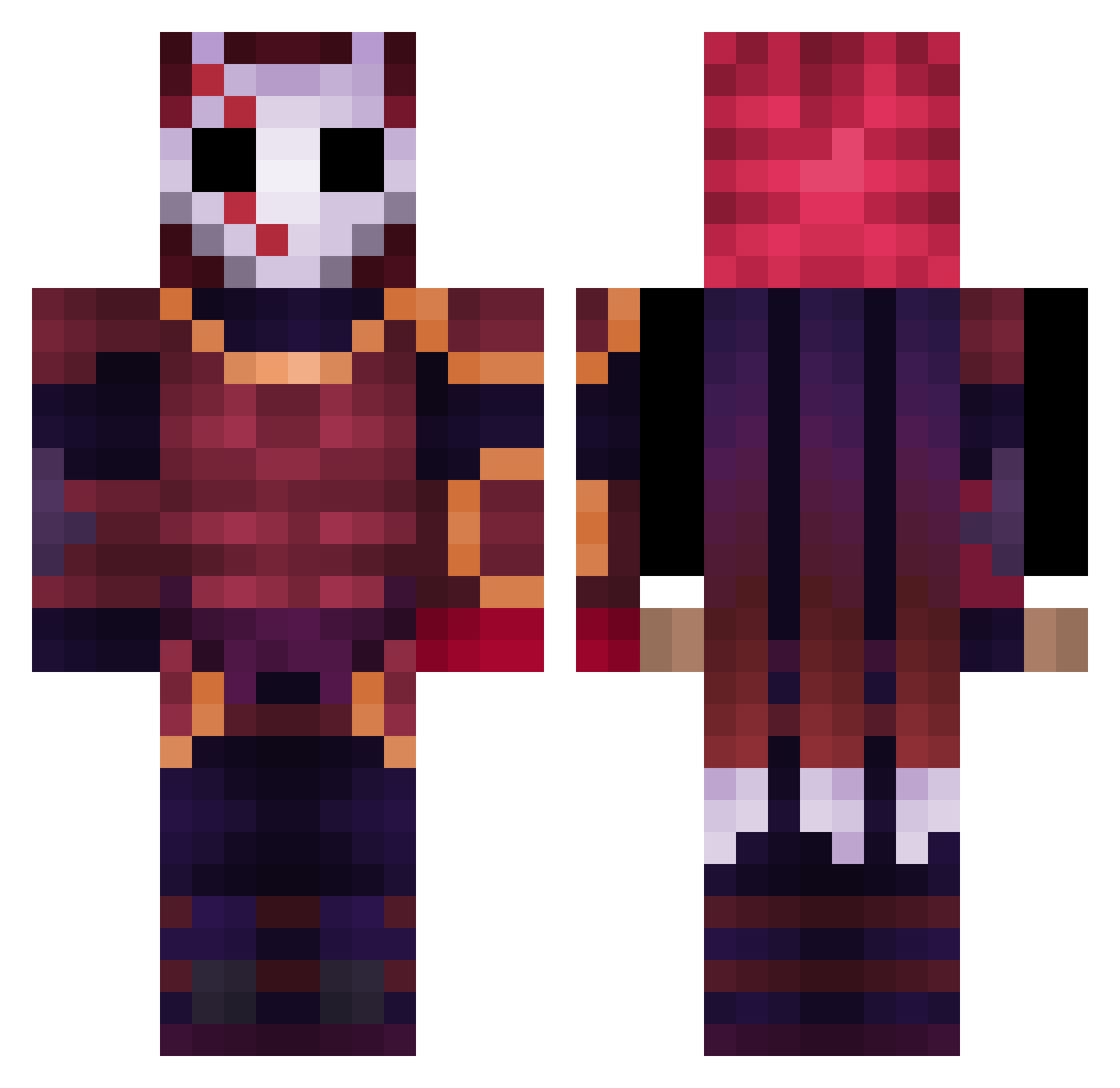
Current Minecraft skin of the player BigDaddy_Senpai, loaded from the official Mojang API. Rotate the 3D model with your mouse or finger, then download the skin as a PNG file and use it in Minecraft: Bedrock Edition or Java Edition for free. When BigDaddy_Senpai changes their skin, this page updates automatically and the old skin stays in the history below.
Other players with this skin (409)
BigDaddy_Senpai was the 252nd player we have seen with this skin, first spotted on 01.10.2026. The same skin was seen on these players. Open a nickname to see their current skin and skin history.
 JrVeiga Enestmz28 Lanketon RasplinButNicked AmneziaHaze42 tetukabe bakedbrea42069 Kyami999 azirupne AutumnSmell MarioSviecka HenRickk Pymaki Anticuda Xerayall pro78236 Mull0151 iTzSyoxPvP_HDLP Yester23 ImDifferent444 Cr3EdY CartelCook ReduxSyclan snouggis GuepardErable tuskazayka Diste_420 Brko_g akela122 claitom06 Drayconix n0lent1 PromiseOfGlory FrikiAFK KeyfeKeder bryanh794 CapitaoFalanche0 criperdolata _Kengo_ ProblyUrFather8 JanecThorium Shockiix3 Silverpeace8 Griddleandchedda purple1nk Raoulfr xXZeroHero _iTsMe_ Calvoh Emiarty _FullxBoY_ Shadowbros1234 DirtyGamer98 NEGANSM1TH xFobiuSx TJCronos Ozrend ppdal NightPierce yungstargrazer
More Warrior Minecraft skins
How to install the BigDaddy_Senpai skin
- Press the Download button above to save the skin as a PNG file.
- Minecraft: Bedrock Edition (PE): open the Dressing Room from the main menu (or tap your character → Edit Character), go to Classic Skins → Owned, press the + (new skin) button, choose the downloaded PNG and pick the Classic (Steve) model. Works on PC and mobile; consoles cannot import custom skins.
- Minecraft: Java Edition: open the Minecraft Launcher, go to the Skins tab, click New Skin, load the PNG, pick the Classic (Steve) model and press Save & Use. You can also upload it at minecraft.net → Profile → Change Skin.
The skin does not show up after import - what should I do?
Restart Minecraft and open the Dressing Room again - imported skins sometimes appear only after a restart. Also make sure you selected the imported skin and picked the Classic (Steve) model.
Which model should I choose, Classic or Slim?
This skin is designed for the Classic (Steve) model. If you pick the wrong model, the arms of the skin will look stretched or squeezed.
Is the skin of BigDaddy_Senpai free to download?
Yes. Press Download, save the PNG file and use it in Minecraft: Bedrock Edition or Java Edition - no payment or registration needed. The skin also works on multiplayer servers and Realms.
More skins
Looking for more? Go back to all Minecraft skins and check the top skins of the week, month and all time, or find any player's skin by nickname.