
BiffyBanana - Minecraft Skins & Skin History
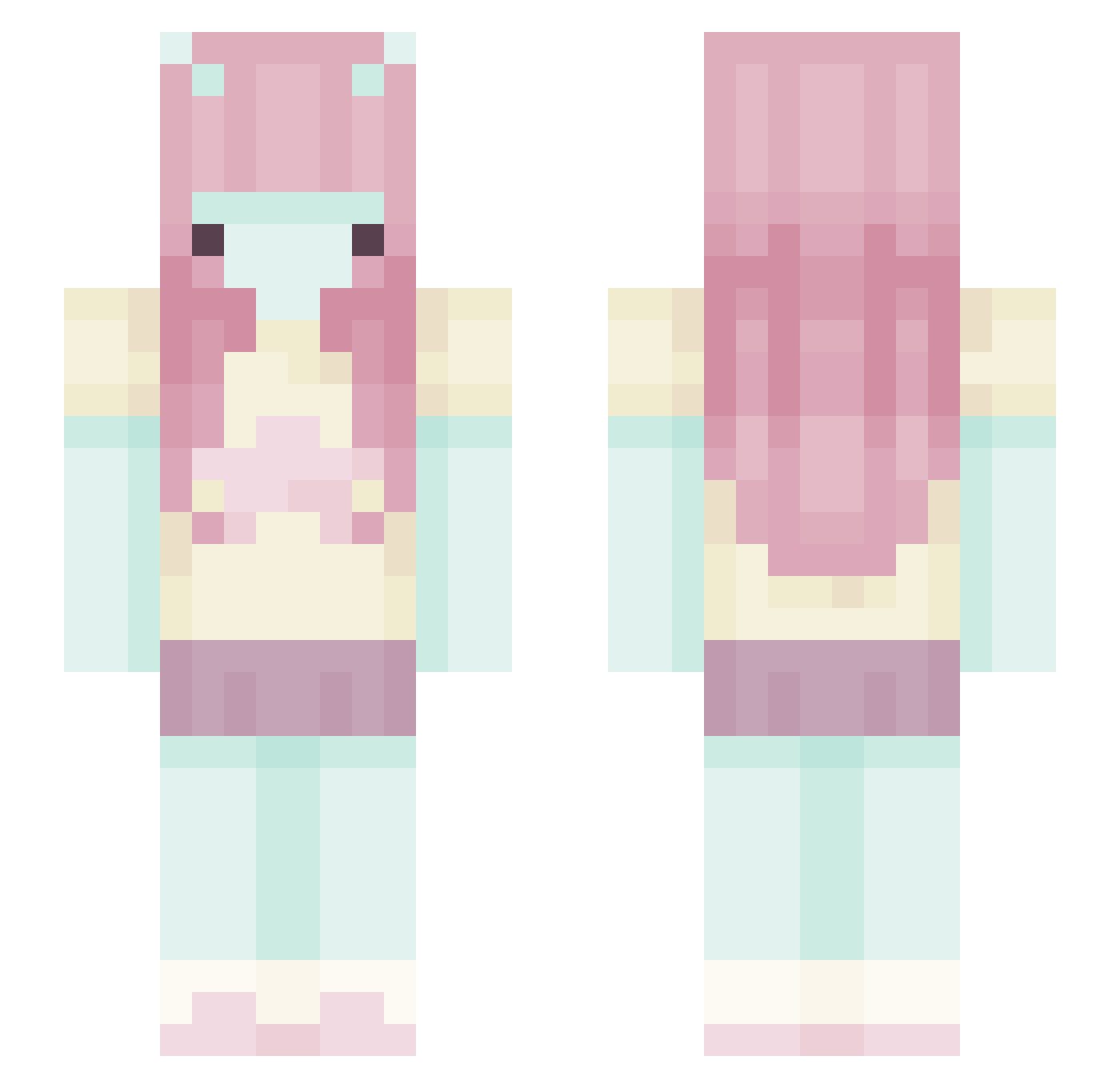
Current Minecraft skin of the player BiffyBanana, loaded from the official Mojang API. Rotate the 3D model with your mouse or finger, then download the skin as a PNG file and use it in Minecraft: Bedrock Edition or Java Edition for free. When BiffyBanana changes their skin, this page updates automatically and the old skin stays in the history below.
Other players with this skin (444)
BiffyBanana was the 425th player we have seen with this skin, first spotted on 27.10.2026. The same skin was seen on these players. Open a nickname to see their current skin and skin history.
 Nyxiaa00 sportcroc y0ou__ _oKris chaebrries bunnymaekay Giugiola solchu4 DonkeyKong1473 Lorreey Ky2012 Niko_Love ms_katiee nocabom spicyramenn Sliwka_Oliwka sxmeoneee heartofmusic Kittlyn suj_PLA MyBxbe_ Maprang1231 UmDuckling d1na_sw Alexacerveza LiluStar Ccwd12 _TheEmpress_ aSo225 HioryRose luvbi_holly HubbaBubbaMC cici_23 brinadacoolest caMmorry Anyaboke cho2000 soapydribble SomewhereEast Moobooo saraflores86 simpone 3via l6vefool rsablaah hamdoll fawnbi qadeshh br1e catgirllicker xeeIa toxicphony lmAngie thecollectorcats butie alealexi planktonA faeiiry pocarisu yamaguchi_
More Zero Two Minecraft skins
How to install the BiffyBanana skin
- Press the Download button above to save the skin as a PNG file.
- Minecraft: Bedrock Edition (PE): open the Dressing Room from the main menu (or tap your character → Edit Character), go to Classic Skins → Owned, press the + (new skin) button, choose the downloaded PNG and pick the Slim (Alex) model. Works on PC and mobile; consoles cannot import custom skins.
- Minecraft: Java Edition: open the Minecraft Launcher, go to the Skins tab, click New Skin, load the PNG, pick the Slim (Alex) model and press Save & Use. You can also upload it at minecraft.net → Profile → Change Skin.
The skin does not show up after import - what should I do?
Restart Minecraft and open the Dressing Room again - imported skins sometimes appear only after a restart. Also make sure you selected the imported skin and picked the Slim (Alex) model.
Which model should I choose, Classic or Slim?
This skin is designed for the Slim (Alex) model. If you pick the wrong model, the arms of the skin will look stretched or squeezed.
Is the skin of BiffyBanana free to download?
Yes. Press Download, save the PNG file and use it in Minecraft: Bedrock Edition or Java Edition - no payment or registration needed. The skin also works on multiplayer servers and Realms.
More skins
Looking for more? Go back to all Minecraft skins and check the top skins of the week, month and all time, or find any player's skin by nickname.