
Bibivr - Minecraft Skins & Skin History
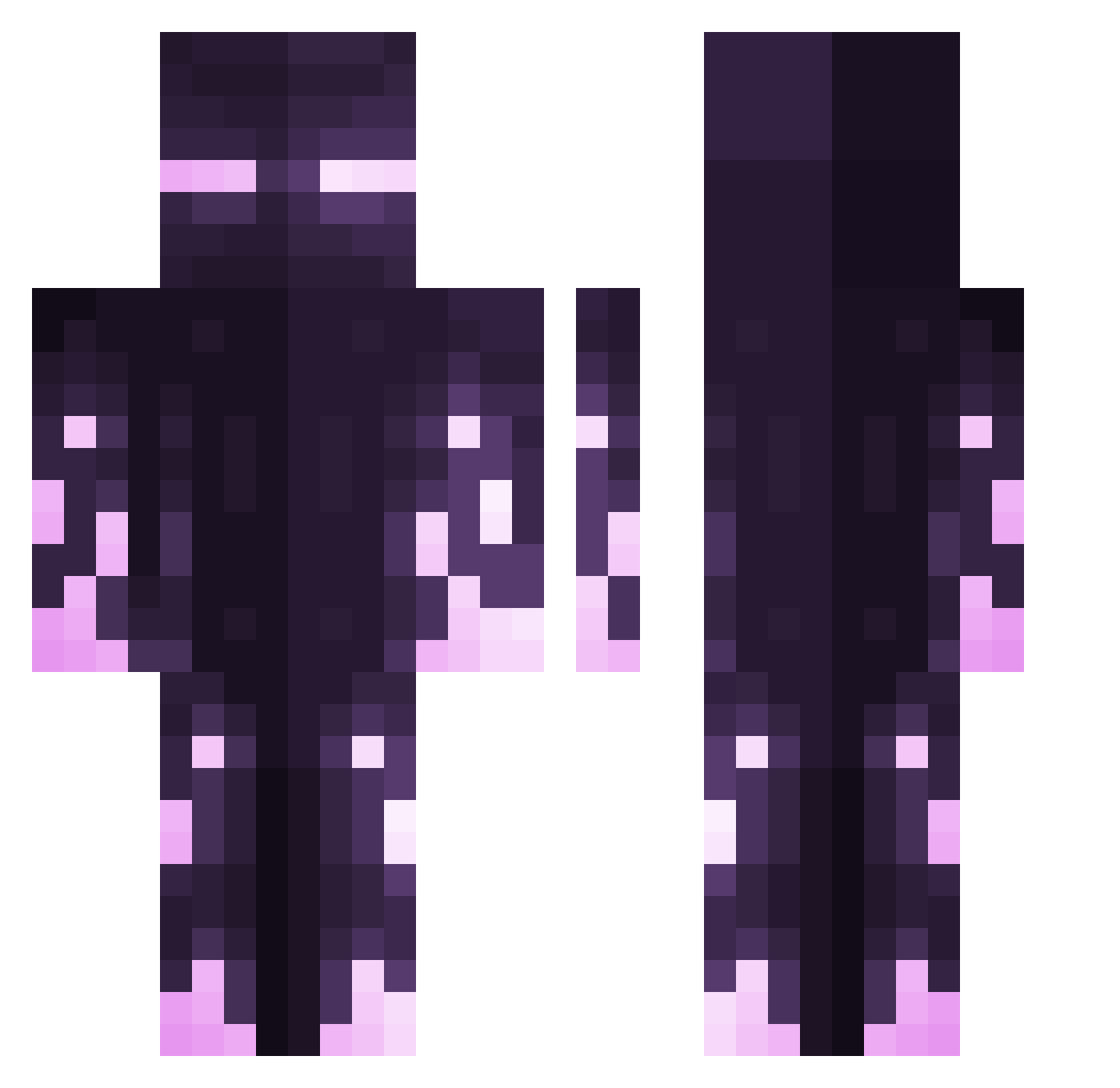
Current Minecraft skin of the player Bibivr, loaded from the official Mojang API. Rotate the 3D model with your mouse or finger, then download the skin as a PNG file and use it in Minecraft: Bedrock Edition or Java Edition for free. When Bibivr changes their skin, this page updates automatically and the old skin stays in the history below.
Other players with this skin (426)
Bibivr was the 229th player we have seen with this skin, first spotted on 26.09.2026. The same skin was seen on these players. Open a nickname to see their current skin and skin history.
 _Turbo PettyMonkey M3TheuSS SOLAL13 crow238 Ryoku0410 Evisc FurianKid UniKitty6755 shin203 Petr12234 Poncho_exe magds ResurgeFire Andresbusta Master_Overseer 0823_ Gamerdude369 Airial_Destroye cntoru OogwaySans ALocalEnderman ccgc95 Daja666 PbIuAPb_D3EDAu Whixu _CreeperDiD_ Scriptzyr iNutSlow Tissevent Thiagololz Pasolnx questionangel shark3009 LelSSal Babas132 Whiizky Greyed_ Qwertix konvalesce BugCatcherRik Savage_milkaz19 FanaticManiac Simon505 Mustafa74 Cytzn5 Unr3alistik YaoiMeh DarkStar99 Im_XinMC pxndus mind0_o Gingermin YouKnowMe777 theelf210 Nicononk N8Sixty Rxscal Gimotti58 D4MN25
More Enderman Minecraft skins
How to install the Bibivr skin
- Press the Download button above to save the skin as a PNG file.
- Minecraft: Bedrock Edition (PE): open the Dressing Room from the main menu (or tap your character → Edit Character), go to Classic Skins → Owned, press the + (new skin) button, choose the downloaded PNG and pick the Classic (Steve) model. Works on PC and mobile; consoles cannot import custom skins.
- Minecraft: Java Edition: open the Minecraft Launcher, go to the Skins tab, click New Skin, load the PNG, pick the Classic (Steve) model and press Save & Use. You can also upload it at minecraft.net → Profile → Change Skin.
The skin does not show up after import - what should I do?
Restart Minecraft and open the Dressing Room again - imported skins sometimes appear only after a restart. Also make sure you selected the imported skin and picked the Classic (Steve) model.
Which model should I choose, Classic or Slim?
This skin is designed for the Classic (Steve) model. If you pick the wrong model, the arms of the skin will look stretched or squeezed.
Is the skin of Bibivr free to download?
Yes. Press Download, save the PNG file and use it in Minecraft: Bedrock Edition or Java Edition - no payment or registration needed. The skin also works on multiplayer servers and Realms.
More skins
Looking for more? Go back to all Minecraft skins and check the top skins of the week, month and all time, or find any player's skin by nickname.