
Berendbot - Minecraft Skins & Skin History
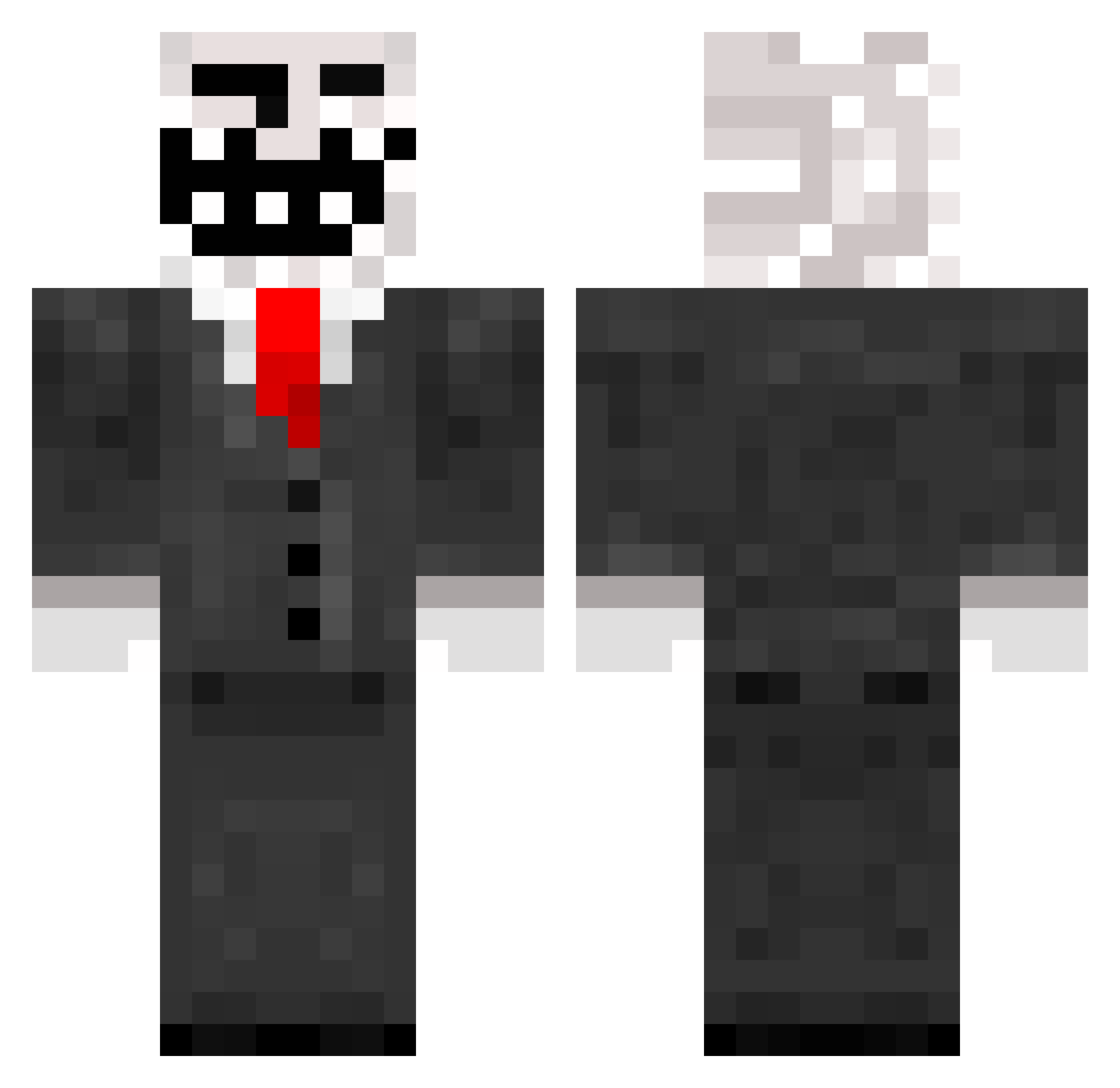
Current Minecraft skin of the player Berendbot, loaded from the official Mojang API. Rotate the 3D model with your mouse or finger, then download the skin as a PNG file and use it in Minecraft: Bedrock Edition or Java Edition for free. When Berendbot changes their skin, this page updates automatically and the old skin stays in the history below.
Other players with this skin (150)
Berendbot was the 20th player we have seen with this skin, first spotted on 06.08.2026. The same skin was seen on these players. Open a nickname to see their current skin and skin history.
 Underdash Alumno06 Mohajangi Natsoph andrijaGameBeast Guillherme_Costa Quick_waffles ozelarslan WhisperyCoot pepsi930 Bruneifas hwhj0314 Venetius ProGamer28 DUDDA94 OSimpatico zhoualessandro Katsikopodaro dtm1974 bobalooy LuccaGameplays SALTMASTER64 the_kings_men20 FilhodoFirewal16 vEndzioFX traps_king mjwbee FantasioZ3 Epikry acuso curtis628 Corvette9094 Trollfacegaming MvAgusta robinka88 THE_MKM Yugiohme Yaraboy zer0fcksgiven NInjaFrozen grasmaaier234 jaynuen101 chickenmachine Difare oscarrrr_ Epiepi3 TheStevenRegall Ryan5235 Enderkid1631 bloodforester2 Hjm_1029 elad227 hiFriendzz justhyper1500 M4rt1n_M1n3cr4ft Jeff1307 junebug217 AxiTR bucketman343 Ddog2
More Trollface Minecraft skins
How to install the Berendbot skin
- Press the Download button above to save the skin as a PNG file.
- Minecraft: Bedrock Edition (PE): open the Dressing Room from the main menu (or tap your character → Edit Character), go to Classic Skins → Owned, press the + (new skin) button, choose the downloaded PNG and pick the Classic (Steve) model. Works on PC and mobile; consoles cannot import custom skins.
- Minecraft: Java Edition: open the Minecraft Launcher, go to the Skins tab, click New Skin, load the PNG, pick the Classic (Steve) model and press Save & Use. You can also upload it at minecraft.net → Profile → Change Skin.
The skin does not show up after import - what should I do?
Restart Minecraft and open the Dressing Room again - imported skins sometimes appear only after a restart. Also make sure you selected the imported skin and picked the Classic (Steve) model.
Which model should I choose, Classic or Slim?
This skin is designed for the Classic (Steve) model. If you pick the wrong model, the arms of the skin will look stretched or squeezed.
Is the skin of Berendbot free to download?
Yes. Press Download, save the PNG file and use it in Minecraft: Bedrock Edition or Java Edition - no payment or registration needed. The skin also works on multiplayer servers and Realms.
More skins
Looking for more? Go back to all Minecraft skins and check the top skins of the week, month and all time, or find any player's skin by nickname.