
junebug217 - Minecraft Skins & Skin History
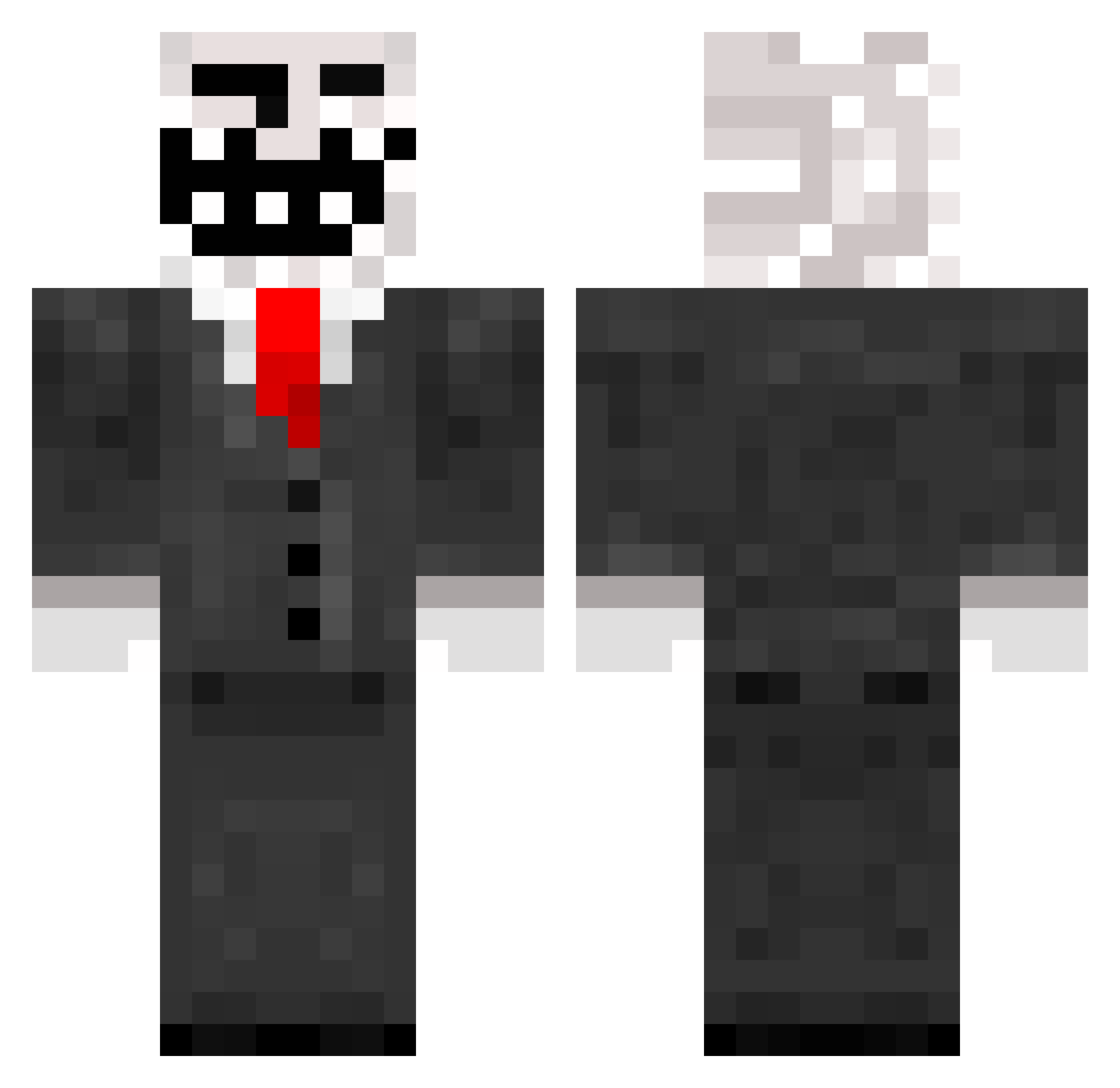
Current Minecraft skin of the player junebug217, loaded from the official Mojang API. Rotate the 3D model with your mouse or finger, then download the skin as a PNG file and use it in Minecraft: Bedrock Edition or Java Edition for free. When junebug217 changes their skin, this page updates automatically and the old skin stays in the history below.
Other players with this skin (150)
junebug217 was the 58th player we have seen with this skin, first spotted on 10.09.2026. The same skin was seen on these players. Open a nickname to see their current skin and skin history.
 Jeff1307 AxiTR bucketman343 M4rt1n_M1n3cr4ft justhyper1500 Ddog2 Limewave im_ru8 hiFriendzz ZbigiPL samhgp elad227 J_vandenboom Hjm_1029 wrmr4daze snellehenkie bloodforester2 LP0 Enderkid1631 RolexV3 Itzduch Ryan5235 TheStevenRegall FabiAimzZ jamie045 Epiepi3 oscarrrr_ Difare chickenmachine peteraxx27 Crallux jaynuen101 WojtekPieniazek StreetHyena KITIPAD xWSCE II_ClutchUp grasmaaier234 NInjaFrozen MonkeyIsTurtle zer0fcksgiven zackdroid Yaraboy Yugiohme ProNinjaNam ShuiHuo DiamondLover500 MvAgusta Wctdie Rochte2411 curtis628 PenceAOE Epikry Janko0_0 ThunderLord14 FantasioZ3 kingofthekill201 ruberith Hope200 traps_king
More Trollface Minecraft skins
How to install the junebug217 skin
- Press the Download button above to save the skin as a PNG file.
- Minecraft: Bedrock Edition (PE): open the Dressing Room from the main menu (or tap your character → Edit Character), go to Classic Skins → Owned, press the + (new skin) button, choose the downloaded PNG and pick the Classic (Steve) model. Works on PC and mobile; consoles cannot import custom skins.
- Minecraft: Java Edition: open the Minecraft Launcher, go to the Skins tab, click New Skin, load the PNG, pick the Classic (Steve) model and press Save & Use. You can also upload it at minecraft.net → Profile → Change Skin.
The skin does not show up after import - what should I do?
Restart Minecraft and open the Dressing Room again - imported skins sometimes appear only after a restart. Also make sure you selected the imported skin and picked the Classic (Steve) model.
Which model should I choose, Classic or Slim?
This skin is designed for the Classic (Steve) model. If you pick the wrong model, the arms of the skin will look stretched or squeezed.
Is the skin of junebug217 free to download?
Yes. Press Download, save the PNG file and use it in Minecraft: Bedrock Edition or Java Edition - no payment or registration needed. The skin also works on multiplayer servers and Realms.
More skins
Looking for more? Go back to all Minecraft skins and check the top skins of the week, month and all time, or find any player's skin by nickname.