
BenderTheBlender - Minecraft Skins & Skin History
Current Minecraft skin of the player BenderTheBlender, loaded from the official Mojang API. Rotate the 3D model with your mouse or finger, then download the skin as a PNG file and use it in Minecraft: Bedrock Edition or Java Edition for free. When BenderTheBlender changes their skin, this page updates automatically and the old skin stays in the history below.
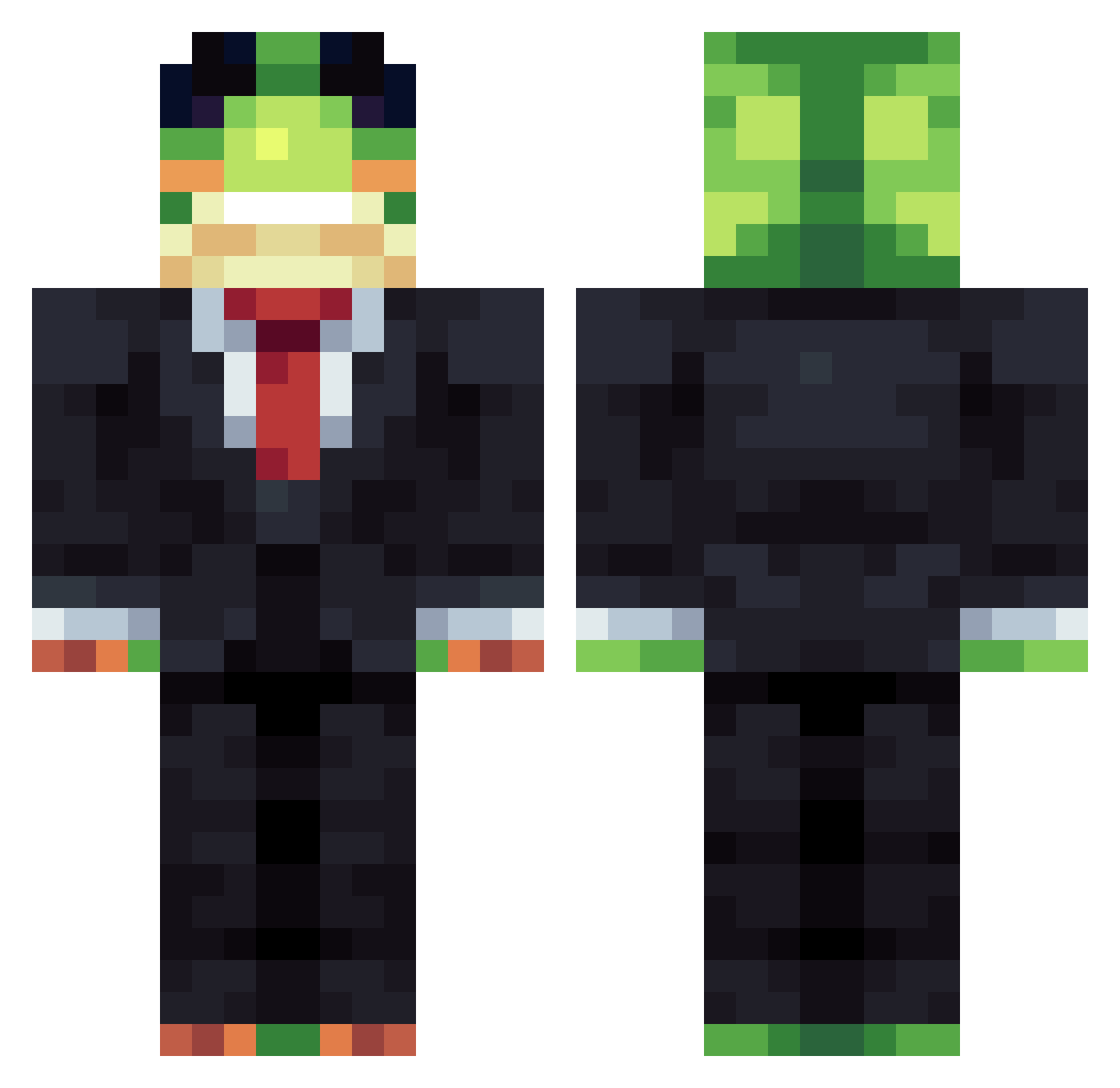
Other players with this skin (1163)
BenderTheBlender was the 357th player we have seen with this skin, first spotted on 25.08.2026. The same skin was seen on these players. Open a nickname to see their current skin and skin history.
 Wizard_321
 Gangeshwar hynnee AetherCogs
 BoschDrillGSR Gordinykr Angel_GF zenn4 FlimsyWolf ROBERTRTZIN El_Colombianito9 NicoySebas85 13xlyd
 Xvlm NeverRec0n FRNIX AnAbnormality Lazy_Money VortexG2000
 soccerkid1423 Bgherbers
 nicholasdias OPPfrostZz asdADS1 NightCashew9 RottenEggzz maunicko Arturoo14 RockitPro NightRise_On DuR_burger1010 Gustavinho107 ManiaIsTheBest Biraj85
 sebbeMCTT szymnius SigmaSigmington
 qule12 poop71 gaillewis000 thex2686 chris5olson Velds picnicinthepark Gordo_canon NOLHAD Tunzzzz
 zaluxx AchyCat kiko0719 Corinxs GlenTayToe WilsyFrog Zachary96 Batmanhastam Mydream118
 callmehhazell Loffo14 Marta447 StatixApex
More Frog Minecraft skins
How to install the BenderTheBlender skin
- Press the Download button above to save the skin as a PNG file.
- Minecraft: Bedrock Edition (PE): open the Dressing Room from the main menu (or tap your character → Edit Character), go to Classic Skins → Owned, press the + (new skin) button, choose the downloaded PNG and pick the Classic (Steve) model. Works on PC and mobile; consoles cannot import custom skins.
- Minecraft: Java Edition: open the Minecraft Launcher, go to the Skins tab, click New Skin, load the PNG, pick the Classic (Steve) model and press Save & Use. You can also upload it at minecraft.net → Profile → Change Skin.
The skin does not show up after import - what should I do?
Restart Minecraft and open the Dressing Room again - imported skins sometimes appear only after a restart. Also make sure you selected the imported skin and picked the Classic (Steve) model.
Which model should I choose, Classic or Slim?
This skin is designed for the Classic (Steve) model. If you pick the wrong model, the arms of the skin will look stretched or squeezed.
Is the skin of BenderTheBlender free to download?
Yes. Press Download, save the PNG file and use it in Minecraft: Bedrock Edition or Java Edition - no payment or registration needed. The skin also works on multiplayer servers and Realms.
More skins
Looking for more? Go back to all Minecraft skins and check the top skins of the week, month and all time, or find any player's skin by nickname.