
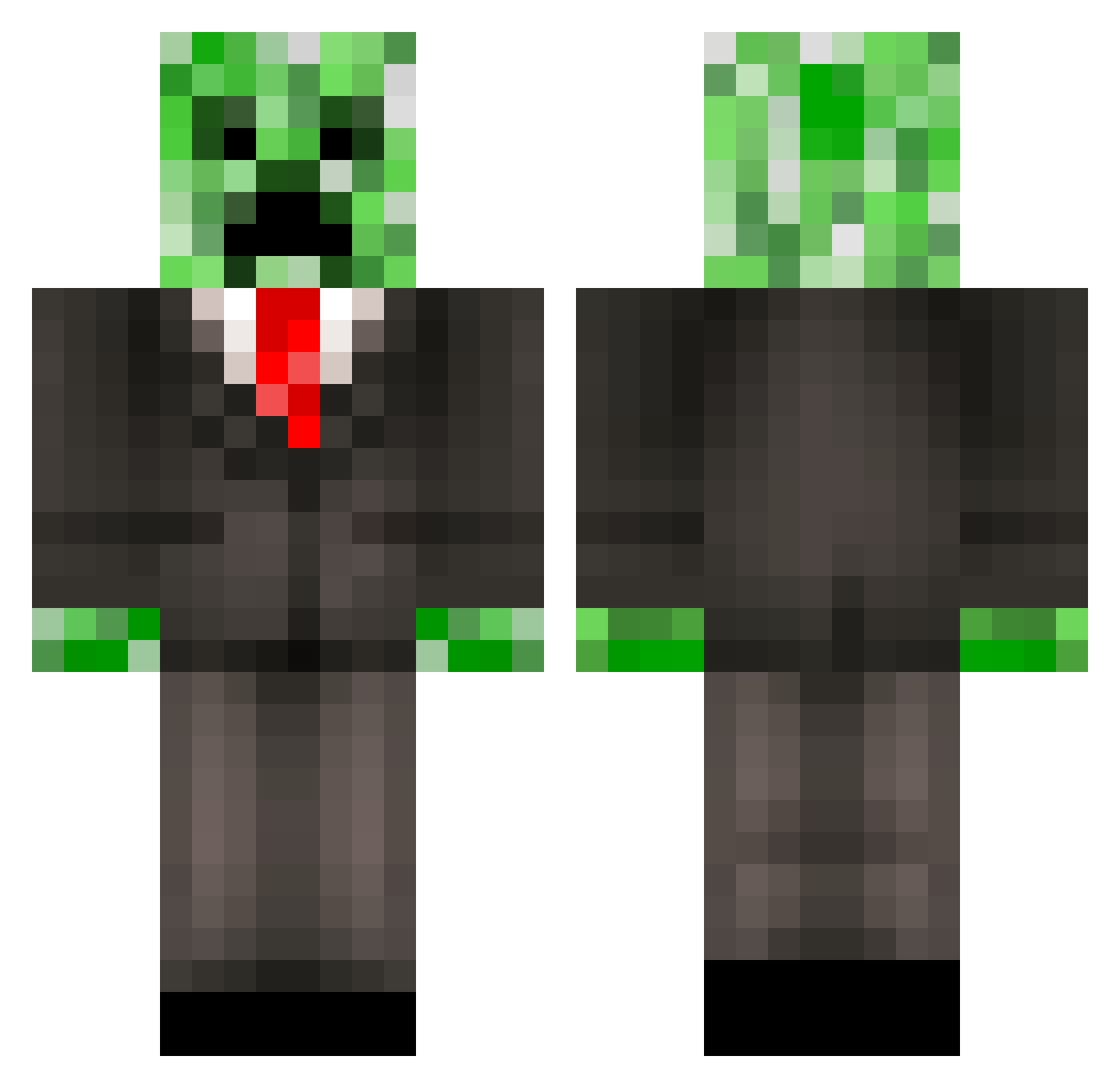
Current Minecraft skin of the player Bazzatdog, loaded from the official Mojang API. Rotate the 3D model with your mouse or finger, then download the skin as a PNG file and use it in Minecraft: Bedrock Edition or Java Edition for free. When Bazzatdog changes their skin, this page updates automatically and the old skin stays in the history below.
Other players with this skin (388)
Bazzatdog was the 192nd player we have seen with this skin, first spotted on 05.09.2026. The same skin was seen on these players. Open a nickname to see their current skin and skin history.
 lux_marker HerraMT Jwalk10 leviathan0620 jacko135 Land_Turtle116 Pyro_Tac ObeyMango ChuckDude61 _SelbeerBaby_ Telcada siggy81 fabs0805 Blocky_Nerd59 Monaghan ZombieSlayerFred xNightslayer Invitation neebong Kuurb Curly72 hotrodracer1000 WendyBaconator69 superjoshy12 HeavyRain2013 Andrewcliatt markus0708 daredevil0999 JDintheHouse1 GarciaKnK MotoMonster97 hellakeeked Makerofchaos342 raw1198 superethan101 buchanangiovanni Danielhei777 jboggs85 Mrninja2001 stullboys MChammerFLY creeperbuddy37 JoshR08 squishy_nugget jesdanee crafterzachd maxjul68 Madlife95 maksplays Profzo gjfman00 leed163 Cydonics miningmaster5300 ICookieLordI DTwagner55 fansyboy AngryGumball01 nypark batboygareth
More Creeper Minecraft skins
How to install the Bazzatdog skin
- Press the Download button above to save the skin as a PNG file.
- Minecraft: Bedrock Edition (PE): open the Dressing Room from the main menu (or tap your character → Edit Character), go to Classic Skins → Owned, press the + (new skin) button, choose the downloaded PNG and pick the Classic (Steve) model. Works on PC and mobile; consoles cannot import custom skins.
- Minecraft: Java Edition: open the Minecraft Launcher, go to the Skins tab, click New Skin, load the PNG, pick the Classic (Steve) model and press Save & Use. You can also upload it at minecraft.net → Profile → Change Skin.
The skin does not show up after import - what should I do?
Restart Minecraft and open the Dressing Room again - imported skins sometimes appear only after a restart. Also make sure you selected the imported skin and picked the Classic (Steve) model.
Which model should I choose, Classic or Slim?
This skin is designed for the Classic (Steve) model. If you pick the wrong model, the arms of the skin will look stretched or squeezed.
Is the skin of Bazzatdog free to download?
Yes. Press Download, save the PNG file and use it in Minecraft: Bedrock Edition or Java Edition - no payment or registration needed. The skin also works on multiplayer servers and Realms.
More skins
Looking for more? Go back to all Minecraft skins and check the top skins of the week, month and all time, or find any player's skin by nickname.