
Batatinha__ - Minecraft Skins & Skin History
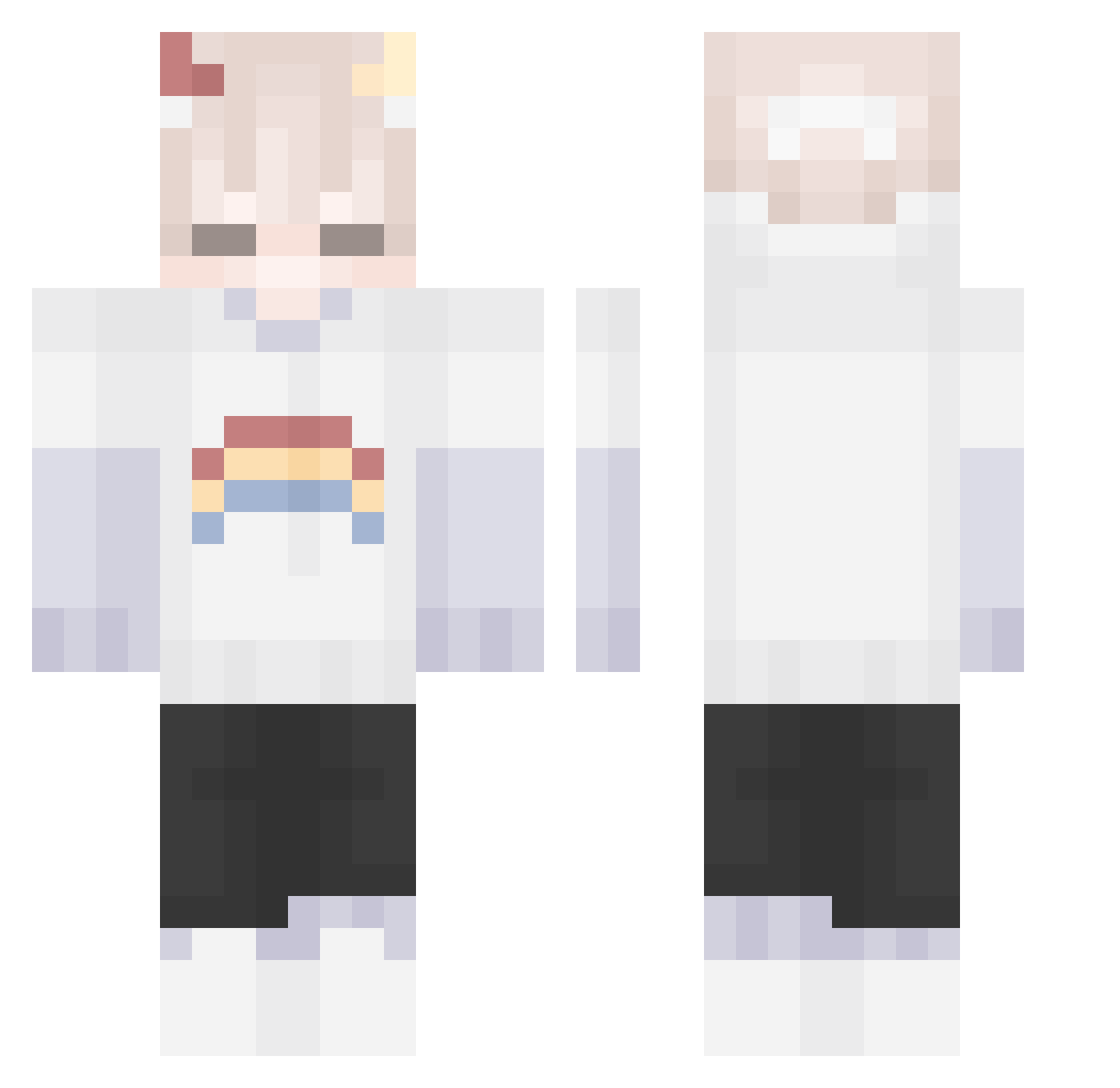
Current Minecraft skin of the player Batatinha__, loaded from the official Mojang API. Rotate the 3D model with your mouse or finger, then download the skin as a PNG file and use it in Minecraft: Bedrock Edition or Java Edition for free. When Batatinha__ changes their skin, this page updates automatically and the old skin stays in the history below.
Other players with this skin (158)
Batatinha__ was the 57th player we have seen with this skin, first spotted on 20.08.2026. The same skin was seen on these players. Open a nickname to see their current skin and skin history.
 NVIDIA_RTX_ 2623ZBCX Pigeon_Lord d4rkist Cytrynuwka Buully Neige_Cat Lvy_xx YABOIANGY AHOYPEKO AsterLeaf321 JANDSCrew KamiSocrates G4YGHOST DalRope UMESHORYUKEN ugabuka Xecuva Emwp canyuenp Yao5753 Rev_Bulle bobietbay CapitaNatasha Ychu22 MintPst dylanpapitas Zoey_Hale MR_H0W Januhs1106
 Sky100601 Foxxie101 20121219 nEggplant notoma00 pocketsushii Castieeel Cirkelspark2938 dalison xueba_a Raphael_ist killzone109 Streamhkh SrDoutorMine Samix_38 SP33DD GongMyung JuniorskaPL FluffLoveMuffin ImJK_GOD BenjiiiiXD NoMer3y
 Hounds__ Oki_Shokii lemonDread574 HELABUCHIJIU simoon2 madoo11 Anzgelll fruitlvr
More Rainbow Minecraft skins
How to install the Batatinha__ skin
- Press the Download button above to save the skin as a PNG file.
- Minecraft: Bedrock Edition (PE): open the Dressing Room from the main menu (or tap your character → Edit Character), go to Classic Skins → Owned, press the + (new skin) button, choose the downloaded PNG and pick the Classic (Steve) model. Works on PC and mobile; consoles cannot import custom skins.
- Minecraft: Java Edition: open the Minecraft Launcher, go to the Skins tab, click New Skin, load the PNG, pick the Classic (Steve) model and press Save & Use. You can also upload it at minecraft.net → Profile → Change Skin.
The skin does not show up after import - what should I do?
Restart Minecraft and open the Dressing Room again - imported skins sometimes appear only after a restart. Also make sure you selected the imported skin and picked the Classic (Steve) model.
Which model should I choose, Classic or Slim?
This skin is designed for the Classic (Steve) model. If you pick the wrong model, the arms of the skin will look stretched or squeezed.
Is the skin of Batatinha__ free to download?
Yes. Press Download, save the PNG file and use it in Minecraft: Bedrock Edition or Java Edition - no payment or registration needed. The skin also works on multiplayer servers and Realms.
More skins
Looking for more? Go back to all Minecraft skins and check the top skins of the week, month and all time, or find any player's skin by nickname.