
BassDr0p4 - Minecraft Skins & Skin History
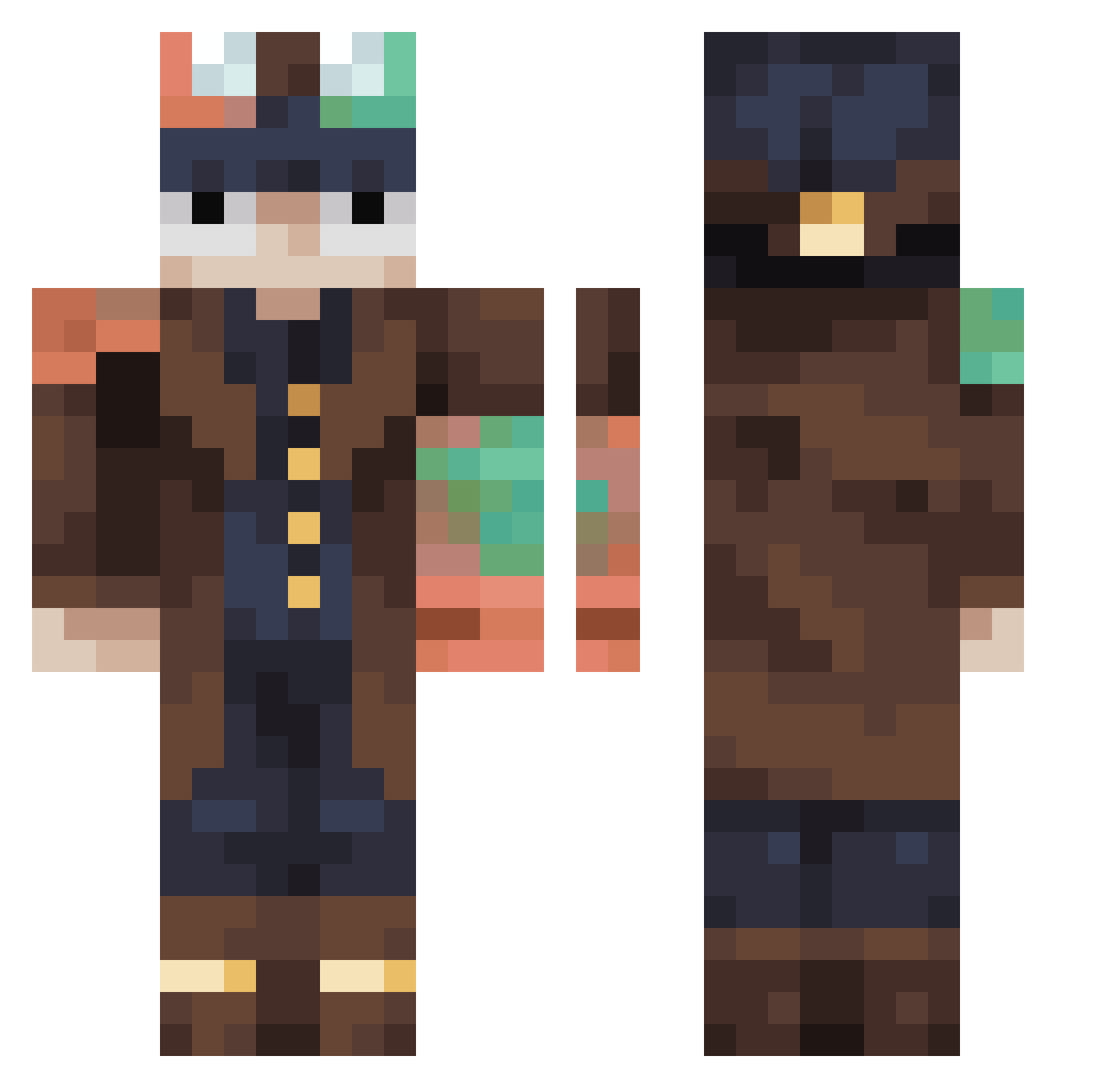
Current Minecraft skin of the player BassDr0p4, loaded from the official Mojang API. Rotate the 3D model with your mouse or finger, then download the skin as a PNG file and use it in Minecraft: Bedrock Edition or Java Edition for free. When BassDr0p4 changes their skin, this page updates automatically and the old skin stays in the history below.
Other players with this skin (456)
BassDr0p4 was the 144th player we have seen with this skin, first spotted on 30.08.2026. The same skin was seen on these players. Open a nickname to see their current skin and skin history.
 EliteToaster1567 Thelit12 jun0509 tymonprosek1 ThatGuyYeeet aboba45 HeyItsCopper77 H0K22m Kxrumx
 FrickenSpiderman CrypticForge Arth33 Toastedghost669 BRUNOhpereira0 GTMM2337 Wsgannndaned Rhiuu flobio29 umsx Sammy1415 Cil_of RoughEt 17TB
 ekkovega LunaCT Rey_Dau_Fan2001 Grampa_Rick xxx2012 kwaksihyun Lopa55 sakuharu3986 Kwolok_ goofygoober68 JewishAgent ScorpioBunni jubcon Tornix57 HadesWRX Jaxson1140 V_1_s_P kabalelitte10 Bewildabeast10 limepie322 XeonQ1 RHNHH
 cenitaa Lost53 driokam3 cosmic_symphony nezukouwu3451 jona41 Skullc3t D125427 Shugaru Mr_Koks228
 BladeT1 Nono33700 Azon12 LuckyDucky2500 Wouifi
More Steampunk Minecraft skins
How to install the BassDr0p4 skin
- Press the Download button above to save the skin as a PNG file.
- Minecraft: Bedrock Edition (PE): open the Dressing Room from the main menu (or tap your character → Edit Character), go to Classic Skins → Owned, press the + (new skin) button, choose the downloaded PNG and pick the Classic (Steve) model. Works on PC and mobile; consoles cannot import custom skins.
- Minecraft: Java Edition: open the Minecraft Launcher, go to the Skins tab, click New Skin, load the PNG, pick the Classic (Steve) model and press Save & Use. You can also upload it at minecraft.net → Profile → Change Skin.
The skin does not show up after import - what should I do?
Restart Minecraft and open the Dressing Room again - imported skins sometimes appear only after a restart. Also make sure you selected the imported skin and picked the Classic (Steve) model.
Which model should I choose, Classic or Slim?
This skin is designed for the Classic (Steve) model. If you pick the wrong model, the arms of the skin will look stretched or squeezed.
Is the skin of BassDr0p4 free to download?
Yes. Press Download, save the PNG file and use it in Minecraft: Bedrock Edition or Java Edition - no payment or registration needed. The skin also works on multiplayer servers and Realms.
More skins
Looking for more? Go back to all Minecraft skins and check the top skins of the week, month and all time, or find any player's skin by nickname.