
BaskotXx1 - Minecraft Skins & Skin History
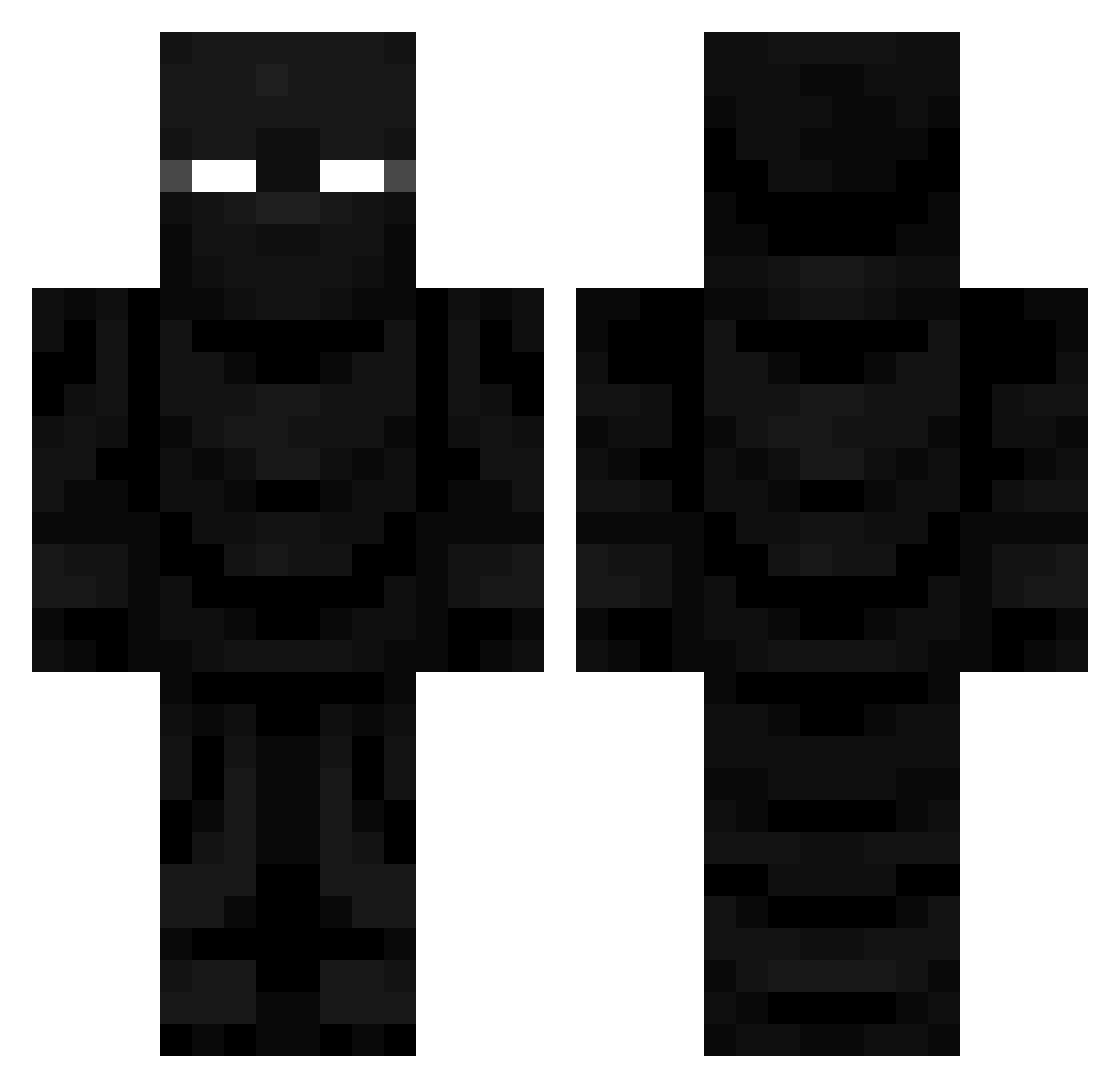
Current Minecraft skin of the player BaskotXx1, loaded from the official Mojang API. Rotate the 3D model with your mouse or finger, then download the skin as a PNG file and use it in Minecraft: Bedrock Edition or Java Edition for free. When BaskotXx1 changes their skin, this page updates automatically and the old skin stays in the history below.
Other players with this skin (726)
BaskotXx1 was the 79th player we have seen with this skin, first spotted on 08.08.2026. The same skin was seen on these players. Open a nickname to see their current skin and skin history.
 jtolson112 M4VERICKK tonyx419
 Knaveredbeard STINGRAY_YT salvoss Gamingpros5 Jordanisme123 3zeeknoss Nubecrusher5353 bboy657 CrazyAndLoose Introvertere Kito443 TheSmallNut Arkeil kevoitoto Messroom HooliGoated
 _hits larder4ik ScpssGreyWolf BenjaSama Puretangerine CRT_DESU Zion_IceLord CreamChezzz02 Pro100DuNo3aBr NotQvik TOGA_354 EntityXshot
 emy9971 lBruxol TinKy_WiinKy keviinapd jaehyun56 PandaMan540
 gaohley Lordwick_TheDumb
 SealTeamRicks WhiteLotus3 hobo12334 SAK3BI kd_s ondys708 SaiHuy TrynaFindNoodles BoneZone22
 Saponine thevipking00
 TheBl4ckW0lf D_DooFenshmirtz KaidenMack crivas69 Construct82675 De1taa_ Rosvin Vanitas_Bravo Wisechoccy H0RR_OR
More Ninja Minecraft skins
How to install the BaskotXx1 skin
- Press the Download button above to save the skin as a PNG file.
- Minecraft: Bedrock Edition (PE): open the Dressing Room from the main menu (or tap your character → Edit Character), go to Classic Skins → Owned, press the + (new skin) button, choose the downloaded PNG and pick the Classic (Steve) model. Works on PC and mobile; consoles cannot import custom skins.
- Minecraft: Java Edition: open the Minecraft Launcher, go to the Skins tab, click New Skin, load the PNG, pick the Classic (Steve) model and press Save & Use. You can also upload it at minecraft.net → Profile → Change Skin.
The skin does not show up after import - what should I do?
Restart Minecraft and open the Dressing Room again - imported skins sometimes appear only after a restart. Also make sure you selected the imported skin and picked the Classic (Steve) model.
Which model should I choose, Classic or Slim?
This skin is designed for the Classic (Steve) model. If you pick the wrong model, the arms of the skin will look stretched or squeezed.
Is the skin of BaskotXx1 free to download?
Yes. Press Download, save the PNG file and use it in Minecraft: Bedrock Edition or Java Edition - no payment or registration needed. The skin also works on multiplayer servers and Realms.
More skins
Looking for more? Go back to all Minecraft skins and check the top skins of the week, month and all time, or find any player's skin by nickname.