
Balketra - Minecraft Skins & Skin History
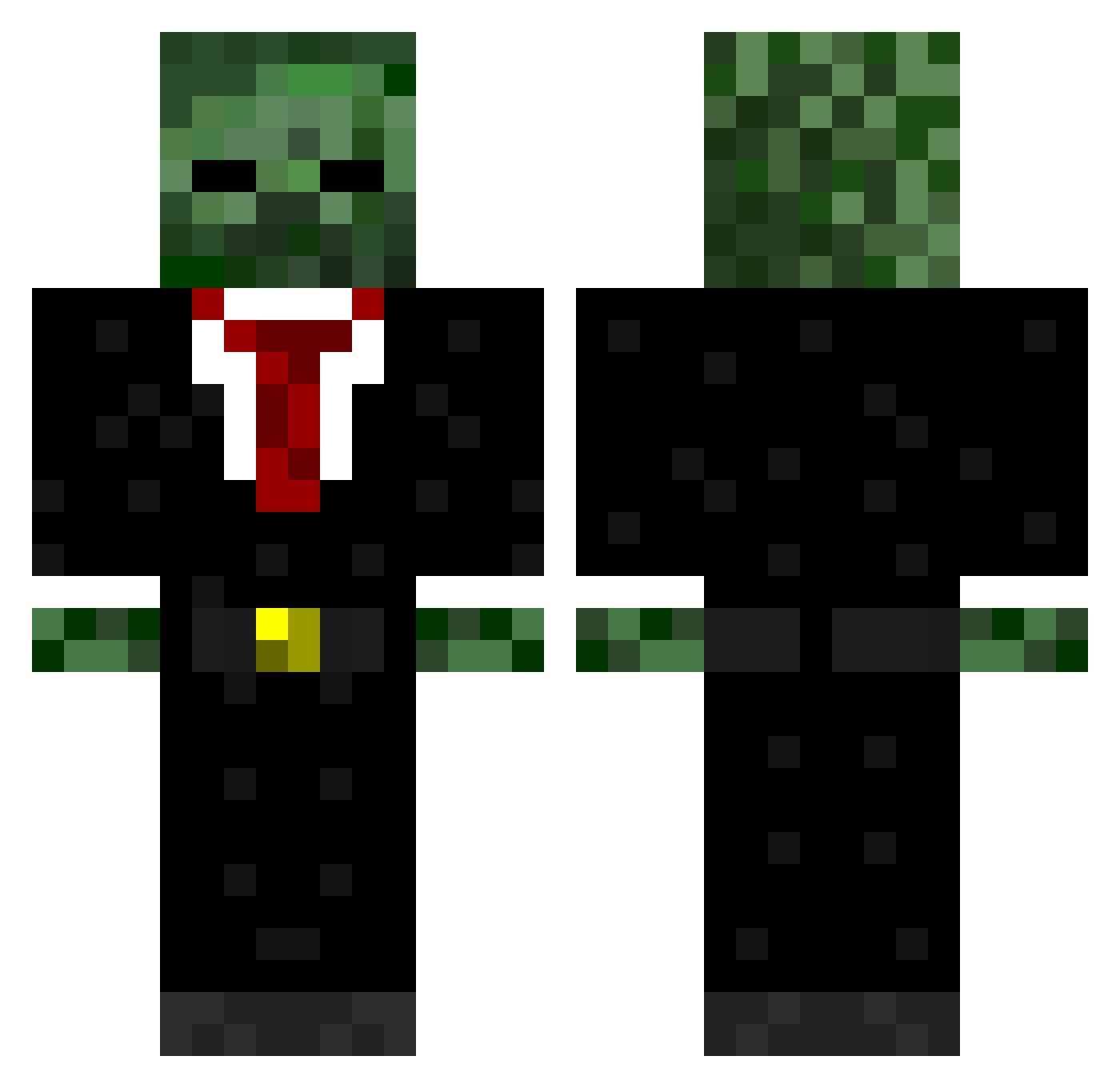
Current Minecraft skin of the player Balketra, loaded from the official Mojang API. Rotate the 3D model with your mouse or finger, then download the skin as a PNG file and use it in Minecraft: Bedrock Edition or Java Edition for free. When Balketra changes their skin, this page updates automatically and the old skin stays in the history below.
Other players with this skin (723)
Balketra was the 678th player we have seen with this skin, first spotted on 14.11.2026. The same skin was seen on these players. Open a nickname to see their current skin and skin history.
 hendersonrr 69crafter69 Wy2804 eadie1888 CamsP kai___ creeper_king209 CaptainAssassin2 aidanmitch OddiTyGG TheQuakeHD nomenleftbehind JomNattapong2 Syndicate42000 YoshiA10 chrisec95 FADExTENSION AdvancePerz Blackbird13X elliotm1 joecousin Pitbull587 marinedevilpup KillerCreepers2 ryejohnson22 Drewdog14 MJS252 FuzzaMuzza11 Dilogyy rossvale645 adomasuarus cunny17 sarcasm_sensei ThatRandomGuy18 OrangeFoxwoods playstation98 Maki2012 Durn4n SouthwickHD JusitceCraft R3ynoldW BigBearBrad99 Cut_up_king that_1_guyy JohnnyOG nickrock06 zomboy12345 Spuddy224 tommywobbles JKay_ RLB_Gaming Bangthatskrillex ArbitrageAdam ACoalson1 thefrogstu John_9461 JoshuaGaming DJFelix100 rohit_123 RedXmas
More Zombie Minecraft skins
How to install the Balketra skin
- Press the Download button above to save the skin as a PNG file.
- Minecraft: Bedrock Edition (PE): open the Dressing Room from the main menu (or tap your character → Edit Character), go to Classic Skins → Owned, press the + (new skin) button, choose the downloaded PNG and pick the Classic (Steve) model. Works on PC and mobile; consoles cannot import custom skins.
- Minecraft: Java Edition: open the Minecraft Launcher, go to the Skins tab, click New Skin, load the PNG, pick the Classic (Steve) model and press Save & Use. You can also upload it at minecraft.net → Profile → Change Skin.
The skin does not show up after import - what should I do?
Restart Minecraft and open the Dressing Room again - imported skins sometimes appear only after a restart. Also make sure you selected the imported skin and picked the Classic (Steve) model.
Which model should I choose, Classic or Slim?
This skin is designed for the Classic (Steve) model. If you pick the wrong model, the arms of the skin will look stretched or squeezed.
Is the skin of Balketra free to download?
Yes. Press Download, save the PNG file and use it in Minecraft: Bedrock Edition or Java Edition - no payment or registration needed. The skin also works on multiplayer servers and Realms.
More skins
Looking for more? Go back to all Minecraft skins and check the top skins of the week, month and all time, or find any player's skin by nickname.