
Baldy_og - Minecraft Skins & Skin History
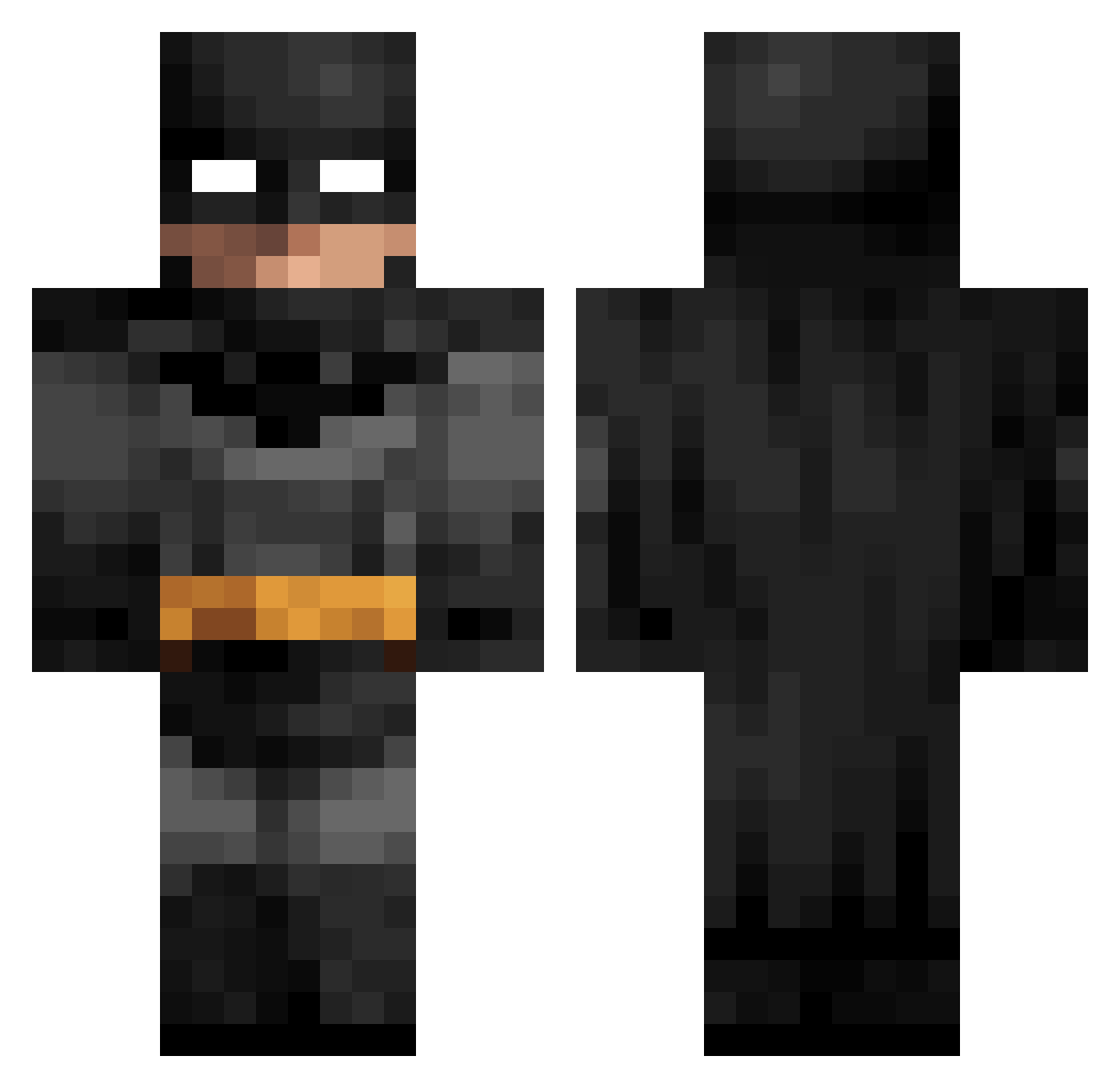
Current Minecraft skin of the player Baldy_og, loaded from the official Mojang API. Rotate the 3D model with your mouse or finger, then download the skin as a PNG file and use it in Minecraft: Bedrock Edition or Java Edition for free. When Baldy_og changes their skin, this page updates automatically and the old skin stays in the history below.
Other players with this skin (127)
Baldy_og was the 100th player we have seen with this skin, first spotted on 27.10.2026. The same skin was seen on these players. Open a nickname to see their current skin and skin history.
 ilayandboomer1 dzqv PlayerPA DAVI_D4V1 sixlessing 123fortbin ImBatmanbro IboneCosta Schevik TH3SAINT lootlakeluva LILM0 Silver9140 tsikos_ ouzzz PeuXp DjMalaCox sp5derYSL LittleDudeMan Fortress MrLavan7 Sulnaldo MrRaptor_Jesus Tacosworth iixrainz RichCarneiro DoSanto raging_witchking Alexxys Kyu076 TomyThePingu Sadd0_Catt0 Becksson29 AimSizHamsi Subkation FerdiFerdi123 iTredy fommad _Za4n_ Titanium_Trident MustacheMan13 IAMHOZAY Player12052007 the_devil_666 SayMyName11 JaimemexD iamthemilkman23 _Maxserek_ Swzzle JesperTheJester makaroni31 Gudrud Yi0u nirushan vikaryi Twacq SeawarOP Rulxr latinamums grasanu5678
More Batman Minecraft skins
How to install the Baldy_og skin
- Press the Download button above to save the skin as a PNG file.
- Minecraft: Bedrock Edition (PE): open the Dressing Room from the main menu (or tap your character → Edit Character), go to Classic Skins → Owned, press the + (new skin) button, choose the downloaded PNG and pick the Classic (Steve) model. Works on PC and mobile; consoles cannot import custom skins.
- Minecraft: Java Edition: open the Minecraft Launcher, go to the Skins tab, click New Skin, load the PNG, pick the Classic (Steve) model and press Save & Use. You can also upload it at minecraft.net → Profile → Change Skin.
The skin does not show up after import - what should I do?
Restart Minecraft and open the Dressing Room again - imported skins sometimes appear only after a restart. Also make sure you selected the imported skin and picked the Classic (Steve) model.
Which model should I choose, Classic or Slim?
This skin is designed for the Classic (Steve) model. If you pick the wrong model, the arms of the skin will look stretched or squeezed.
Is the skin of Baldy_og free to download?
Yes. Press Download, save the PNG file and use it in Minecraft: Bedrock Edition or Java Edition - no payment or registration needed. The skin also works on multiplayer servers and Realms.
More skins
Looking for more? Go back to all Minecraft skins and check the top skins of the week, month and all time, or find any player's skin by nickname.