
BaileyA1221 - Minecraft Skins & Skin History
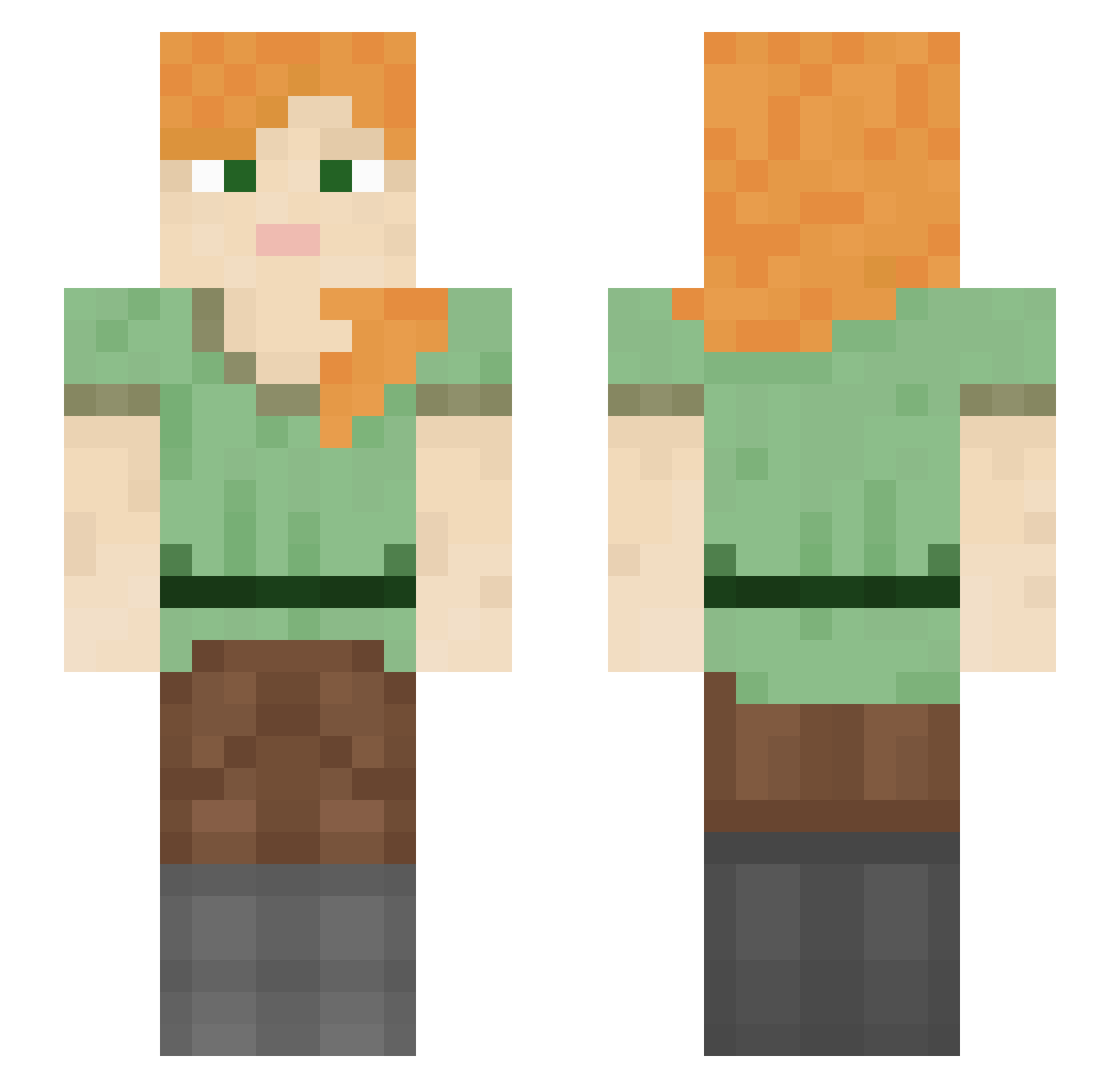
Current Minecraft skin of the player BaileyA1221, loaded from the official Mojang API. Rotate the 3D model with your mouse or finger, then download the skin as a PNG file and use it in Minecraft: Bedrock Edition or Java Edition for free. When BaileyA1221 changes their skin, this page updates automatically and the old skin stays in the history below.
Other players with this skin (1260)
BaileyA1221 was the 644th player we have seen with this skin, first spotted on 22.09.2026. The same skin was seen on these players. Open a nickname to see their current skin and skin history.
 imidazole Gorku schweinsteiger MrKyoss ZerberuZ mattjam MonteZero fountainhead hypermnesia PurelyKiwi Eflect fergalicious123 SaltandpepperMD roseine Try_Rahim Timmeeeeee anisopod vertical Reasling DisLihUzeVirt Narcos77 datblckdude fovok_alt_000002 Hannarong whiteworm jemol LucasBuenardo LoadingExe AddMeBack l0cathepug GraveTap cryptosystem MoreCargo Gibberella EarlJosh Rabah_Pro_Man marxielo TheKrusty Maker_2001 Socializing big__matt Rufle NoTaii alshmex GoatLord_Z sheepHolmes Wufgang imCaiiosw CerealStew Knaifie_ LightKnight09 sneeezy LessiveDeSoude Scorching_Dragon Mavygravyss diliddo Coffechop Jonnyk37 hcookie Mazraxa
How to install the BaileyA1221 skin
- Press the Download button above to save the skin as a PNG file.
- Minecraft: Bedrock Edition (PE): open the Dressing Room from the main menu (or tap your character → Edit Character), go to Classic Skins → Owned, press the + (new skin) button, choose the downloaded PNG and pick the Slim (Alex) model. Works on PC and mobile; consoles cannot import custom skins.
- Minecraft: Java Edition: open the Minecraft Launcher, go to the Skins tab, click New Skin, load the PNG, pick the Slim (Alex) model and press Save & Use. You can also upload it at minecraft.net → Profile → Change Skin.
The skin does not show up after import - what should I do?
Restart Minecraft and open the Dressing Room again - imported skins sometimes appear only after a restart. Also make sure you selected the imported skin and picked the Slim (Alex) model.
Which model should I choose, Classic or Slim?
This skin is designed for the Slim (Alex) model. If you pick the wrong model, the arms of the skin will look stretched or squeezed.
Is the skin of BaileyA1221 free to download?
Yes. Press Download, save the PNG file and use it in Minecraft: Bedrock Edition or Java Edition - no payment or registration needed. The skin also works on multiplayer servers and Realms.
More skins
Looking for more? Go back to all Minecraft skins and check the top skins of the week, month and all time, or find any player's skin by nickname.