
Bai_Zhou__ - Minecraft Skins & Skin History
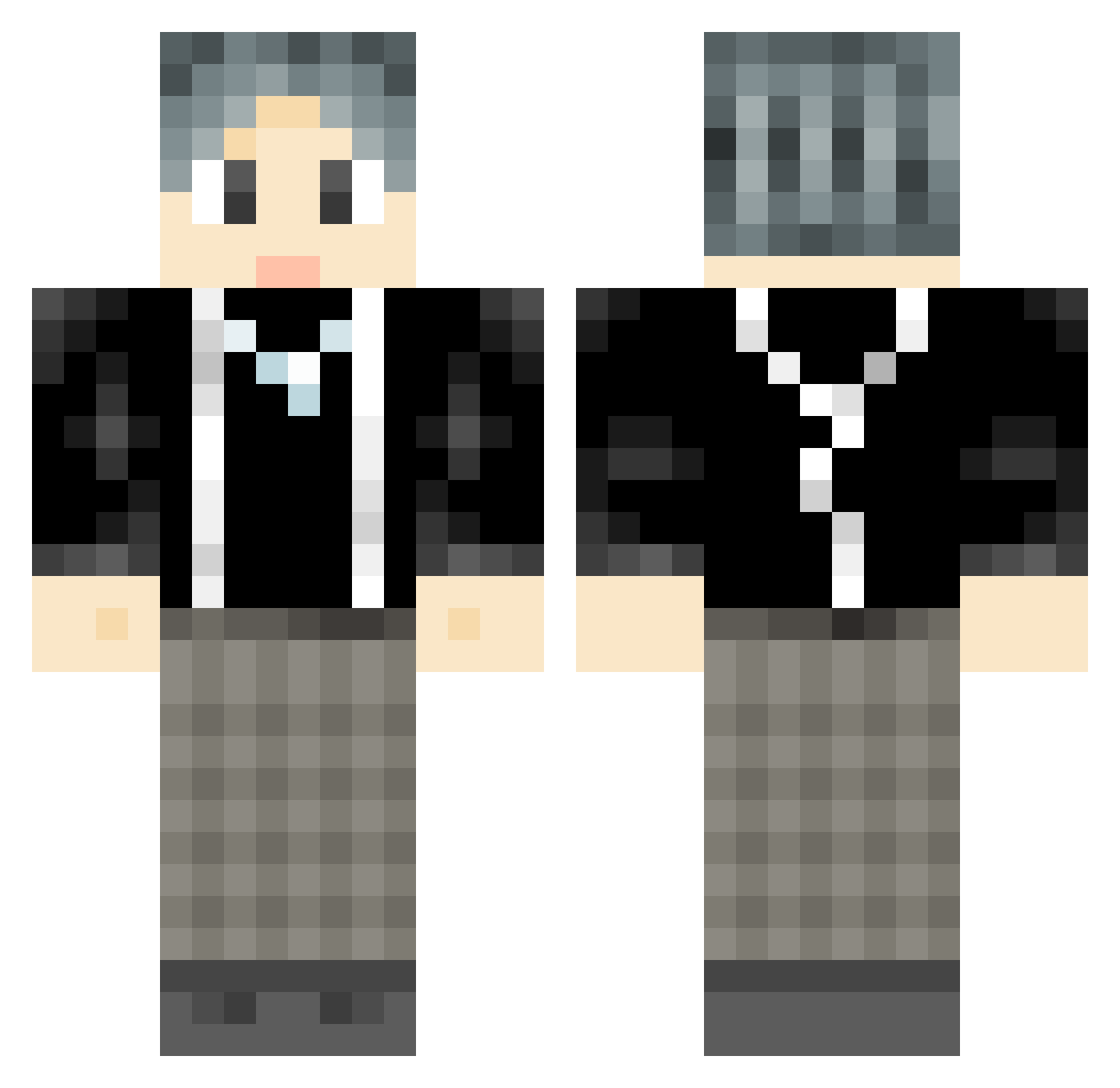
Current Minecraft skin of the player Bai_Zhou__, loaded from the official Mojang API. Rotate the 3D model with your mouse or finger, then download the skin as a PNG file and use it in Minecraft: Bedrock Edition or Java Edition for free. When Bai_Zhou__ changes their skin, this page updates automatically and the old skin stays in the history below.
Other players with this skin (901)
Bai_Zhou__ was the 389th player we have seen with this skin, first spotted on 12.09.2026. The same skin was seen on these players. Open a nickname to see their current skin and skin history.
 xytong _man_123 Galio8 Taotiezhitu2333 KberryOI ichicken999 lncosy TheKingKangA Donychan Dax_xion _buyu Sushistory flzddhs Xianyu_Mochi YangLuQi UsagiJay IPoent Underkiller64 CXK_Chicken splashin888 zhang913 superXiaoMA LANYYYYY 1ucky_4U xiaoke8848 twentyfourikun wbsdwt lzsru SAKANA21111 LUXINCHEN0518 Lonely_Sky_ Limingbo ORION_ZZ YoooZYZ Haibb22 Rimland _hins__ hanson11 Hokusai123 Ikun_Jason Medusa_lili Jinitaimei8787 Apostor BeautifulHat MIYousuan Yundong2745 BENBEN0721 ma_que KangKang9307 Chris7132005 WaitTillDark zyc164 PaimonPie RyealAlts_321863 weijihao j1k_j1n Azathozh Daruizhiqwq chenshiyue Dynam1cY
How to install the Bai_Zhou__ skin
- Press the Download button above to save the skin as a PNG file.
- Minecraft: Bedrock Edition (PE): open the Dressing Room from the main menu (or tap your character → Edit Character), go to Classic Skins → Owned, press the + (new skin) button, choose the downloaded PNG and pick the Classic (Steve) model. Works on PC and mobile; consoles cannot import custom skins.
- Minecraft: Java Edition: open the Minecraft Launcher, go to the Skins tab, click New Skin, load the PNG, pick the Classic (Steve) model and press Save & Use. You can also upload it at minecraft.net → Profile → Change Skin.
The skin does not show up after import - what should I do?
Restart Minecraft and open the Dressing Room again - imported skins sometimes appear only after a restart. Also make sure you selected the imported skin and picked the Classic (Steve) model.
Which model should I choose, Classic or Slim?
This skin is designed for the Classic (Steve) model. If you pick the wrong model, the arms of the skin will look stretched or squeezed.
Is the skin of Bai_Zhou__ free to download?
Yes. Press Download, save the PNG file and use it in Minecraft: Bedrock Edition or Java Edition - no payment or registration needed. The skin also works on multiplayer servers and Realms.
More skins
Looking for more? Go back to all Minecraft skins and check the top skins of the week, month and all time, or find any player's skin by nickname.