
Baconkiller21 - Minecraft Skins & Skin History
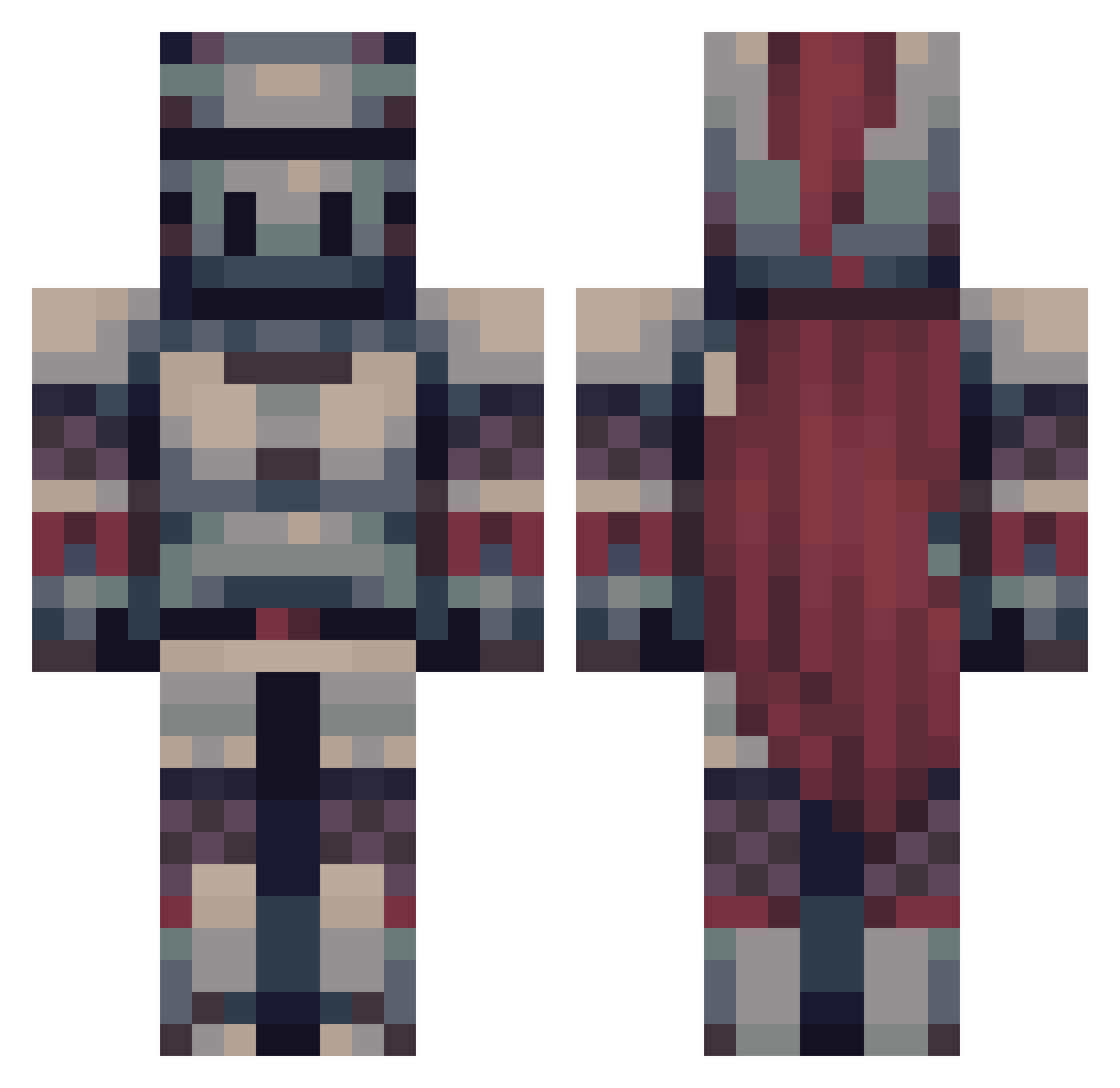
Current Minecraft skin of the player Baconkiller21, loaded from the official Mojang API. Rotate the 3D model with your mouse or finger, then download the skin as a PNG file and use it in Minecraft: Bedrock Edition or Java Edition for free. When Baconkiller21 changes their skin, this page updates automatically and the old skin stays in the history below.
Other players with this skin (563)
Baconkiller21 was the 516th player we have seen with this skin, first spotted on 10.11.2026. The same skin was seen on these players. Open a nickname to see their current skin and skin history.
 XANL0RD Nikironie Gwayless SolidClaw EmperorFranz Cursedladon Dakinez808 007P TrilllX ChrizzUnit angrymuffins1 Andyro00 extra_sticks Jxssen Void_12345 PixelT0aster SkepticalKnight Limelinee glacialcube3444 PayTheMeatMan Bugsve Teoretyk1234 Rickgamerman Irishjah Maxder4 Rodvel1998 TobMT ThatLoveableFool BogeyBasher BobTheBlob92 ShmulICX NDirish4906 TheGuyThatDies2 Yellow_Yellow23 nicholasdip On3SnowySnowman Moggele LostArias Weahut Soul1m DearDarkDilemma_ RetroVibe420 CatDeFelix yvnix s1mplycam KoolAidz234 Blazebread Fratumatore LuiCalibre___ Potatoesaref1re Scum_Knight BlazeTheSlasher GradualJoker426 Greyknight77 __Zazi__ Aldronio JellosaurusRex Archeruss Immerrrr patrickthegreen
More Knight Minecraft skins
How to install the Baconkiller21 skin
- Press the Download button above to save the skin as a PNG file.
- Minecraft: Bedrock Edition (PE): open the Dressing Room from the main menu (or tap your character → Edit Character), go to Classic Skins → Owned, press the + (new skin) button, choose the downloaded PNG and pick the Classic (Steve) model. Works on PC and mobile; consoles cannot import custom skins.
- Minecraft: Java Edition: open the Minecraft Launcher, go to the Skins tab, click New Skin, load the PNG, pick the Classic (Steve) model and press Save & Use. You can also upload it at minecraft.net → Profile → Change Skin.
The skin does not show up after import - what should I do?
Restart Minecraft and open the Dressing Room again - imported skins sometimes appear only after a restart. Also make sure you selected the imported skin and picked the Classic (Steve) model.
Which model should I choose, Classic or Slim?
This skin is designed for the Classic (Steve) model. If you pick the wrong model, the arms of the skin will look stretched or squeezed.
Is the skin of Baconkiller21 free to download?
Yes. Press Download, save the PNG file and use it in Minecraft: Bedrock Edition or Java Edition - no payment or registration needed. The skin also works on multiplayer servers and Realms.
More skins
Looking for more? Go back to all Minecraft skins and check the top skins of the week, month and all time, or find any player's skin by nickname.