
B_Man0611 - Minecraft Skins & Skin History
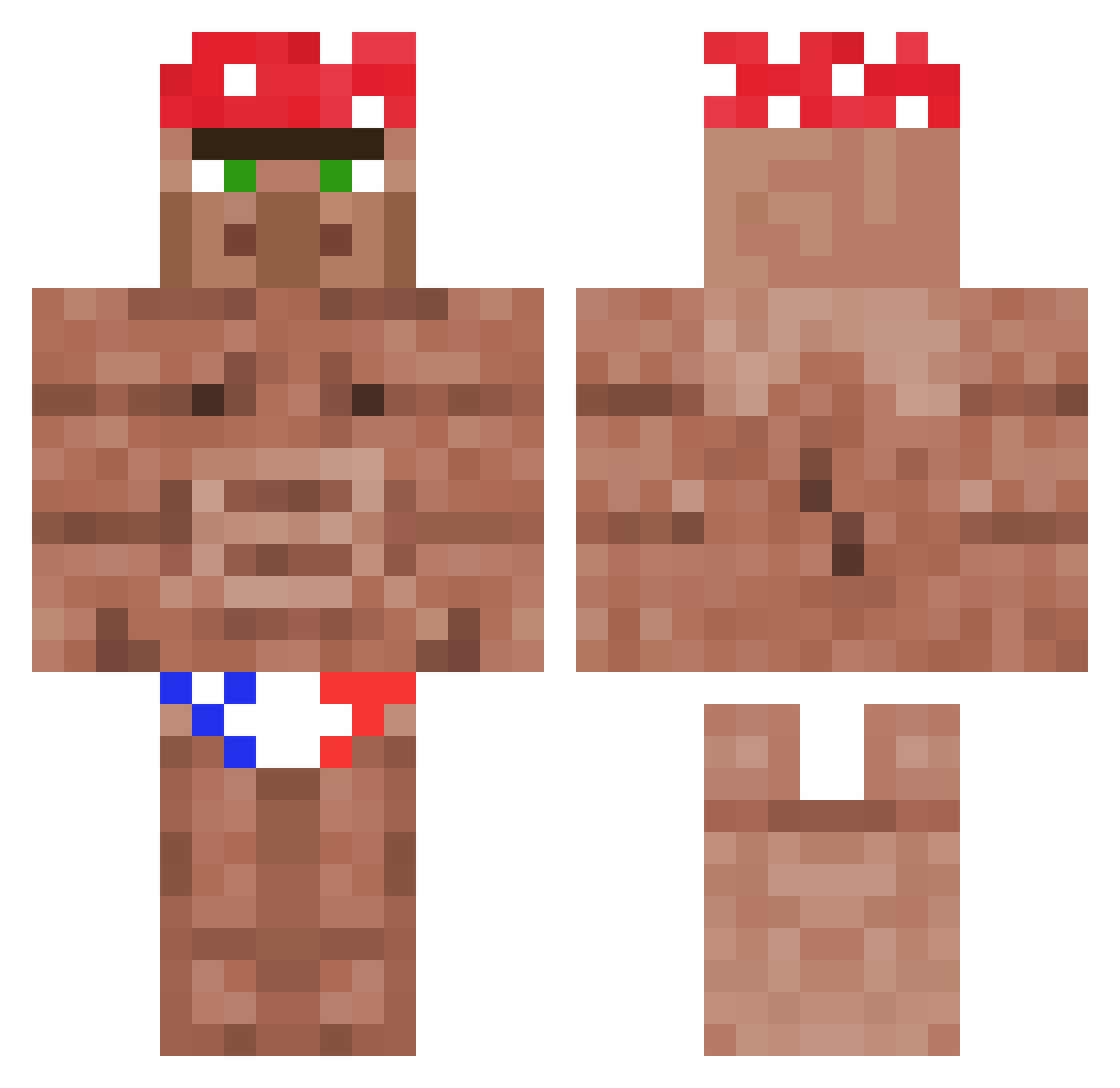
Current Minecraft skin of the player B_Man0611, loaded from the official Mojang API. Rotate the 3D model with your mouse or finger, then download the skin as a PNG file and use it in Minecraft: Bedrock Edition or Java Edition for free. When B_Man0611 changes their skin, this page updates automatically and the old skin stays in the history below.
Other players with this skin (1178)
B_Man0611 was the 365th player we have seen with this skin, first spotted on 29.08.2026. The same skin was seen on these players. Open a nickname to see their current skin and skin history.
 KorhanT Anxoll07 _Phanq_ dirtymik3 ColtDissipator ShonaRuDo j0nni3
 VictorVLS Wuhzzz Mikemoon_PT _PvtParts_ RyuoKaido thenicku MqcroZuni_V2 ARESARDA youngman0613 Gorillaemon Big_Kactus avncharlie Loran0 SerOrange yetisk7797 _EL_Momo_Kawai SkinCrawler666 PepeJose69 The_Tii Ollie4879 xJojek areacd mess99 CCREEKSTER Spark_JPEG LTproGT linguinimypanini CbasNavarro NeuralGhostt WalterKyiv StrongSpirit37 CookedEwok fuze560 JapazxBW Hullabullakulla wonderclouds Misonyeojin KING_Davv AspectAid KubbaS _Kolesnik_ Leqch HarryBoi5500 Walter09875 FurnerX RuiLemos William_Tyrrell_ DolinajSK GodEmperorOne RicardoMoto SHEPS09_Smexy LeScurteria geekdalf
More Ricardo Milos Minecraft skins
See all 100 Ricardo Milos skins
How to install the B_Man0611 skin
- Press the Download button above to save the skin as a PNG file.
- Minecraft: Bedrock Edition (PE): open the Dressing Room from the main menu (or tap your character → Edit Character), go to Classic Skins → Owned, press the + (new skin) button, choose the downloaded PNG and pick the Classic (Steve) model. Works on PC and mobile; consoles cannot import custom skins.
- Minecraft: Java Edition: open the Minecraft Launcher, go to the Skins tab, click New Skin, load the PNG, pick the Classic (Steve) model and press Save & Use. You can also upload it at minecraft.net → Profile → Change Skin.
The skin does not show up after import - what should I do?
Restart Minecraft and open the Dressing Room again - imported skins sometimes appear only after a restart. Also make sure you selected the imported skin and picked the Classic (Steve) model.
Which model should I choose, Classic or Slim?
This skin is designed for the Classic (Steve) model. If you pick the wrong model, the arms of the skin will look stretched or squeezed.
Is the skin of B_Man0611 free to download?
Yes. Press Download, save the PNG file and use it in Minecraft: Bedrock Edition or Java Edition - no payment or registration needed. The skin also works on multiplayer servers and Realms.
More skins
Looking for more? Go back to all Minecraft skins and check the top skins of the week, month and all time, or find any player's skin by nickname.