
BPesiak - Minecraft Skins & Skin History
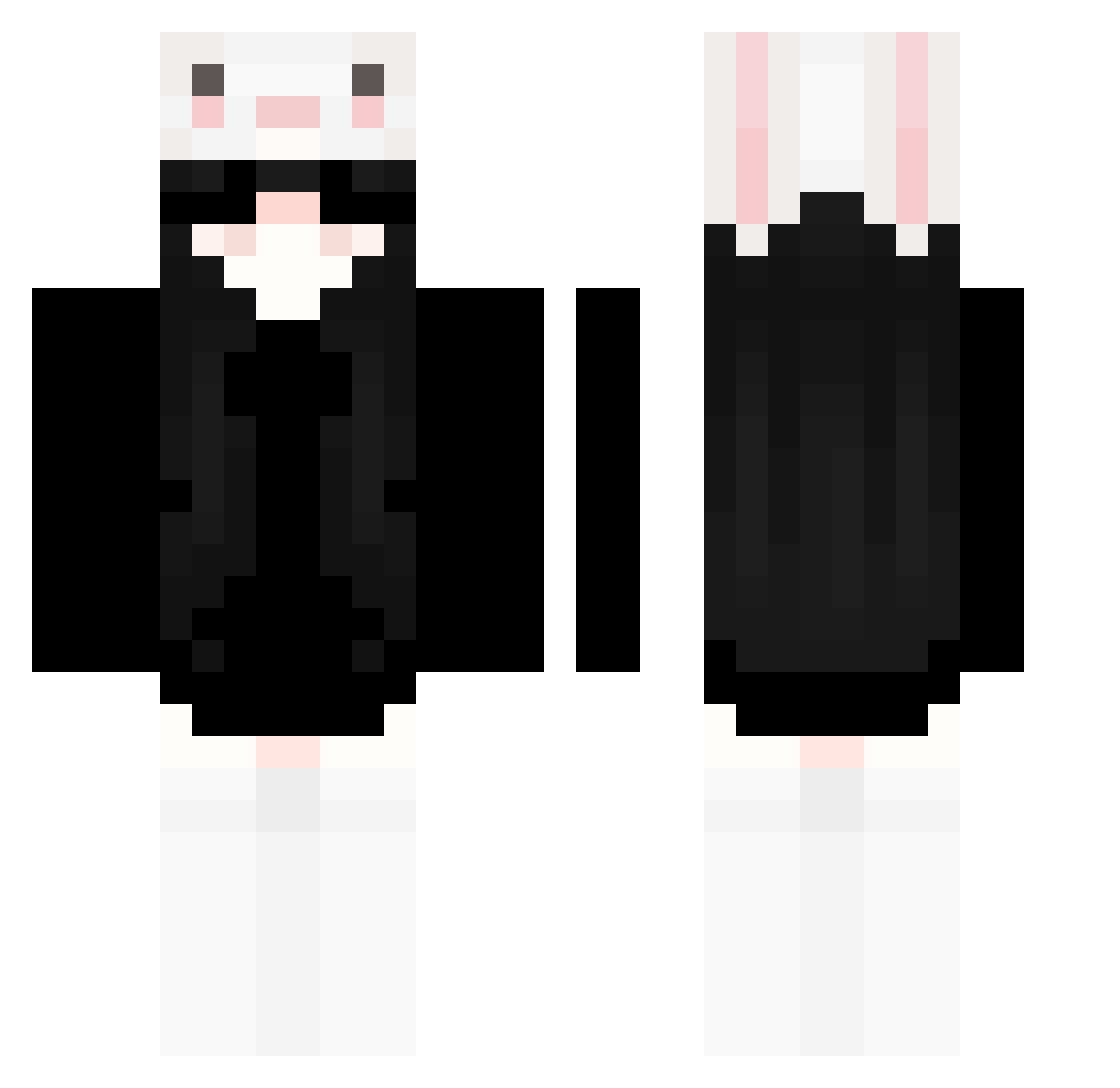
Current Minecraft skin of the player BPesiak, loaded from the official Mojang API. Rotate the 3D model with your mouse or finger, then download the skin as a PNG file and use it in Minecraft: Bedrock Edition or Java Edition for free. When BPesiak changes their skin, this page updates automatically and the old skin stays in the history below.
Other players with this skin (238)
BPesiak was the 223rd player we have seen with this skin, first spotted on 17.10.2026. The same skin was seen on these players. Open a nickname to see their current skin and skin history.
 K4pii_ Riiikou anstygal MianLang Ek5q Kura_x0 mankayi yasqp frundzz rionaz NguyenDat_Vn wuzile pollito069 kwnxns zikity jiexj Miniruffleszin danin13 kimzsq CelestialEsuno Q_Lazy_Q wuxruuuuui nangaoa ZaraMVP qiakzm12 yzsai senaFRN Meteor_blood MyNxmeChani Julius0829 UrMumADiamondHoe olcia988 Chitat Blajimikos zLynx__ kitsune486 HenryLuo2020 Mykrxzz wnpei hhh9z carolinaame SaBR1 dollynho24 lemon363 Lulibuu Xuan_Ci Exonik_ murcixuwu thxliac therumbling _Dark_Angel_3389 ywen98 Kuraudo666 YYDS205 meowcatlol Fiischl EuDani_ xinaauwu Ahu_ang Leikeyao
More Face Mask Minecraft skins
How to install the BPesiak skin
- Press the Download button above to save the skin as a PNG file.
- Minecraft: Bedrock Edition (PE): open the Dressing Room from the main menu (or tap your character → Edit Character), go to Classic Skins → Owned, press the + (new skin) button, choose the downloaded PNG and pick the Classic (Steve) model. Works on PC and mobile; consoles cannot import custom skins.
- Minecraft: Java Edition: open the Minecraft Launcher, go to the Skins tab, click New Skin, load the PNG, pick the Classic (Steve) model and press Save & Use. You can also upload it at minecraft.net → Profile → Change Skin.
The skin does not show up after import - what should I do?
Restart Minecraft and open the Dressing Room again - imported skins sometimes appear only after a restart. Also make sure you selected the imported skin and picked the Classic (Steve) model.
Which model should I choose, Classic or Slim?
This skin is designed for the Classic (Steve) model. If you pick the wrong model, the arms of the skin will look stretched or squeezed.
Is the skin of BPesiak free to download?
Yes. Press Download, save the PNG file and use it in Minecraft: Bedrock Edition or Java Edition - no payment or registration needed. The skin also works on multiplayer servers and Realms.
More skins
Looking for more? Go back to all Minecraft skins and check the top skins of the week, month and all time, or find any player's skin by nickname.