
BENCE16 - Minecraft Skins & Skin History
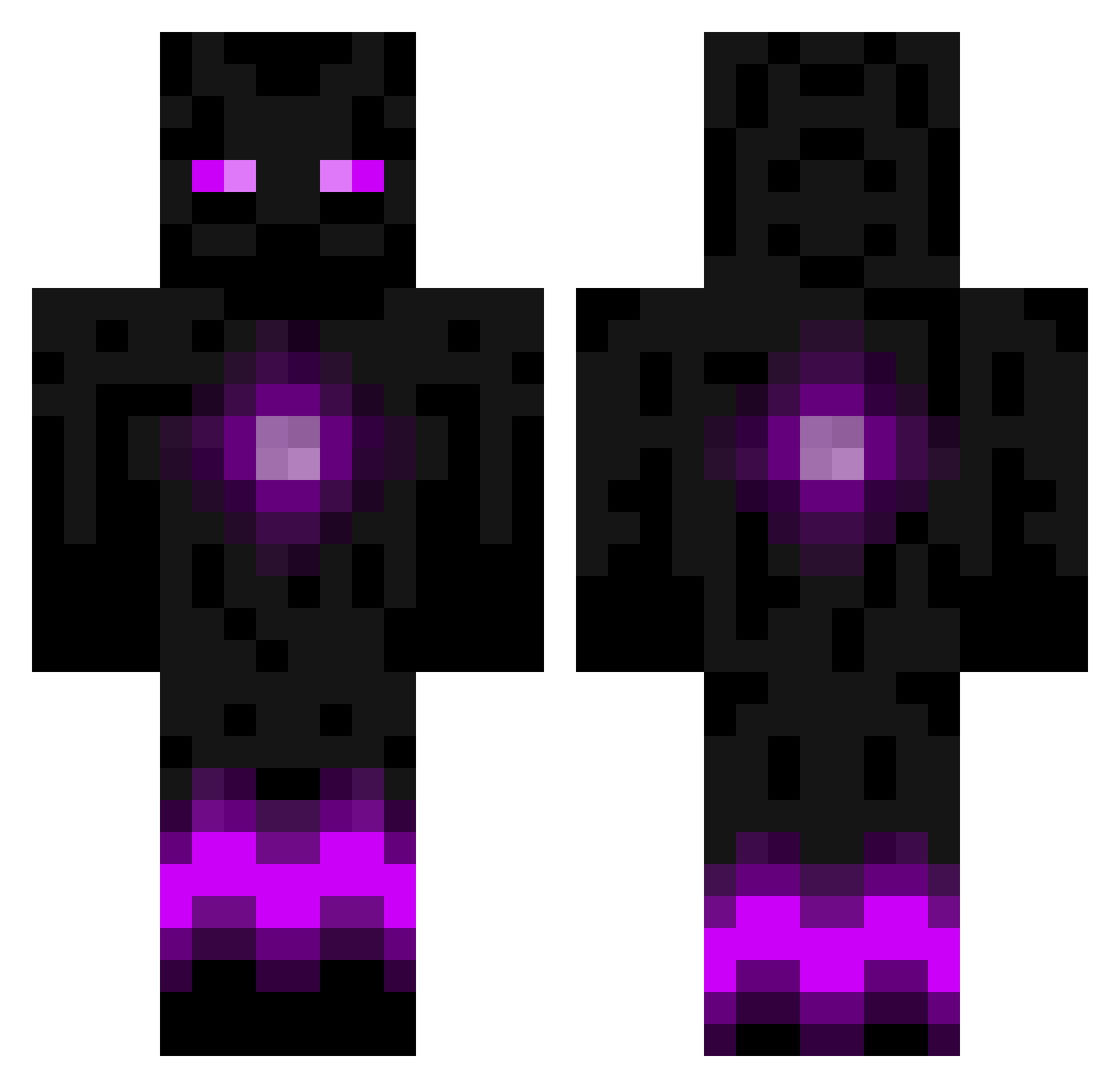
Current Minecraft skin of the player BENCE16, loaded from the official Mojang API. Rotate the 3D model with your mouse or finger, then download the skin as a PNG file and use it in Minecraft: Bedrock Edition or Java Edition for free. When BENCE16 changes their skin, this page updates automatically and the old skin stays in the history below.
Other players with this skin (788)
BENCE16 was the 586th player we have seen with this skin, first spotted on 11.10.2026. The same skin was seen on these players. Open a nickname to see their current skin and skin history.
 the_urge01 Burning_Sky Thaaz MineMinto J2OCraft Adversarious QShay18 DARKMALGUS17 KimairaBrain 4Nate dragonmin game_city004 dylann1026 mahavir11 emiel9999 snapdiezel Dragon_Hybrid Airhardt Maximumpower95 melonhead9963 Scrotch Hogger_Knight Aolz gpfox stull1 1999sean Wiiskyy louisomg England1601 Rafen TheUberKing jokiniemi01 itzPenisPvPHD kitekiller6 Dacia1995 georgecharlie96 General_Bez EpiCraft3r Framo2 R17gamer wnwkdwn Anas090707 kexx2003 rowesrookies ElectricEnder101 minerdonnelly petaHzz kaigunzel killerkam220 sammy3345 Shadowlightss Satsen Albino_Eyes _ShadowHorizon CraftingScorpion OhYeahItsJimmy Palingskes _Re_Play_ apatrickjones Owatt86
More Enderman Minecraft skins
How to install the BENCE16 skin
- Press the Download button above to save the skin as a PNG file.
- Minecraft: Bedrock Edition (PE): open the Dressing Room from the main menu (or tap your character → Edit Character), go to Classic Skins → Owned, press the + (new skin) button, choose the downloaded PNG and pick the Classic (Steve) model. Works on PC and mobile; consoles cannot import custom skins.
- Minecraft: Java Edition: open the Minecraft Launcher, go to the Skins tab, click New Skin, load the PNG, pick the Classic (Steve) model and press Save & Use. You can also upload it at minecraft.net → Profile → Change Skin.
The skin does not show up after import - what should I do?
Restart Minecraft and open the Dressing Room again - imported skins sometimes appear only after a restart. Also make sure you selected the imported skin and picked the Classic (Steve) model.
Which model should I choose, Classic or Slim?
This skin is designed for the Classic (Steve) model. If you pick the wrong model, the arms of the skin will look stretched or squeezed.
Is the skin of BENCE16 free to download?
Yes. Press Download, save the PNG file and use it in Minecraft: Bedrock Edition or Java Edition - no payment or registration needed. The skin also works on multiplayer servers and Realms.
More skins
Looking for more? Go back to all Minecraft skins and check the top skins of the week, month and all time, or find any player's skin by nickname.