
BBoyLin - Minecraft Skins & Skin History
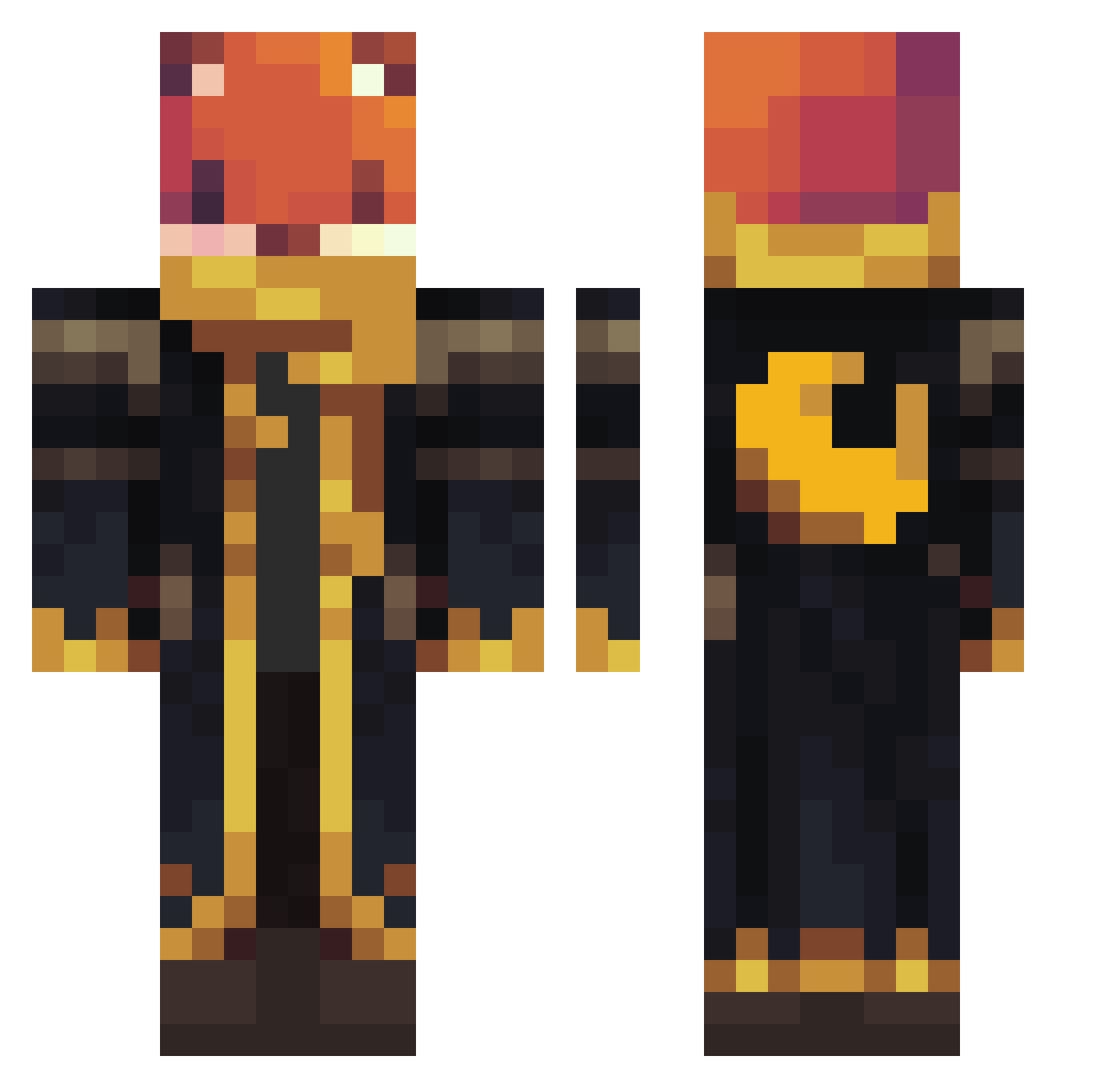
Current Minecraft skin of the player BBoyLin, loaded from the official Mojang API. Rotate the 3D model with your mouse or finger, then download the skin as a PNG file and use it in Minecraft: Bedrock Edition or Java Edition for free. When BBoyLin changes their skin, this page updates automatically and the old skin stays in the history below.
Other players with this skin (1136)
BBoyLin was the 790th player we have seen with this skin, first spotted on 11.10.2026. The same skin was seen on these players. Open a nickname to see their current skin and skin history.
 Mac113 SamLeo2025 WanoBee HuskyDemon31 xPurplerain Fox80813 WellJhon Kraken_Tk ThatRandomFox__ Diesel4x4 minjya_0621 Nitrosik SpinosaurusJacob Xenos1337 SWALIS Ozelot155 alexander2093 2Eleven HazelnutCookie HestiaLuv Ghastygames PixelShadow13 Superssmash FreeOne__ Kraad_Kid iiiQQQiii teteu11 nido_t8q assassintokyo445 synthix123 Julek252 jone_p13 Fhex_ SOSUKE1906 Lennon96 cuit666 Zerknuddelte Arkilum littleyoshi1125 Drexor2008 With3r_St0rm lucas_pukas007 khaledal3nziq8 Ziie Roosiemeisje Luca290712 ombran brandoman2023 Xmengaia Eevee660 _karch Tekno2121 Guggumere TessyLynn GaryHoooo helpfulll mateicreative Saprofit009 zeonnomercy Danielfr1275
More Crescent Moon Minecraft skins
See all 290 Crescent Moon skins
How to install the BBoyLin skin
- Press the Download button above to save the skin as a PNG file.
- Minecraft: Bedrock Edition (PE): open the Dressing Room from the main menu (or tap your character → Edit Character), go to Classic Skins → Owned, press the + (new skin) button, choose the downloaded PNG and pick the Classic (Steve) model. Works on PC and mobile; consoles cannot import custom skins.
- Minecraft: Java Edition: open the Minecraft Launcher, go to the Skins tab, click New Skin, load the PNG, pick the Classic (Steve) model and press Save & Use. You can also upload it at minecraft.net → Profile → Change Skin.
The skin does not show up after import - what should I do?
Restart Minecraft and open the Dressing Room again - imported skins sometimes appear only after a restart. Also make sure you selected the imported skin and picked the Classic (Steve) model.
Which model should I choose, Classic or Slim?
This skin is designed for the Classic (Steve) model. If you pick the wrong model, the arms of the skin will look stretched or squeezed.
Is the skin of BBoyLin free to download?
Yes. Press Download, save the PNG file and use it in Minecraft: Bedrock Edition or Java Edition - no payment or registration needed. The skin also works on multiplayer servers and Realms.
More skins
Looking for more? Go back to all Minecraft skins and check the top skins of the week, month and all time, or find any player's skin by nickname.